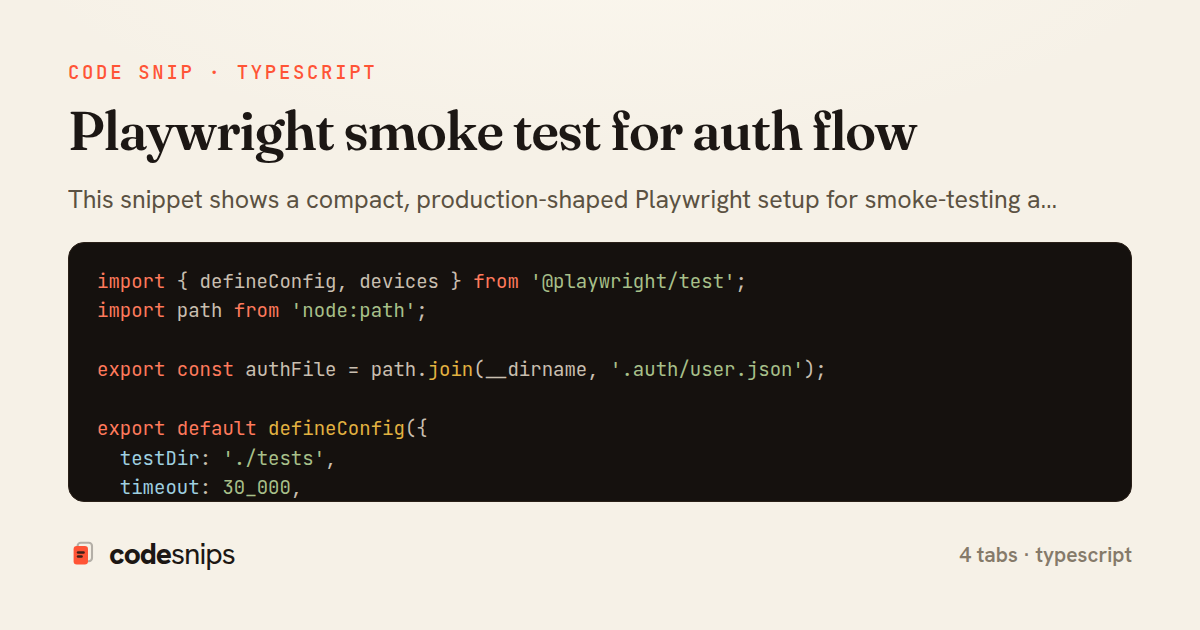
import { defineConfig, devices } from '@playwright/test';
import path from 'node:path';

export const authFile = path.join(__dirname, '.auth/user.json');

export default defineConfig({
  testDir: './tests',
  timeout: 30_000,
  retries: process.env.CI ? 2 : 0,
  reporter: process.env.CI ? 'github' : 'list',
  use: {
    baseURL: process.env.BASE_URL ?? 'http://localhost:3000',
    trace: 'on-first-retry',
    screenshot: 'only-on-failure',
  },
  projects: [
    {
      name: 'setup',
      testMatch: /.*\.setup\.ts/,
    },
    {
      name: 'chromium',
      use: {
        ...devices['Desktop Chrome'],
        storageState: authFile,
      },
      dependencies: ['setup'],
    },
  ],
});
import { expect, Locator, Page } from '@playwright/test';

export class LoginPage {
  readonly page: Page;
  readonly emailInput: Locator;
  readonly passwordInput: Locator;
  readonly submitButton: Locator;
  readonly errorBanner: Locator;

  constructor(page: Page) {
    this.page = page;
    this.emailInput = page.getByLabel('Email');
    this.passwordInput = page.getByLabel('Password');
    this.submitButton = page.getByRole('button', { name: 'Sign in' });
    this.errorBanner = page.getByRole('alert');
  }

  async goto() {
    await this.page.goto('/login');
    await expect(this.submitButton).toBeVisible();
  }

  async login(email: string, password: string) {
    await this.emailInput.fill(email);
    await this.passwordInput.fill(password);
    await this.submitButton.click();
    await this.page.waitForURL('**/dashboard');
  }

  async expectError(message: string | RegExp) {
    await expect(this.errorBanner).toContainText(message);
  }
}
import { test as setup, expect } from '@playwright/test';
import { LoginPage } from './pages/LoginPage';
import { authFile } from '../playwright.config';

const email = process.env.E2E_USER_EMAIL;
const password = process.env.E2E_USER_PASSWORD;

setup('authenticate once and persist storage state', async ({ page, context }) => {
  if (!email || !password) {
    throw new Error('E2E_USER_EMAIL and E2E_USER_PASSWORD must be set');
  }

  const loginPage = new LoginPage(page);
  await loginPage.goto();
  await loginPage.login(email, password);

  await expect(page.getByRole('heading', { name: 'Dashboard' })).toBeVisible();
  await expect(page.getByTestId('user-menu')).toBeVisible();

  await context.storageState({ path: authFile });
});
import { test, expect } from '@playwright/test';

test.describe('dashboard smoke', () => {
  test.beforeEach(async ({ page }) => {
    await page.goto('/dashboard');
  });

  test('lands authenticated without hitting the login form', async ({ page }) => {
    await expect(page).toHaveURL(/\/dashboard/);
    await expect(page.getByRole('heading', { name: 'Dashboard' })).toBeVisible();
  });

  test('shows the authenticated user menu', async ({ page }) => {
    const menu = page.getByTestId('user-menu');
    await expect(menu).toBeVisible();

    await menu.click();
    await expect(page.getByRole('menuitem', { name: 'Sign out' })).toBeVisible();
  });

  test('renders core widgets', async ({ page }) => {
    await expect(page.getByTestId('recent-activity')).toBeVisible();
    await expect(page.getByTestId('account-summary')).toBeVisible();
  });
});
This snippet shows a compact, production-shaped Playwright setup for smoke-testing a login flow. The central idea is to authenticate exactly once, persist the resulting browser storage (cookies plus localStorage) to disk, and let every subsequent spec reuse that authenticated context instead of clicking through the login form again. This is Playwright's storageState pattern, and it turns a slow, flaky per-test login into a single cheap file read.
The playwright.config.ts tab wires this together with project dependencies. A dedicated setup project matches *.setup.ts files and runs first; the real chromium project declares dependencies: ['setup'] and points use.storageState at the JSON file the setup produced. Because the setup is expressed as a project rather than a global hook, it participates in the trace, retry, and reporting machinery like any other test, which makes failures during authentication debuggable rather than opaque.
The LoginPage page object encapsulates every selector and interaction for the login screen behind intention-revealing methods. Locators are created with role- and label-based queries (getByLabel, getByRole) so the tests assert on accessible semantics rather than brittle CSS. The login method fills credentials and waits for a **/dashboard navigation via waitForURL, which is the meaningful signal that authentication actually succeeded.
In auth.setup.ts, the setup test drives the page object once, reads credentials from the environment so no secrets are hardcoded, asserts a post-login element is visible, and then calls context.storageState({ path }) to serialize the session. Writing to a stable authFile path is what the config later consumes.
The dashboard.smoke.spec.ts tab is the payoff: it never touches the login form. Because the project injects the saved storage state, page.goto('/dashboard') lands already authenticated, so the spec focuses purely on smoke assertions like the user menu and a heading being visible.
The main trade-off is staleness — the stored state can expire, so short-lived tokens may require re-running setup or shortening its cache lifetime. It is also worth keeping the auth file out of version control and regenerating it per CI run.
Related snips
class CommentsController < ApplicationController
  before_action :set_post

  def create
    @comment = @post.comments.build(comment_params)
System test: asserting Turbo Stream responses
payload = {
  sub: user.id,
  iss: 'https://auth.example.com',
  aud: 'codesnips-api',
  exp: 15.minutes.from_now.to_i,
  iat: Time.now.to_i,
JWT issuance and verification without common footguns
export interface RetryOptions {
  retries: number;
  baseMs: number;
  maxMs: number;
  signal?: AbortSignal;
  onRetry?: (attempt: number, delay: number, err: unknown) => void;
Exponential backoff with jitter for retries
import axios, { AxiosError } from 'axios'
import { v4 as uuidv4 } from 'uuid'

const api = axios.create({
  baseURL: import.meta.env.VITE_API_URL || 'http://localhost:3000/api/v1',
  timeout: 15000,
Axios API client with interceptors
import { create } from 'zustand'
import { persist } from 'zustand/middleware'

interface FilterState {
  search: string
  category: string | null
Zustand for lightweight state management
import { randomBytes, createHash } from "crypto";
import jwt from "jsonwebtoken";
import { RefreshTokenStore } from "./store";

const ACCESS_SECRET = process.env.ACCESS_SECRET!;
const ACCESS_TTL = "15m";
JWT access + refresh token rotation (conceptual)
Share this code
Here's the card — post it anywhere.