import { useEffect, useState } from "react";

export function useDebounce<T>(value: T, delay = 300): T {
  const [debounced, setDebounced] = useState<T>(value);

  useEffect(() => {
    const id = setTimeout(() => setDebounced(value), delay);
    return () => clearTimeout(id);
  }, [value, delay]);

  return debounced;
}
export interface SearchResult {
  id: string;
  title: string;
  url: string;
}

export async function fetchResults(
  term: string,
  signal: AbortSignal
): Promise<SearchResult[]> {
  const params = new URLSearchParams({ q: term, limit: "10" });
  const res = await fetch(`/api/search?${params.toString()}`, { signal });

  if (!res.ok) {
    throw new Error(`Search failed with status ${res.status}`);
  }

  const body = (await res.json()) as { results: SearchResult[] };
  return body.results;
}
import { useEffect, useRef, useState } from "react";
import { useDebounce } from "./useDebounce";
import { fetchResults, SearchResult } from "./api";

export function SearchBox() {
  const [term, setTerm] = useState("");
  const [results, setResults] = useState<SearchResult[]>([]);
  const [loading, setLoading] = useState(false);
  const [error, setError] = useState<string | null>(null);
  const debouncedTerm = useDebounce(term.trim(), 350);
  const controllerRef = useRef<AbortController | null>(null);

  useEffect(() => {
    if (!debouncedTerm) {
      setResults([]);
      setError(null);
      return;
    }

    const controller = new AbortController();
    controllerRef.current = controller;
    setLoading(true);
    setError(null);

    fetchResults(debouncedTerm, controller.signal)
      .then((res) => {
        if (!controller.signal.aborted) setResults(res);
      })
      .catch((err: unknown) => {
        if (err instanceof DOMException && err.name === "AbortError") return;
        setError(err instanceof Error ? err.message : "Unknown error");
      })
      .finally(() => {
        if (!controller.signal.aborted) setLoading(false);
      });

    return () => controller.abort();
  }, [debouncedTerm]);

  return (
    <div className="search-box">
      <input
        type="search"
        value={term}
        placeholder="Search\u2026"
        onChange={(e) => setTerm(e.target.value)}
      />
      {loading && <span className="spinner" aria-live="polite">Searching\u2026</span>}
      {error && <p className="error">{error}</p>}
      <ul>
        {results.map((r) => (
          <li key={r.id}>
            <a href={r.url}>{r.title}</a>
          </li>
        ))}
      </ul>
    </div>
  );
}
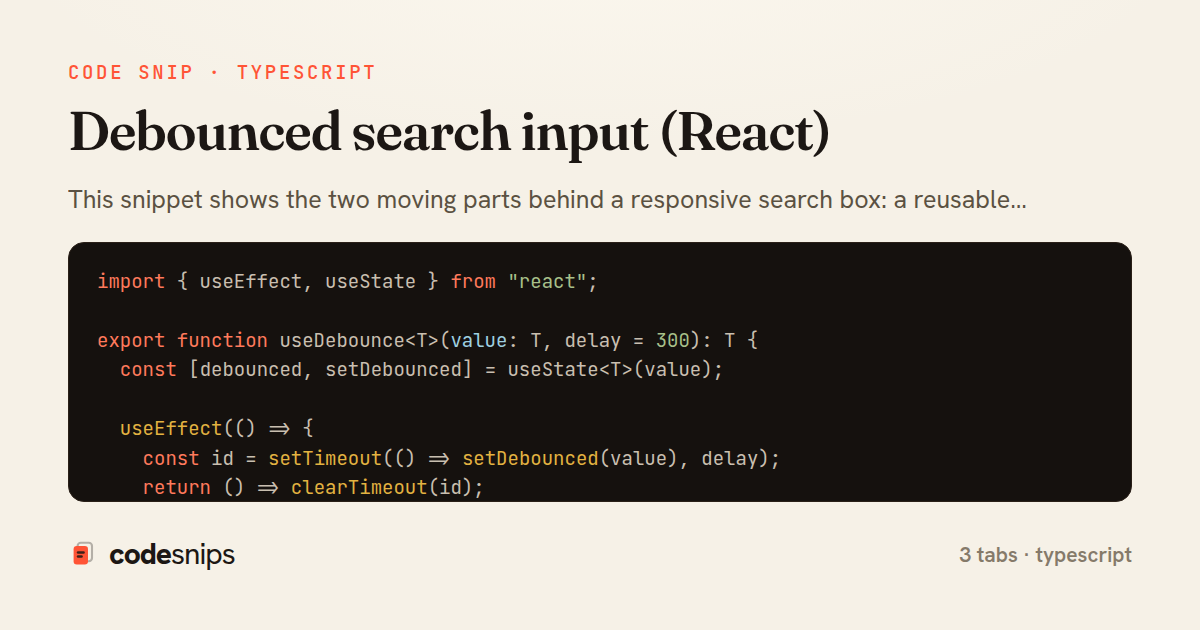
This snippet shows the two moving parts behind a responsive search box: a reusable useDebounce hook that delays a rapidly changing value, and a SearchBox component that consumes it while guarding against out-of-order network responses.
Debouncing solves a specific problem. As the user types, the input value changes on every keystroke, but firing a request per keystroke wastes bandwidth and floods the backend. In useDebounce hook, the raw value is copied into debounced state only after a quiet period of delay milliseconds. The effect sets a setTimeout and returns a cleanup function that clears it, so each new keystroke cancels the pending timer before it fires. The consumer therefore only sees the value once typing pauses.
Debouncing alone is not enough, because slow requests can still resolve out of order. Suppose a search for re is slow and a later search for react returns first — without protection, the stale re results would overwrite the fresh ones. SearchBox addresses this with an AbortController. Each time the debounced term changes, the effect stores a fresh controller in controllerRef and passes its signal into fetchResults. The cleanup function calls controller.abort(), which both cancels the in-flight fetch and lets the code ignore its result.
The try/catch distinguishes a real failure from an intentional cancellation: an AbortError name is swallowed silently, while other errors surface through setError. A loading flag drives the UI state, and the guard if (!term) { setResults([]) } short-circuits empty input so no request is made.
The fetchResults helper in api client centralizes the request shape and threads the signal through, keeping the component focused on state rather than transport details. Note that abort rejects the promise, which is why the finally block only clears loading after checking the signal is not already aborted — otherwise a superseded request would prematurely hide the spinner.
The trade-off is latency: a larger delay reduces requests but makes results feel sluggish, so values around 250–400ms are typical. This pattern is the standard way to build autocomplete, typeahead, and filter inputs where every keystroke would otherwise trigger network churn.
Related snips
<form data-controller="query-sync" data-action="change->query-sync#apply">
  <select name="status" class="rounded border p-2">
    <option value="">Any</option>
    <option value="open">Open</option>
    <option value="closed">Closed</option>
  </select>
Filter UI that syncs query params via Stimulus (no front-end router)
import { Controller } from "@hotwired/stimulus"

export default class extends Controller {
  static targets = ["form"]
  static values = { delay: { type: Number, default: 250 } }
Debounced live search with Stimulus + Turbo Streams
import axios, { AxiosError } from 'axios'
import { v4 as uuidv4 } from 'uuid'

const api = axios.create({
  baseURL: import.meta.env.VITE_API_URL || 'http://localhost:3000/api/v1',
  timeout: 15000,
Axios API client with interceptors
import { create } from 'zustand'
import { persist } from 'zustand/middleware'

interface FilterState {
  search: string
  category: string | null
Zustand for lightweight state management
import { Controller } from "@hotwired/stimulus"

export default class extends Controller {
  static values = {
    url: String,
    delay: { type: Number, default: 800 },
Stimulus: autosave draft with Turbo-friendly requests
import React from "react";

type FallbackProps = {
  error: Error;
  reset: () => void;
};
React Error Boundary + error reporting hook
Share this code
Here's the card — post it anywhere.