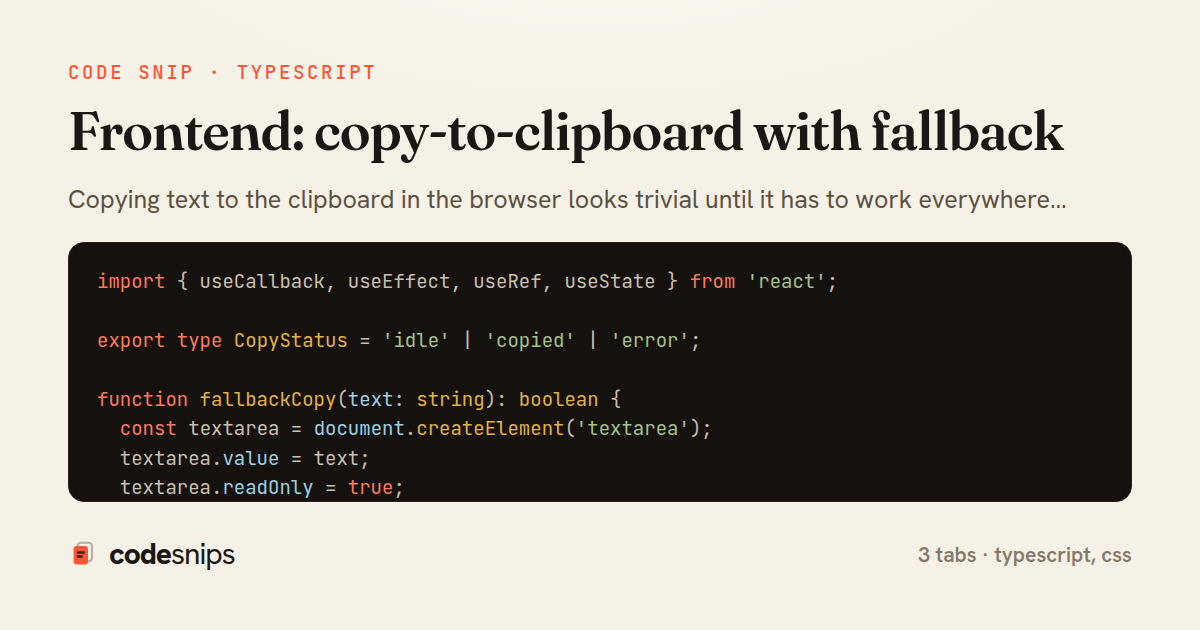
import { useCallback, useEffect, useRef, useState } from 'react';

export type CopyStatus = 'idle' | 'copied' | 'error';

function fallbackCopy(text: string): boolean {
  const textarea = document.createElement('textarea');
  textarea.value = text;
  textarea.readOnly = true;
  textarea.style.position = 'fixed';
  textarea.style.top = '-9999px';
  textarea.style.opacity = '0';
  document.body.appendChild(textarea);
  try {
    textarea.focus();
    textarea.select();
    return document.execCommand('copy');
  } catch {
    return false;
  } finally {
    document.body.removeChild(textarea);
  }
}

export function useCopyToClipboard(resetDelay = 2000): [CopyStatus, (text: string) => Promise<void>] {
  const [status, setStatus] = useState<CopyStatus>('idle');
  const timerRef = useRef<ReturnType<typeof setTimeout> | null>(null);

  const scheduleReset = useCallback(() => {
    if (timerRef.current) clearTimeout(timerRef.current);
    timerRef.current = setTimeout(() => setStatus('idle'), resetDelay);
  }, [resetDelay]);

  const copy = useCallback(async (text: string) => {
    let ok = false;
    try {
      if (navigator.clipboard && window.isSecureContext) {
        await navigator.clipboard.writeText(text);
        ok = true;
      } else {
        ok = fallbackCopy(text);
      }
    } catch {
      ok = false;
    }
    setStatus(ok ? 'copied' : 'error');
    scheduleReset();
  }, [scheduleReset]);

  useEffect(() => {
    return () => {
      if (timerRef.current) clearTimeout(timerRef.current);
    };
  }, []);

  return [status, copy];
}
import React from 'react';
import { useCopyToClipboard } from './useCopyToClipboard';

interface CopyButtonProps {
  value: string;
  label?: string;
}

const LABELS: Record<string, string> = {
  idle: 'Copy',
  copied: 'Copied!',
  error: 'Copy failed',
};

export function CopyButton({ value, label = 'Copy' }: CopyButtonProps) {
  const [status, copy] = useCopyToClipboard();

  const text = status === 'idle' ? label : LABELS[status];

  return (
    <button
      type="button"
      className={`copy-btn copy-btn--${status}`}
      onClick={() => copy(value)}
      disabled={status === 'copied'}
      aria-label={text}
    >
      <span aria-hidden="true">{text}</span>
      <span className="sr-only" role="status" aria-live="polite">
        {status === 'copied' ? 'Copied to clipboard' : ''}
        {status === 'error' ? 'Failed to copy to clipboard' : ''}
      </span>
    </button>
  );
}
.copy-btn {
  display: inline-flex;
  align-items: center;
  gap: 0.4rem;
  padding: 0.4rem 0.75rem;
  font-size: 0.875rem;
  border: 1px solid #d0d7de;
  border-radius: 6px;
  background: #f6f8fa;
  cursor: pointer;
  transition: background-color 120ms ease, border-color 120ms ease;
}

.copy-btn:hover {
  background: #eef1f4;
}

.copy-btn--copied {
  border-color: #2da44e;
  color: #2da44e;
  cursor: default;
}

.copy-btn--error {
  border-color: #cf222e;
  color: #cf222e;
}

.sr-only {
  position: absolute;
  width: 1px;
  height: 1px;
  padding: 0;
  margin: -1px;
  overflow: hidden;
  clip: rect(0, 0, 0, 0);
  white-space: nowrap;
  border: 0;
}
Copying text to the clipboard in the browser looks trivial until it has to work everywhere. The modern navigator.clipboard.writeText API is asynchronous, promise-based, and only available in secure contexts (HTTPS or localhost); older browsers and insecure origins still need the legacy document.execCommand('copy') path. This snippet packages both behind a single hook so components never have to branch on browser capability themselves.
The useCopyToClipboard hook returns a tuple of the current status and a copy callback, mirroring the shape of useState. The status is a small state machine — idle, copied, or error — which is enough to drive UI feedback without leaking implementation details. Inside copy, the code first checks navigator.clipboard and whether the page isSecureContext; when available it awaits writeText. Otherwise it falls back to fallbackCopy, which creates an off-screen <textarea>, selects its contents, and triggers the deprecated but widely-supported execCommand.
A few edge cases are handled deliberately. The fallback element uses position: fixed with zero opacity and readOnly so it never scrolls the page or flashes visibly, and it is always removed in a finally block even if selection throws. A setTimeout reference stored in a ref resets status back to idle after a delay, and the effect cleanup clears any pending timer so an unmounted component never calls setStatus — a common source of React warnings. The copy callback is wrapped in useCallback with a stable dependency so it can be passed to memoized children safely.
The CopyButton component shows the intended consumption pattern: it reads status to swap the label and aria-live announcement, disables itself briefly after success, and never needs to know which clipboard path executed. This separation is the real value — capability detection and timing live in one tested place, while components stay declarative. The trade-off is that the fallback requires a real user gesture to succeed (browsers block programmatic copies otherwise), so the hook should always be invoked from an event handler, never on mount or in an effect.
Related snips
export interface RetryOptions {
  retries: number;
  baseMs: number;
  maxMs: number;
  signal?: AbortSignal;
  onRetry?: (attempt: number, delay: number, err: unknown) => void;
Exponential backoff with jitter for retries
<!DOCTYPE html>
<html lang="en">
<head>
  <meta charset="UTF-8">
  <meta name="viewport" content="width=device-width, initial-scale=1.0">
  <title>Semantic HTML Example</title>
Semantic HTML5 elements and accessibility best practices
import { Controller } from "@hotwired/stimulus"
import Mousetrap from "mousetrap"

export default class extends Controller {
  connect() {
    // Global shortcuts
Keyboard shortcuts with Stimulus and Mousetrap
import { Controller } from "@hotwired/stimulus"

export default class extends Controller {
  static targets = ["form"]
  static values = { delay: { type: Number, default: 250 } }
Debounced live search with Stimulus + Turbo Streams
import axios, { AxiosError } from 'axios'
import { v4 as uuidv4 } from 'uuid'

const api = axios.create({
  baseURL: import.meta.env.VITE_API_URL || 'http://localhost:3000/api/v1',
  timeout: 15000,
Axios API client with interceptors
import { create } from 'zustand'
import { persist } from 'zustand/middleware'

interface FilterState {
  search: string
  category: string | null
Zustand for lightweight state management
Share this code
Here's the card — post it anywhere.