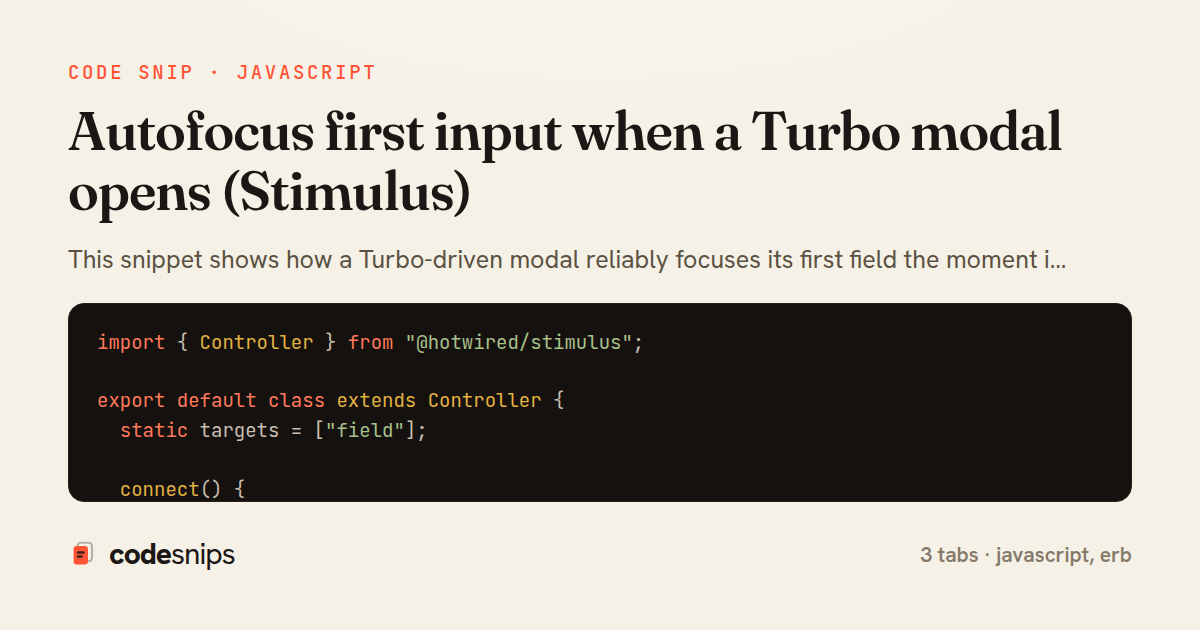
import { Controller } from "@hotwired/stimulus";

export default class extends Controller {
  static targets = ["field"];

  connect() {
    this.previouslyFocused = document.activeElement;
    // Defer until layout settles so the element is actually focusable.
    requestAnimationFrame(() => this.focusFirstField());
  }

  focusFirstField() {
    const field = this.hasFieldTarget ? this.fieldTarget : this.firstVisibleInput();
    if (!field) return;

    field.focus();
    if (typeof field.select === "function" && field.value) {
      field.select();
    }
  }

  firstVisibleInput() {
    const candidates = this.element.querySelectorAll(
      "input:not([type=hidden]):not([disabled]), textarea:not([disabled]), select:not([disabled])"
    );
    return Array.from(candidates).find((el) => el.offsetParent !== null);
  }

  close(event) {
    if (event) event.preventDefault();
    this.element.innerHTML = "";
    if (this.previouslyFocused && this.previouslyFocused.focus) {
      this.previouslyFocused.focus();
    }
  }
}
<%= turbo_frame_tag "modal" do %>
  <div class="modal"
       role="dialog"
       aria-modal="true"
       aria-labelledby="modal-title"
       data-controller="modal">
    <div class="modal__backdrop" data-action="click->modal#close"></div>

    <div class="modal__panel">
      <h2 id="modal-title">New project</h2>

      <%= form_with model: @project, class: "modal__form" do |f| %>
        <div class="field">
          <%= f.label :name %>
          <%= f.text_field :name, data: { modal_target: "field" } %>
        </div>

        <div class="field">
          <%= f.label :description %>
          <%= f.text_area :description %>
        </div>

        <div class="modal__actions">
          <button type="button" data-action="modal#close">Cancel</button>
          <%= f.submit "Create" %>
        </div>
      <% end %>
    </div>
  </div>
<% end %>
<div class="projects">
  <h1>Projects</h1>

  <%= link_to "New project",
              new_project_path,
              data: { turbo_frame: "modal" },
              class: "btn btn--primary" %>

  <%= turbo_frame_tag "modal" %>
</div>
This snippet shows how a Turbo-driven modal reliably focuses its first field the moment it appears, a detail that matters for both usability and accessibility. Modals loaded through a Turbo Frame arrive as fresh DOM after an async fetch, so the browser's native autofocus attribute is unreliable — the element is inserted after the initial parse, and autofocus only fires during document load. A Stimulus controller closes that gap by running focus logic in its connect lifecycle callback.
In modal_controller.js, the controller wires up on connect(), which Stimulus invokes as soon as the element enters the DOM — exactly when the Turbo Frame swaps in the modal partial. It defers the actual focus with requestAnimationFrame so the browser has finished layout before the field receives focus, avoiding a race where the element isn't yet focusable. The focusFirstField() method prefers an explicitly marked dialogTarget input via a Stimulus target, then falls back to a query for the first enabled, visible field, skipping hidden inputs and buttons. It also calls select() when the field is a text input so an existing value is highlighted for quick replacement.
The close() action demonstrates the return trip: it restores focus to previouslyFocused, the element that triggered the modal, which is captured in connect() via document.activeElement. This keeps keyboard and screen-reader users oriented after the modal dismisses.
In modal.html.erb, the frame partial declares data-controller="modal" and marks the intended input with data-modal-target="field". The turbo_frame_tag gives the modal a stable frame id so links elsewhere can target it. Note the autofocus attribute is intentionally omitted, since the controller owns focus behavior.
In new.html.erb, a link_to with data: { turbo_frame: "modal" } triggers the lazy load into the shared frame, and the empty turbo_frame_tag "modal" acts as the mount point. This division of labor — server renders the form, Stimulus manages focus — keeps the pattern reusable across any modal without duplicating JavaScript. A subtle pitfall it handles is Turbo cache restoration: because focus runs on every connect, a cached-then-restored frame still lands focus correctly.
Related snips
class CommentsController < ApplicationController
  before_action :set_post

  def create
    @comment = @post.comments.build(comment_params)
System test: asserting Turbo Stream responses
class Post < ApplicationRecord
  belongs_to :author, class_name: 'User'
  has_many :comments, dependent: :destroy

  scope :published, -> { where.not(published_at: nil).where('published_at <= ?', Time.current) }
  scope :draft, -> { where(published_at: nil) }
ActiveRecord scopes for reusable query logic
module Api
  module V1
    class UsersController < BaseController
      def show
        user = User.includes(:profile).find(params[:id])
ETags for conditional requests and caching
class PostsController < ApplicationController
  def index
    @posts = Post.includes(:author)
                 .order(created_at: :desc)
                 .page(params[:page])
                 .per(10)
Turbo Frames: infinite scroll with lazy-loading frame
<!DOCTYPE html>
<html lang="en">
<head>
  <meta charset="UTF-8">
  <meta name="viewport" content="width=device-width, initial-scale=1.0">
  <title>Semantic HTML Example</title>
Semantic HTML5 elements and accessibility best practices
require "csv"

class PeopleCsvStream
  include Enumerable

  HEADERS = %w[id full_name email signed_up_at plan].freeze
Resilient CSV Export as a Streamed Response
Share this code
Here's the card — post it anywhere.