python
31 lines · 1 tab
Priya Sharma
Jan 2026
1 tab
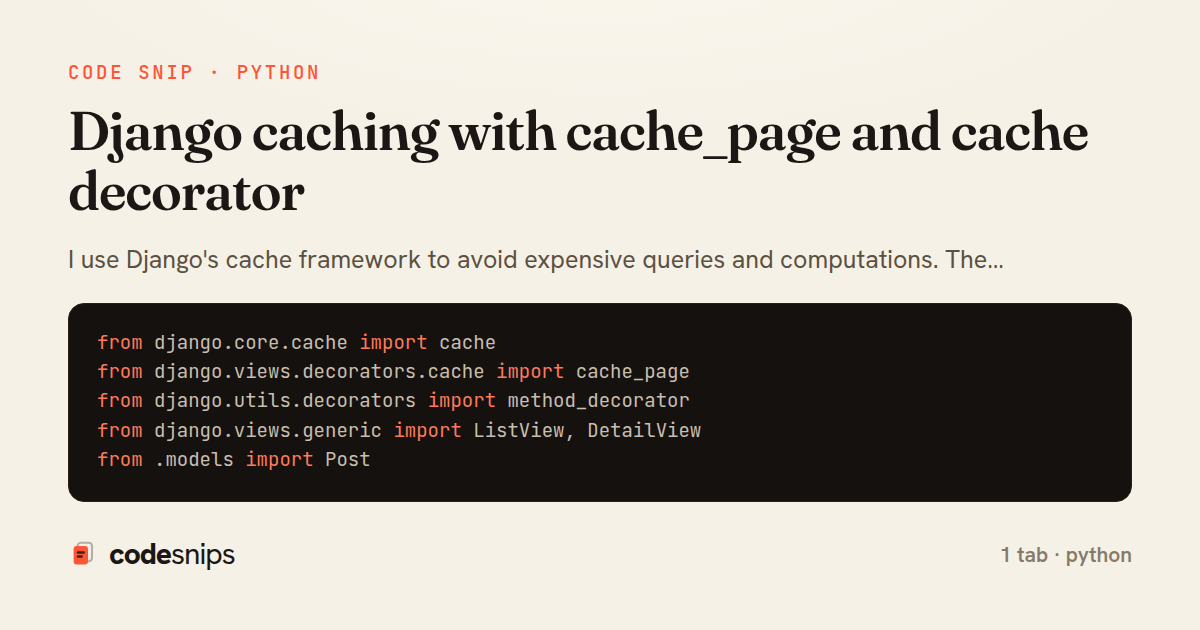
from django.core.cache import cache
from django.views.decorators.cache import cache_page
from django.utils.decorators import method_decorator
from django.views.generic import ListView, DetailView
from .models import Post


@method_decorator(cache_page(60 * 15), name='dispatch')  # 15 minutes
class PostListView(ListView):
    model = Post
    template_name = 'blog/post_list.html'


class PostDetailView(DetailView):
    model = Post
    template_name = 'blog/post_detail.html'

    def get_object(self):
        post_id = self.kwargs['pk']
        cache_key = f'post:{post_id}'

        # Try cache first
        post = cache.get(cache_key)

        if post is None:
            # Cache miss - fetch from database
            post = super().get_object()
            # Cache for 1 hour
            cache.set(cache_key, post, 60 * 60)

        return post
1 file · python
Explain with highlit
I use Django's cache framework to avoid expensive queries and computations. The cache_page decorator caches entire view responses by URL. For more control, I use the low-level cache API to store query results or computed values. I set reasonable timeouts and use cache versioning to invalidate related keys. For view fragments, I use template caching. Redis is my preferred backend for production due to speed and data structures. I'm careful with cache keys to avoid collisions and consider query parameters when caching. Cache warming can preload frequently-accessed data.
Related snips
python
import os
import stat

for root, _dirs, files in os.walk('/etc'):
    for name in files:
        path = os.path.join(root, name)
Python security audit script for exposed risky filesystem state
python
auditing
host-security
by Kai Nakamura
1 tab
ruby
module Api
  module V1
    class UsersController < BaseController
      def show
        user = User.includes(:profile).find(params[:id])
ETags for conditional requests and caching
rails
caching
http-caching
by Alex Kumar
1 tab
python
class Product(models.Model):
    name = models.CharField(max_length=200)
    slug = models.SlugField(blank=True)
    price = models.DecimalField(max_digits=10, decimal_places=2)
    cost = models.DecimalField(max_digits=10, decimal_places=2)
    margin = models.DecimalField(max_digits=5, decimal_places=2, blank=True)
Django model signals vs overriding save
django
python
models
by Priya Sharma
2 tabs
ruby
require "csv"

class PeopleCsvStream
  include Enumerable

  HEADERS = %w[id full_name email signed_up_at plan].freeze
Resilient CSV Export as a Streamed Response
rails
performance
streaming
by codesnips
3 tabs
ruby
Rails.application.configure do
  config.after_initialize do
    Bullet.enable = true
    Bullet.alert = false
    Bullet.bullet_logger = true
    Bullet.console = true
N+1 query detection with Bullet gem
rails
performance
activerecord
by Alex Kumar
2 tabs
python
from django.urls import path
from . import views

app_name = 'blog'

urlpatterns = [
Django URL namespacing and reverse lookups
django
python
urls
by Priya Sharma
3 tabs
Share this code
Here's the card — post it anywhere.