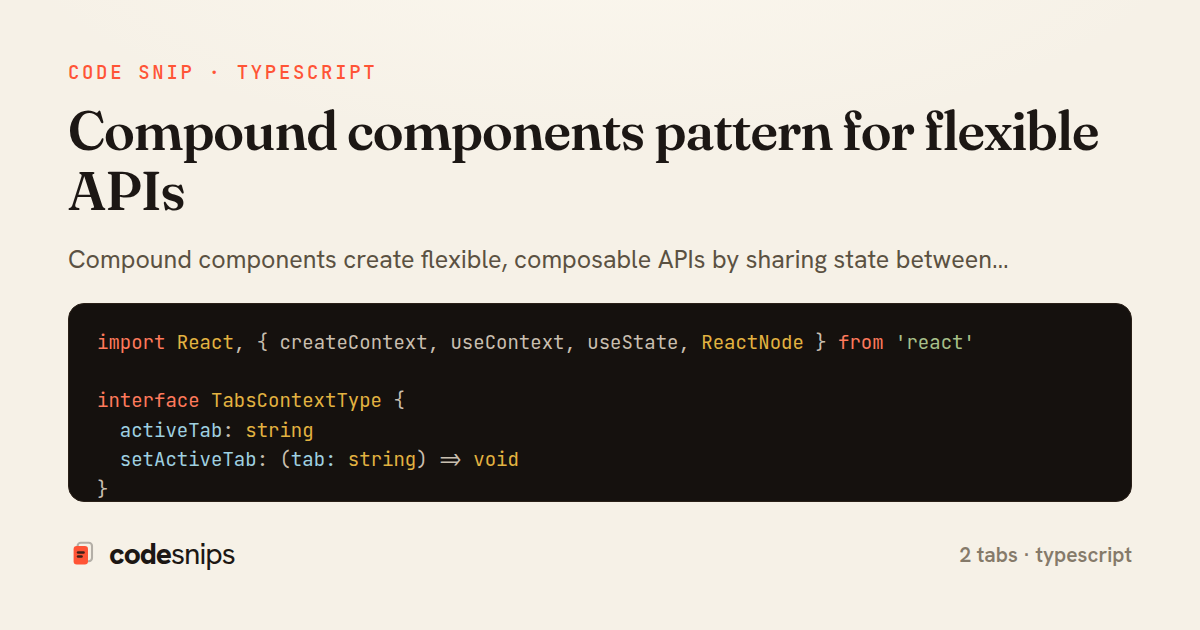
import React, { createContext, useContext, useState, ReactNode } from 'react'

interface TabsContextType {
  activeTab: string
  setActiveTab: (tab: string) => void
}

const TabsContext = createContext<TabsContextType | undefined>(undefined)

function useTabsContext() {
  const context = useContext(TabsContext)
  if (!context) {
    throw new Error('Tabs components must be used within Tabs')
  }
  return context
}

interface TabsProps {
  defaultValue: string
  children: ReactNode
}

function TabsRoot({ defaultValue, children }: TabsProps) {
  const [activeTab, setActiveTab] = useState(defaultValue)

  return (
    <TabsContext.Provider value={{ activeTab, setActiveTab }}>
      <div className="tabs">{children}</div>
    </TabsContext.Provider>
  )
}

interface TabsListProps {
  children: ReactNode
}

function TabsList({ children }: TabsListProps) {
  return <div className="flex border-b">{children}</div>
}

interface TabsTriggerProps {
  value: string
  children: ReactNode
}

function TabsTrigger({ value, children }: TabsTriggerProps) {
  const { activeTab, setActiveTab } = useTabsContext()
  const isActive = activeTab === value

  return (
    <button
      onClick={() => setActiveTab(value)}
      className={`px-4 py-2 font-medium transition-colors ${
        isActive
          ? 'border-b-2 border-blue-600 text-blue-600'
          : 'text-gray-600 hover:text-gray-900'
      }`}
    >
      {children}
    </button>
  )
}

interface TabsContentProps {
  value: string
  children: ReactNode
}

function TabsContent({ value, children }: TabsContentProps) {
  const { activeTab } = useTabsContext()

  if (activeTab !== value) return null

  return <div className="py-4">{children}</div>
}

export const Tabs = Object.assign(TabsRoot, {
  List: TabsList,
  Trigger: TabsTrigger,
  Content: TabsContent,
})
function PostDetail() {
  return (
    <Tabs defaultValue="details">
      <Tabs.List>
        <Tabs.Trigger value="details">Details</Tabs.Trigger>
        <Tabs.Trigger value="comments">Comments</Tabs.Trigger>
        <Tabs.Trigger value="history">History</Tabs.Trigger>
      </Tabs.List>

      <Tabs.Content value="details">
        <PostDetails />
      </Tabs.Content>

      <Tabs.Content value="comments">
        <CommentsList />
      </Tabs.Content>

      <Tabs.Content value="history">
        <PostHistory />
      </Tabs.Content>
    </Tabs>
  )
}
Compound components create flexible, composable APIs by sharing state between parent and child components via context. Instead of passing dozens of props, child components access shared state through context. A Select component might have Select.Trigger, Select.Options, and Select.Option subcomponents that work together. This pattern provides flexibility—consumers can rearrange, style, or extend components—while maintaining encapsulation. I use TypeScript's namespace syntax or dot notation to attach subcomponents. The parent component provides context, and children consume it with useContext. This is the pattern used by libraries like Radix UI and Headless UI for building accessible, customizable component primitives.
Related snips
class Post < ApplicationRecord
  belongs_to :author, class_name: 'User'
  has_many :comments, dependent: :destroy

  scope :published, -> { where.not(published_at: nil).where('published_at <= ?', Time.current) }
  scope :draft, -> { where(published_at: nil) }
ActiveRecord scopes for reusable query logic
export interface RetryOptions {
  retries: number;
  baseMs: number;
  maxMs: number;
  signal?: AbortSignal;
  onRetry?: (attempt: number, delay: number, err: unknown) => void;
Exponential backoff with jitter for retries
import axios, { AxiosError } from 'axios'
import { v4 as uuidv4 } from 'uuid'

const api = axios.create({
  baseURL: import.meta.env.VITE_API_URL || 'http://localhost:3000/api/v1',
  timeout: 15000,
Axios API client with interceptors
import { create } from 'zustand'
import { persist } from 'zustand/middleware'

interface FilterState {
  search: string
  category: string | null
Zustand for lightweight state management
import React from "react";

type FallbackProps = {
  error: Error;
  reset: () => void;
};
React Error Boundary + error reporting hook
const withBundleAnalyzer = require('@next/bundle-analyzer')({
  enabled: process.env.ANALYZE === 'true',
  openAnalyzer: true,
});

/** @type {import('next').NextConfig} */
Next.js bundle analyzer for targeted performance work
Share this code
Here's the card — post it anywhere.