swift
138 lines · 2 tabs
Sofia Martinez
Jan 2026
2 tabs
import UIKit

class ImageCache {
    static let shared = ImageCache()

    private let cache = NSCache<NSString, UIImage>()

    private init() {
        cache.countLimit = 100
        cache.totalCostLimit = 50 * 1024 * 1024 // 50 MB
    }

    func get(forKey key: String) -> UIImage? {
        return cache.object(forKey: key as NSString)
    }

    func set(_ image: UIImage, forKey key: String) {
        cache.setObject(image, forKey: key as NSString)
    }

    func remove(forKey key: String) {
        cache.removeObject(forKey: key as NSString)
    }

    func removeAll() {
        cache.removeAllObjects()
    }
}

class ImageLoader: ObservableObject {
    @Published var image: UIImage?
    @Published var isLoading = false

    private let url: URL
    private let cache = ImageCache.shared

    init(url: URL) {
        self.url = url
    }

    @MainActor
    func load() async {
        let urlString = url.absoluteString

        // Check cache first
        if let cached = cache.get(forKey: urlString) {
            image = cached
            return
        }

        isLoading = true

        do {
            let (data, _) = try await URLSession.shared.data(from: url)

            if let downloadedImage = UIImage(data: data) {
                cache.set(downloadedImage, forKey: urlString)
                image = downloadedImage
            }
        } catch {
            print("Failed to load image: \(error)")
        }

        isLoading = false
    }
}
import SwiftUI

struct CachedAsyncImage<Content: View, Placeholder: View>: View {
    let url: URL
    let content: (Image) -> Content
    let placeholder: () -> Placeholder

    @StateObject private var loader: ImageLoader

    init(
        url: URL,
        @ViewBuilder content: @escaping (Image) -> Content,
        @ViewBuilder placeholder: @escaping () -> Placeholder
    ) {
        self.url = url
        self.content = content
        self.placeholder = placeholder
        _loader = StateObject(wrappedValue: ImageLoader(url: url))
    }

    var body: some View {
        Group {
            if let uiImage = loader.image {
                content(Image(uiImage: uiImage))
            } else {
                placeholder()
            }
        }
        .task {
            await loader.load()
        }
    }
}

// Convenience initializer
extension CachedAsyncImage where Content == Image, Placeholder == ProgressView<EmptyView, EmptyView> {
    init(url: URL) {
        self.init(
            url: url,
            content: { image in
                image
                    .resizable()
                    .aspectRatio(contentMode: .fill)
            },
            placeholder: {
                ProgressView()
            }
        )
    }
}

// Usage example
struct PostImageView: View {
    let imageURL: URL

    var body: some View {
        CachedAsyncImage(url: imageURL) { image in
            image
                .resizable()
                .aspectRatio(contentMode: .fill)
                .frame(height: 200)
                .clipped()
        } placeholder: {
            Rectangle()
                .fill(Color.gray.opacity(0.3))
                .frame(height: 200)
                .overlay {
                    ProgressView()
                }
        }
    }
}
2 files · swift
Explain with highlit
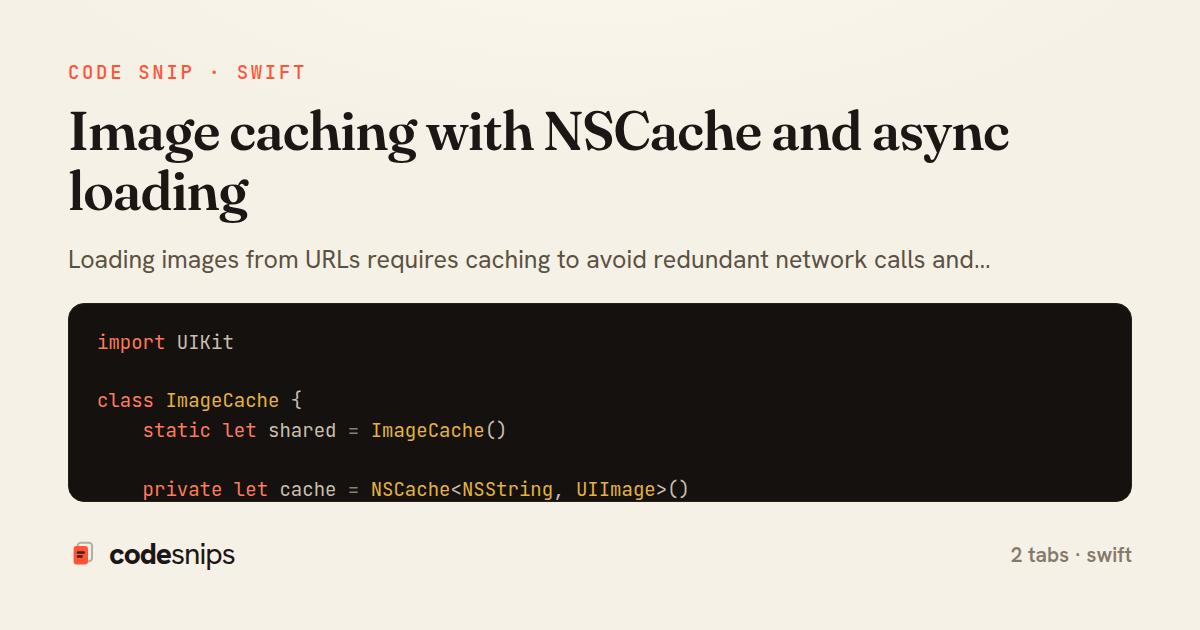
Loading images from URLs requires caching to avoid redundant network calls and improve performance. I create an image cache using NSCache which automatically evicts objects under memory pressure. The cache stores UIImage or Data keyed by URL. For async loading, I use URLSession.shared.data(from:) with async/await. SwiftUI's AsyncImage handles loading states but doesn't cache—I build a custom CachedAsyncImage view that checks cache before loading. Prefetching images for list items improves perceived performance. For complex image pipelines with transforms and placeholders, libraries like Kingfisher or SDWebImage help, but a simple cache covers most needs.
Related snips
ruby
module Api
  module V1
    class UsersController < BaseController
      def show
        user = User.includes(:profile).find(params[:id])
ETags for conditional requests and caching
rails
caching
http-caching
by Alex Kumar
1 tab
ruby
require "csv"

class PeopleCsvStream
  include Enumerable

  HEADERS = %w[id full_name email signed_up_at plan].freeze
Resilient CSV Export as a Streamed Response
rails
performance
streaming
by codesnips
3 tabs
ruby
Rails.application.configure do
  config.after_initialize do
    Bullet.enable = true
    Bullet.alert = false
    Bullet.bullet_logger = true
    Bullet.console = true
N+1 query detection with Bullet gem
rails
performance
activerecord
by Alex Kumar
2 tabs
swift
import Combine
import Foundation

class SearchViewModel: ObservableObject {
    @Published var searchQuery = ""
    @Published var results: [SearchResult] = []
Combine operators for data transformation
swift
combine
reactive
by Sofia Martinez
1 tab
ruby
json.array! @posts do |post|
  json.cache! ['v1', post], expires_in: 1.hour do
    json.id post.id
    json.title post.title
    json.excerpt post.excerpt
    json.published_at post.published_at
Fragment caching for expensive JSON serialization
rails
caching
performance
by Alex Kumar
1 tab
swift
import SwiftUI

struct ContentView: View {
    @State private var username = ""
    @State private var isLoggedIn = false
    @StateObject private var viewModel = LoginViewModel()
SwiftUI declarative UI with state management
swift
swiftui
ios
by Sofia Martinez
2 tabs
Share this code
Here's the card — post it anywhere.