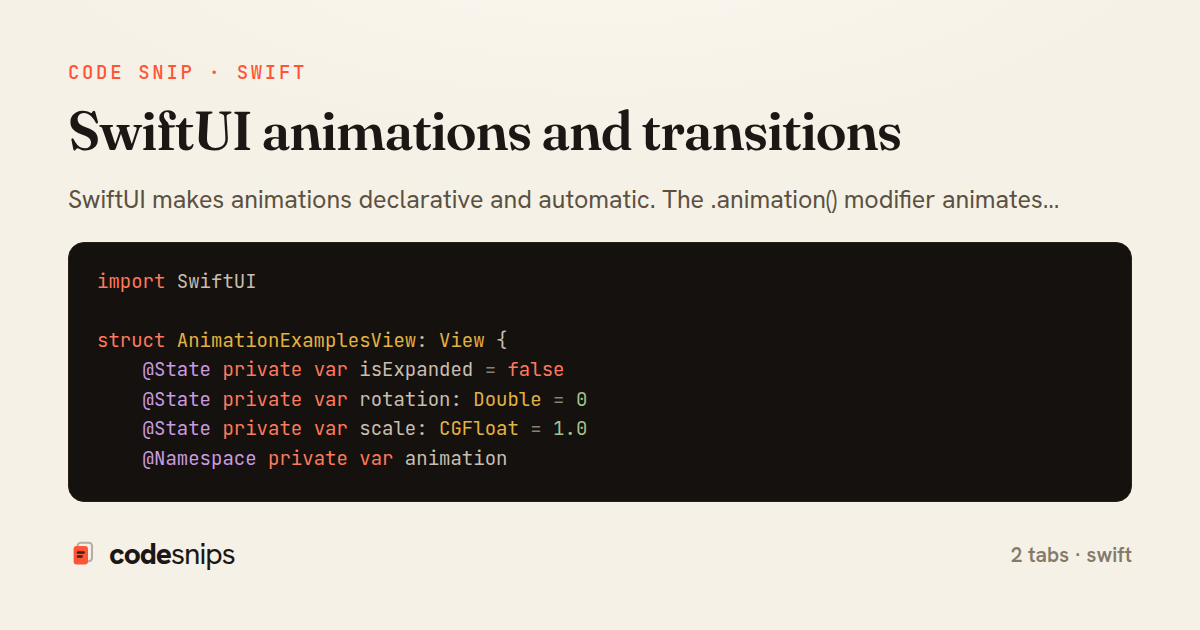
import SwiftUI

struct AnimationExamplesView: View {
    @State private var isExpanded = false
    @State private var rotation: Double = 0
    @State private var scale: CGFloat = 1.0
    @Namespace private var animation

    var body: some View {
        VStack(spacing: 30) {
            // Basic implicit animation
            RoundedRectangle(cornerRadius: isExpanded ? 50 : 10)
                .fill(isExpanded ? Color.blue : Color.red)
                .frame(
                    width: isExpanded ? 300 : 100,
                    height: isExpanded ? 300 : 100
                )
                .animation(.spring(response: 0.5, dampingFraction: 0.6), value: isExpanded)
                .onTapGesture {
                    isExpanded.toggle()
                }

            // Explicit animation with rotation
            Image(systemName: "arrow.clockwise")
                .font(.system(size: 50))
                .rotationEffect(.degrees(rotation))
                .scaleEffect(scale)
                .onTapGesture {
                    withAnimation(.easeInOut(duration: 0.5)) {
                        rotation += 360
                        scale = 1.5
                    }

                    withAnimation(.easeInOut(duration: 0.5).delay(0.5)) {
                        scale = 1.0
                    }
                }

            // Matched geometry effect
            if !isExpanded {
                Circle()
                    .fill(Color.green)
                    .frame(width: 50, height: 50)
                    .matchedGeometryEffect(id: "circle", in: animation)
            } else {
                Circle()
                    .fill(Color.green)
                    .frame(width: 200, height: 200)
                    .matchedGeometryEffect(id: "circle", in: animation)
            }
        }
    }
}
import SwiftUI

struct ScaleAndFadeTransition: ViewModifier {
    let isActive: Bool

    func body(content: Content) -> some View {
        content
            .scaleEffect(isActive ? 1 : 0.5)
            .opacity(isActive ? 1 : 0)
    }
}

extension AnyTransition {
    static var scaleAndFade: AnyTransition {
        .modifier(
            active: ScaleAndFadeTransition(isActive: false),
            identity: ScaleAndFadeTransition(isActive: true)
        )
    }
}

struct ListItemView: View {
    let item: String
    @State private var isVisible = false

    var body: some View {
        HStack {
            Image(systemName: "circle.fill")
                .foregroundColor(.blue)

            Text(item)
                .font(.headline)

            Spacer()

            Image(systemName: "chevron.right")
                .foregroundColor(.gray)
        }
        .padding()
        .background(Color.white)
        .cornerRadius(10)
        .shadow(radius: 2)
        .scaleEffect(isVisible ? 1 : 0.8)
        .opacity(isVisible ? 1 : 0)
        .onAppear {
            withAnimation(.spring(response: 0.4, dampingFraction: 0.6)) {
                isVisible = true
            }
        }
    }
}

struct AnimatedListView: View {
    @State private var items = ["Item 1", "Item 2", "Item 3"]
    @State private var newItem = ""

    var body: some View {
        VStack {
            ForEach(items, id: \.self) { item in
                ListItemView(item: item)
                    .transition(.asymmetric(
                        insertion: .move(edge: .trailing).combined(with: .opacity),
                        removal: .move(edge: .leading).combined(with: .opacity)
                    ))
            }

            HStack {
                TextField("New item", text: $newItem)
                    .textFieldStyle(RoundedBorderTextFieldStyle())

                Button("Add") {
                    withAnimation(.spring()) {
                        items.append(newItem)
                        newItem = ""
                    }
                }
            }
            .padding()
        }
    }
}
SwiftUI makes animations declarative and automatic. The .animation() modifier animates state changes with built-in curves like .easeInOut, .spring(), or custom timing. Explicit animations use withAnimation {} blocks to scope which changes animate. Transitions define how views appear/disappear—.slide, .opacity, .scale, or asymmetric combinations. MatchedGeometryEffect creates hero animations between views. For complex animations, I use AnimatableModifier with custom animatable data. Gestures combine with animations for interactive experiences. The key is binding animations to state changes—SwiftUI automatically interpolates. Reducing motion respects accessibility preferences with @Environment(\.accessibilityReduceMotion).
Related snips
import Combine
import Foundation

class SearchViewModel: ObservableObject {
    @Published var searchQuery = ""
    @Published var results: [SearchResult] = []
Combine operators for data transformation
import SwiftUI

struct ContentView: View {
    @State private var username = ""
    @State private var isLoggedIn = false
    @StateObject private var viewModel = LoginViewModel()
SwiftUI declarative UI with state management
// Get canvas and context
const canvas = document.getElementById('myCanvas');
const ctx = canvas.getContext('2d');

// 1. Basic shapes
// Rectangle (filled)
Canvas API for graphics and animations
<h1>Products</h1>

<%= form_with url: products_path, method: :get,
              data: { turbo_frame: "products_list", turbo_action: "advance" } do |f| %>
  <div class="filters">
    <%= f.text_field :q, value: params[:q], placeholder: "Search products" %>
Frame navigation that targets a specific frame via form_with
import SwiftUI

struct CardModifier: ViewModifier {
    var backgroundColor: Color = .white
    var cornerRadius: CGFloat = 12
    var shadowRadius: CGFloat = 5
Custom SwiftUI view modifiers for reusability
import Foundation
import UIKit

class ImageProcessor {
    // Background processing with main thread updates
    func processImage(_ image: UIImage, completion: @escaping (UIImage?) -> Void) {
Grand Central Dispatch for concurrency
Share this code
Here's the card — post it anywhere.