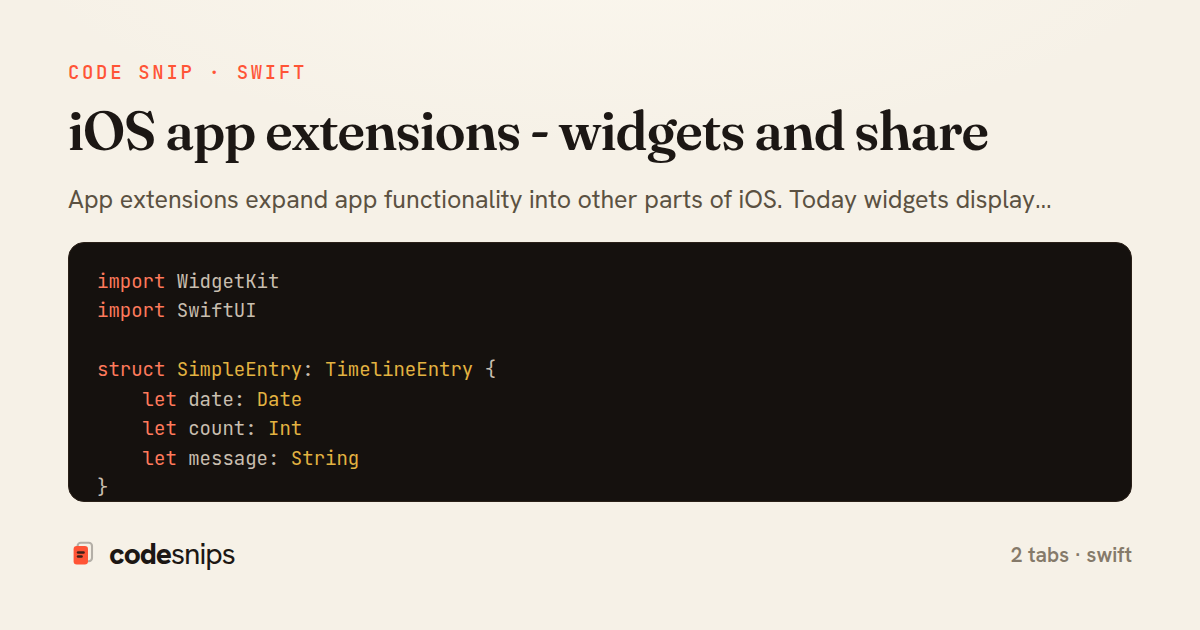
import WidgetKit
import SwiftUI

struct SimpleEntry: TimelineEntry {
    let date: Date
    let count: Int
    let message: String
}

struct Provider: TimelineProvider {
    func placeholder(in context: Context) -> SimpleEntry {
        SimpleEntry(date: Date(), count: 0, message: "Placeholder")
    }

    func getSnapshot(in context: Context, completion: @escaping (SimpleEntry) -> Void) {
        let entry = SimpleEntry(date: Date(), count: 42, message: "Snapshot")
        completion(entry)
    }

    func getTimeline(in context: Context, completion: @escaping (Timeline<SimpleEntry>) -> Void) {
        var entries: [SimpleEntry] = []
        let currentDate = Date()

        // Generate timeline entries for next 5 hours
        for hourOffset in 0..<5 {
            let entryDate = Calendar.current.date(byAdding: .hour, value: hourOffset, to: currentDate)!
            let entry = SimpleEntry(
                date: entryDate,
                count: hourOffset * 10,
                message: "Update \(hourOffset)"
            )
            entries.append(entry)
        }

        let timeline = Timeline(entries: entries, policy: .atEnd)
        completion(timeline)
    }
}

struct SimpleWidgetEntryView: View {
    var entry: Provider.Entry
    @Environment(\.widgetFamily) var family

    var body: some View {
        switch family {
        case .systemSmall:
            SmallWidgetView(entry: entry)
        case .systemMedium:
            MediumWidgetView(entry: entry)
        case .systemLarge:
            LargeWidgetView(entry: entry)
        default:
            SmallWidgetView(entry: entry)
        }
    }
}

struct SmallWidgetView: View {
    let entry: SimpleEntry

    var body: some View {
        VStack {
            Text(entry.message)
                .font(.headline)
            Text("\(entry.count)")
                .font(.largeTitle)
                .fontWeight(.bold)
        }
        .padding()
    }
}

struct MediumWidgetView: View {
    let entry: SimpleEntry

    var body: some View {
        HStack {
            VStack(alignment: .leading) {
                Text(entry.message)
                    .font(.headline)
                Text(entry.date, style: .time)
                    .font(.caption)
            }
            Spacer()
            Text("\(entry.count)")
                .font(.system(size: 40, weight: .bold))
        }
        .padding()
    }
}

struct LargeWidgetView: View {
    let entry: SimpleEntry

    var body: some View {
        VStack(alignment: .leading, spacing: 16) {
            Text(entry.message)
                .font(.title)
                .fontWeight(.bold)

            Text("Count: \(entry.count)")
                .font(.title2)

            Text(entry.date, style: .time)
                .font(.caption)
                .foregroundColor(.secondary)

            Spacer()
        }
        .padding()
    }
}

@main
struct SimpleWidget: Widget {
    let kind: String = "SimpleWidget"

    var body: some WidgetConfiguration {
        StaticConfiguration(kind: kind, provider: Provider()) { entry in
            SimpleWidgetEntryView(entry: entry)
        }
        .configurationDisplayName("My Widget")
        .description("This displays useful information.")
        .supportedFamilies([.systemSmall, .systemMedium, .systemLarge])
    }
}
import Foundation

class SharedDataManager {
    static let shared = SharedDataManager()
    private let appGroupID = "group.com.myapp.shared"

    private var userDefaults: UserDefaults? {
        UserDefaults(suiteName: appGroupID)
    }

    func saveWidgetData(_ data: WidgetData) {
        if let encoded = try? JSONEncoder().encode(data) {
            userDefaults?.set(encoded, forKey: "widgetData")
        }
    }

    func getWidgetData() -> WidgetData? {
        guard let data = userDefaults?.data(forKey: "widgetData") else { return nil }
        return try? JSONDecoder().decode(WidgetData.self, from: data)
    }

    func getSharedContainerURL() -> URL? {
        FileManager.default.containerURL(forSecurityApplicationGroupIdentifier: appGroupID)
    }
}

struct WidgetData: Codable {
    let count: Int
    let message: String
    let lastUpdated: Date
}
App extensions expand app functionality into other parts of iOS. Today widgets display glanceable information using WidgetKit with SwiftUI views and timeline providers. Share extensions let users share content to your app from other apps—I process shared items with NSExtensionContext and NSItemProvider. Widget timelines define when to update content with TimelineEntry and TimelineProvider. For widgets, I use @main with Widget protocol and provide configurations. App groups enable data sharing between the main app and extensions via shared containers. Notification content extensions customize notification UI. Action extensions process selected content. Each extension runs in its own process with memory constraints.
Related snips
import Combine
import Foundation

class SearchViewModel: ObservableObject {
    @Published var searchQuery = ""
    @Published var results: [SearchResult] = []
Combine operators for data transformation
import SwiftUI

struct ContentView: View {
    @State private var username = ""
    @State private var isLoggedIn = false
    @StateObject private var viewModel = LoginViewModel()
SwiftUI declarative UI with state management
import SwiftUI

struct CardModifier: ViewModifier {
    var backgroundColor: Color = .white
    var cornerRadius: CGFloat = 12
    var shadowRadius: CGFloat = 5
Custom SwiftUI view modifiers for reusability
import Foundation
import UIKit

class ImageProcessor {
    // Background processing with main thread updates
    func processImage(_ image: UIImage, completion: @escaping (UIImage?) -> Void) {
Grand Central Dispatch for concurrency
import SwiftUI

enum Route: Hashable {
    case postDetail(id: Int)
    case userProfile(id: Int)
    case settings
Navigation patterns with NavigationStack
import UIKit
import WebKit

class WebViewController: UIViewController {
    private var webView: WKWebView!
    private var progressView: UIProgressView!
WKWebView for web content display
Share this code
Here's the card — post it anywhere.