swift
149 lines · 1 tab
Sofia Martinez
Jan 2026
1 tab
import Foundation
import UIKit

// MARK: - Memory Leak Prevention
class ImageDownloader {
    private var tasks: [URL: URLSessionDataTask] = [:]

    func downloadImage(from url: URL, completion: @escaping (UIImage?) -> Void) {
        // Cancel existing task if any
        tasks[url]?.cancel()

        let task = URLSession.shared.dataTask(with: url) { [weak self] data, response, error in
            defer { self?.tasks[url] = nil }

            guard let data = data, let image = UIImage(data: data) else {
                completion(nil)
                return
            }

            completion(image)
        }

        tasks[url] = task
        task.resume()
    }

    func cancelAll() {
        tasks.values.forEach { $0.cancel() }
        tasks.removeAll()
    }
}

// MARK: - Avoiding Retain Cycles
class PostViewModel {
    var onUpdate: (() -> Void)?
    private var posts: [Post] = []

    func loadPosts() {
        // Use [weak self] to avoid retain cycle
        URLSession.shared.dataTask(with: URL(string: "https://api.example.com/posts")!) { [weak self] data, _, error in
            guard let self = self, let data = data else { return }

            if let posts = try? JSONDecoder().decode([Post].self, from: data) {
                self.posts = posts
                DispatchQueue.main.async { [weak self] in
                    self?.onUpdate?()
                }
            }
        }.resume()
    }
}

// MARK: - Efficient Collection Handling
class DataProcessor {
    // Bad: Creating new array each time
    func processItemsInefficiently(_ items: [String]) -> [String] {
        var result: [String] = []
        for item in items {
            result.append(item.uppercased())
        }
        return result
    }

    // Good: Using functional approach
    func processItemsEfficiently(_ items: [String]) -> [String] {
        items.map { $0.uppercased() }
    }

    // Good: Pre-allocating capacity
    func processItemsWithCapacity(_ items: [String]) -> [String] {
        var result = [String]()
        result.reserveCapacity(items.count)
        for item in items {
            result.append(item.uppercased())
        }
        return result
    }
}

// MARK: - Image Caching for Performance
class PerformantImageCache {
    private let cache = NSCache<NSString, UIImage>()
    private let fileManager = FileManager.default
    private let cacheDirectory: URL

    init() {
        let paths = fileManager.urls(for: .cachesDirectory, in: .userDomainMask)
        cacheDirectory = paths[0].appendingPathComponent("ImageCache")

        try? fileManager.createDirectory(at: cacheDirectory, withIntermediateDirectories: true)

        // Set memory cache limits
        cache.countLimit = 100
        cache.totalCostLimit = 50 * 1024 * 1024 // 50 MB
    }

    func image(forKey key: String) -> UIImage? {
        // Check memory cache first
        if let cached = cache.object(forKey: key as NSString) {
            return cached
        }

        // Check disk cache
        let url = cacheDirectory.appendingPathComponent(key)
        if let data = try? Data(contentsOf: url),
           let image = UIImage(data: data) {
            cache.setObject(image, forKey: key as NSString)
            return image
        }

        return nil
    }

    func setImage(_ image: UIImage, forKey key: String) {
        // Save to memory cache
        cache.setObject(image, forKey: key as NSString)

        // Save to disk cache asynchronously
        DispatchQueue.global(qos: .background).async {
            if let data = image.jpegData(compressionQuality: 0.8) {
                let url = self.cacheDirectory.appendingPathComponent(key)
                try? data.write(to: url)
            }
        }
    }

    func clearCache() {
        cache.removeAllObjects()
        try? fileManager.removeItem(at: cacheDirectory)
        try? fileManager.createDirectory(at: cacheDirectory, withIntermediateDirectories: true)
    }
}

// MARK: - Performance Monitoring
class PerformanceMonitor {
    static func measure(_ label: String, block: () -> Void) {
        let start = CFAbsoluteTimeGetCurrent()
        block()
        let end = CFAbsoluteTimeGetCurrent()
        print("\(label) took \(String(format: "%.4f", end - start)) seconds")
    }

    static func measureAsync(_ label: String, block: () async -> Void) async {
        let start = CFAbsoluteTimeGetCurrent()
        await block()
        let end = CFAbsoluteTimeGetCurrent()
        print("\(label) took \(String(format: "%.4f", end - start)) seconds")
    }
}
1 file · swift
Explain with highlit
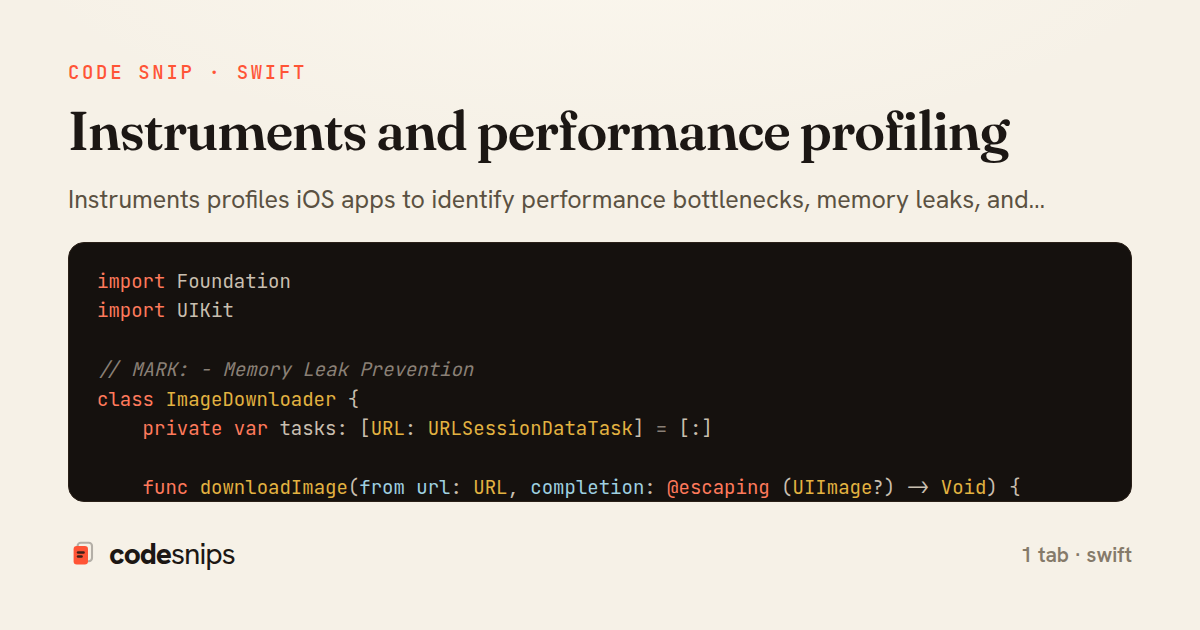
Instruments profiles iOS apps to identify performance bottlenecks, memory leaks, and energy issues. The Time Profiler instrument samples the call stack to show which functions consume CPU time. Allocations tracks memory usage and finds leaks by identifying unreleased objects. Leaks instrument specifically detects retain cycles. I use the SwiftUI View Body instrument to find expensive view updates. Network instrument monitors requests and responses. Energy Log shows battery impact. For debugging, I set strategic breakpoints and use print statements sparingly. The Visual Memory Debugger displays object graphs to spot retain cycles. Running instruments regularly catches regressions before they reach users.
Related snips
ruby
require "csv"

class PeopleCsvStream
  include Enumerable

  HEADERS = %w[id full_name email signed_up_at plan].freeze
Resilient CSV Export as a Streamed Response
rails
performance
streaming
by codesnips
3 tabs
ruby
Rails.application.configure do
  config.after_initialize do
    Bullet.enable = true
    Bullet.alert = false
    Bullet.bullet_logger = true
    Bullet.console = true
N+1 query detection with Bullet gem
rails
performance
activerecord
by Alex Kumar
2 tabs
ruby
json.array! @posts do |post|
  json.cache! ['v1', post], expires_in: 1.hour do
    json.id post.id
    json.title post.title
    json.excerpt post.excerpt
    json.published_at post.published_at
Fragment caching for expensive JSON serialization
rails
caching
performance
by Alex Kumar
1 tab
swift
import SwiftUI

struct ContentView: View {
    @State private var username = ""
    @State private var isLoggedIn = false
    @StateObject private var viewModel = LoginViewModel()
SwiftUI declarative UI with state management
swift
swiftui
ios
by Sofia Martinez
2 tabs
go
package deps

import (
  "net"
  "net/http"
  "time"
HTTP client tuned for production: timeouts, transport, and connection reuse
go
http
client
by Leah Thompson
1 tab
ruby
class Comment < ApplicationRecord
  belongs_to :post, touch: true
  belongs_to :author, class_name: "User"

  validates :body, presence: true, length: { maximum: 10_000 }
Granular Cache Invalidation with touch: true
rails
caching
activerecord
by codesnips
4 tabs
Share this code
Here's the card — post it anywhere.