import SwiftUI

// MARK: - Semantic Colors in SwiftUI
struct AdaptiveColorsView: View {
    var body: some View {
        VStack(spacing: 20) {
            Text("Primary Label")
                .foregroundColor(.primary)

            Text("Secondary Label")
                .foregroundColor(.secondary)

            Rectangle()
                .fill(Color(.systemBackground))
                .frame(height: 100)
                .overlay(
                    Text("System Background")
                )

            Rectangle()
                .fill(Color(.secondarySystemBackground))
                .frame(height: 100)
                .overlay(
                    Text("Secondary Background")
                )
        }
        .padding()
    }
}

// MARK: - Custom Adaptive Colors
extension Color {
    static let customPrimary = Color("CustomPrimary")
    static let customAccent = Color("CustomAccent")

    static func adaptive(light: Color, dark: Color) -> Color {
        Color(UIColor { traitCollection in
            traitCollection.userInterfaceStyle == .dark ? UIColor(dark) : UIColor(light)
        })
    }
}

// MARK: - UIKit Dark Mode
extension UIColor {
    static let customBackground = UIColor { traitCollection in
        traitCollection.userInterfaceStyle == .dark ?
            UIColor(red: 0.1, green: 0.1, blue: 0.1, alpha: 1) :
            UIColor(red: 0.95, green: 0.95, blue: 0.95, alpha: 1)
    }

    static let customText = UIColor { traitCollection in
        traitCollection.userInterfaceStyle == .dark ?
            .white :
            .black
    }
}

// MARK: - Respond to Appearance Changes
class ThemeManager: ObservableObject {
    @Published var currentTheme: Theme = .system

    enum Theme: String, CaseIterable {
        case light = "Light"
        case dark = "Dark"
        case system = "System"

        var colorScheme: ColorScheme? {
            switch self {
            case .light: return .light
            case .dark: return .dark
            case .system: return nil
            }
        }
    }

    func apply(_ theme: Theme) {
        currentTheme = theme
        UserDefaults.standard.set(theme.rawValue, forKey: "selectedTheme")
    }
}

struct ThemedView: View {
    @StateObject private var themeManager = ThemeManager()
    @Environment(\.colorScheme) var systemColorScheme

    var body: some View {
        NavigationView {
            VStack(spacing: 20) {
                Text("Current Theme")
                    .font(.title)

                Picker("Theme", selection: $themeManager.currentTheme) {
                    ForEach(ThemeManager.Theme.allCases, id: \.self) { theme in
                        Text(theme.rawValue).tag(theme)
                    }
                }
                .pickerStyle(.segmented)

                VStack {
                    Text("Sample Content")
                        .foregroundColor(.primary)
                    Text("Secondary Text")
                        .foregroundColor(.secondary)
                }
                .padding()
                .background(Color(.secondarySystemBackground))
                .cornerRadius(10)
            }
            .padding()
            .navigationTitle("Theme Settings")
        }
        .preferredColorScheme(themeManager.currentTheme.colorScheme)
    }
}

// MARK: - UIKit View Controller
class DarkModeViewController: UIViewController {
    private let label = UILabel()
    private let backgroundView = UIView()

    override func viewDidLoad() {
        super.viewDidLoad()
        setupUI()
    }

    private func setupUI() {
        view.backgroundColor = .systemBackground

        backgroundView.backgroundColor = .customBackground
        backgroundView.translatesAutoresizingMaskIntoConstraints = false
        view.addSubview(backgroundView)

        label.text = "Adaptive Content"
        label.textColor = .customText
        label.font = .systemFont(ofSize: 20, weight: .medium)
        label.translatesAutoresizingMaskIntoConstraints = false
        backgroundView.addSubview(label)

        NSLayoutConstraint.activate([
            backgroundView.centerXAnchor.constraint(equalTo: view.centerXAnchor),
            backgroundView.centerYAnchor.constraint(equalTo: view.centerYAnchor),
            backgroundView.widthAnchor.constraint(equalToConstant: 300),
            backgroundView.heightAnchor.constraint(equalToConstant: 200),

            label.centerXAnchor.constraint(equalTo: backgroundView.centerXAnchor),
            label.centerYAnchor.constraint(equalTo: backgroundView.centerYAnchor)
        ])
    }

    override func traitCollectionDidChange(_ previousTraitCollection: UITraitCollection?) {
        super.traitCollectionDidChange(previousTraitCollection)

        if traitCollection.hasDifferentColorAppearance(comparedTo: previousTraitCollection) {
            // Appearance changed
            updateAppearance()
        }
    }

    private func updateAppearance() {
        // Refresh UI elements that need manual updates
        label.textColor = .customText
        backgroundView.backgroundColor = .customBackground
    }
}
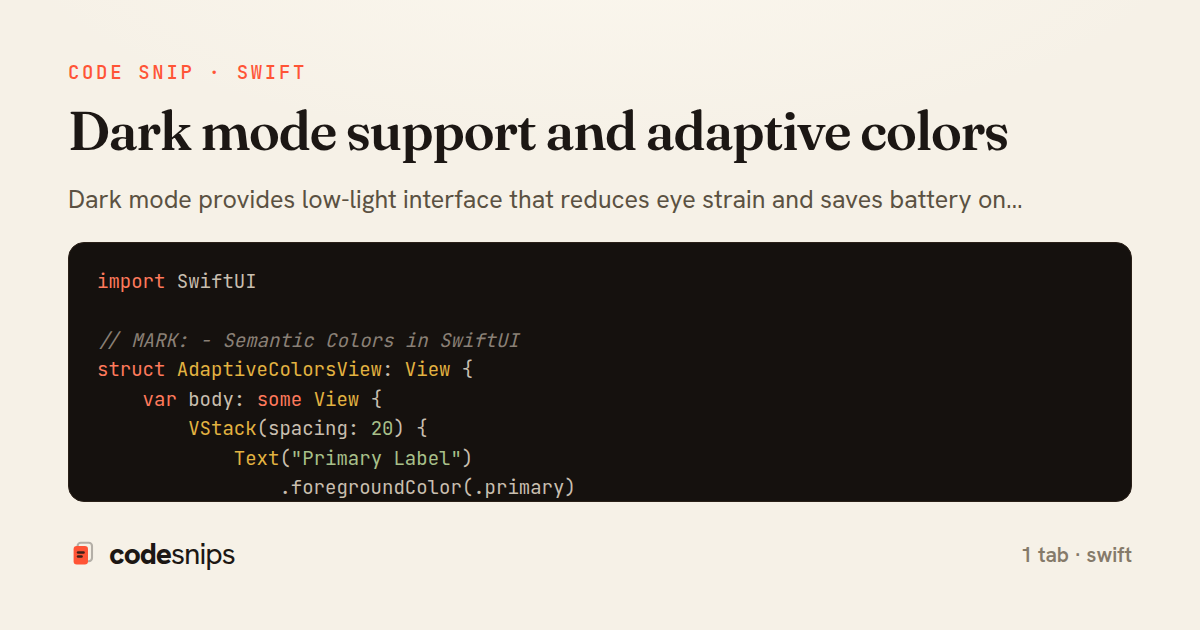
Dark mode provides low-light interface that reduces eye strain and saves battery on OLED displays. iOS automatically switches based on system settings or user preference. I use semantic colors like .label, .secondaryLabel, and .systemBackground that adapt automatically. For custom colors, I create color assets in Asset Catalog with light and dark variants. UIColor(named:) loads adaptive colors. In SwiftUI, Color initializers like Color("MyColor") work similarly. I test both modes using environment overrides or Xcode's appearance selector. Images can have dark variants using asset catalogs. The .preferredColorScheme() modifier forces a specific mode. Respecting user's appearance choice is important for accessibility and battery life.
Related snips
import Combine
import Foundation

class SearchViewModel: ObservableObject {
    @Published var searchQuery = ""
    @Published var results: [SearchResult] = []
Combine operators for data transformation
import SwiftUI

struct ContentView: View {
    @State private var username = ""
    @State private var isLoggedIn = false
    @StateObject private var viewModel = LoginViewModel()
SwiftUI declarative UI with state management
import SwiftUI

struct CardModifier: ViewModifier {
    var backgroundColor: Color = .white
    var cornerRadius: CGFloat = 12
    var shadowRadius: CGFloat = 5
Custom SwiftUI view modifiers for reusability
import Foundation
import UIKit

class ImageProcessor {
    // Background processing with main thread updates
    func processImage(_ image: UIImage, completion: @escaping (UIImage?) -> Void) {
Grand Central Dispatch for concurrency
import SwiftUI

enum Route: Hashable {
    case postDetail(id: Int)
    case userProfile(id: Int)
    case settings
Navigation patterns with NavigationStack
import UIKit
import WebKit

class WebViewController: UIViewController {
    private var webView: WKWebView!
    private var progressView: UIProgressView!
WKWebView for web content display
Share this code
Here's the card — post it anywhere.