kotlin
187 lines · 2 tabs
Alex Chen
Jan 2026
2 tabs
package com.example.myapp.ui.theme

import androidx.compose.material3.Typography
import androidx.compose.ui.text.TextStyle
import androidx.compose.ui.text.font.Font
import androidx.compose.ui.text.font.FontFamily
import androidx.compose.ui.text.font.FontWeight
import androidx.compose.ui.unit.sp

val RobotoFamily = FontFamily(
    Font(R.font.roboto_regular, FontWeight.Normal),
    Font(R.font.roboto_medium, FontWeight.Medium),
    Font(R.font.roboto_bold, FontWeight.Bold)
)

val Typography = Typography(
    displayLarge = TextStyle(
        fontFamily = RobotoFamily,
        fontWeight = FontWeight.Normal,
        fontSize = 57.sp,
        lineHeight = 64.sp,
        letterSpacing = (-0.25).sp
    ),
    displayMedium = TextStyle(
        fontFamily = RobotoFamily,
        fontWeight = FontWeight.Normal,
        fontSize = 45.sp,
        lineHeight = 52.sp
    ),
    displaySmall = TextStyle(
        fontFamily = RobotoFamily,
        fontWeight = FontWeight.Normal,
        fontSize = 36.sp,
        lineHeight = 44.sp
    ),
    headlineLarge = TextStyle(
        fontFamily = RobotoFamily,
        fontWeight = FontWeight.Normal,
        fontSize = 32.sp,
        lineHeight = 40.sp
    ),
    headlineMedium = TextStyle(
        fontFamily = RobotoFamily,
        fontWeight = FontWeight.Normal,
        fontSize = 28.sp,
        lineHeight = 36.sp
    ),
    headlineSmall = TextStyle(
        fontFamily = RobotoFamily,
        fontWeight = FontWeight.Normal,
        fontSize = 24.sp,
        lineHeight = 32.sp
    ),
    titleLarge = TextStyle(
        fontFamily = RobotoFamily,
        fontWeight = FontWeight.Medium,
        fontSize = 22.sp,
        lineHeight = 28.sp
    ),
    titleMedium = TextStyle(
        fontFamily = RobotoFamily,
        fontWeight = FontWeight.Medium,
        fontSize = 16.sp,
        lineHeight = 24.sp,
        letterSpacing = 0.15.sp
    ),
    bodyLarge = TextStyle(
        fontFamily = RobotoFamily,
        fontWeight = FontWeight.Normal,
        fontSize = 16.sp,
        lineHeight = 24.sp,
        letterSpacing = 0.5.sp
    ),
    bodyMedium = TextStyle(
        fontFamily = RobotoFamily,
        fontWeight = FontWeight.Normal,
        fontSize = 14.sp,
        lineHeight = 20.sp,
        letterSpacing = 0.25.sp
    ),
    labelLarge = TextStyle(
        fontFamily = RobotoFamily,
        fontWeight = FontWeight.Medium,
        fontSize = 14.sp,
        lineHeight = 20.sp,
        letterSpacing = 0.1.sp
    )
)
package com.example.myapp.ui.theme

import android.app.Activity
import android.os.Build
import androidx.compose.foundation.isSystemInDarkTheme
import androidx.compose.material3.*
import androidx.compose.runtime.Composable
import androidx.compose.runtime.SideEffect
import androidx.compose.ui.graphics.Color
import androidx.compose.ui.graphics.toArgb
import androidx.compose.ui.platform.LocalContext
import androidx.compose.ui.platform.LocalView
import androidx.core.view.WindowCompat

private val LightColorScheme = lightColorScheme(
    primary = Color(0xFF6750A4),
    onPrimary = Color(0xFFFFFFFF),
    primaryContainer = Color(0xFFEADDFF),
    onPrimaryContainer = Color(0xFF21005D),
    secondary = Color(0xFF625B71),
    onSecondary = Color(0xFFFFFFFF),
    secondaryContainer = Color(0xFFE8DEF8),
    onSecondaryContainer = Color(0xFF1D192B),
    tertiary = Color(0xFF7D5260),
    onTertiary = Color(0xFFFFFFFF),
    tertiaryContainer = Color(0xFFFFD8E4),
    onTertiaryContainer = Color(0xFF31111D),
    error = Color(0xFFB3261E),
    onError = Color(0xFFFFFFFF),
    errorContainer = Color(0xFFF9DEDC),
    onErrorContainer = Color(0xFF410E0B),
    background = Color(0xFFFFFBFE),
    onBackground = Color(0xFF1C1B1F),
    surface = Color(0xFFFFFBFE),
    onSurface = Color(0xFF1C1B1F),
    surfaceVariant = Color(0xFFE7E0EC),
    onSurfaceVariant = Color(0xFF49454F),
    outline = Color(0xFF79747E)
)

private val DarkColorScheme = darkColorScheme(
    primary = Color(0xFFD0BCFF),
    onPrimary = Color(0xFF381E72),
    primaryContainer = Color(0xFF4F378B),
    onPrimaryContainer = Color(0xFFEADDFF),
    secondary = Color(0xFFCCC2DC),
    onSecondary = Color(0xFF332D41),
    secondaryContainer = Color(0xFF4A4458),
    onSecondaryContainer = Color(0xFFE8DEF8),
    tertiary = Color(0xFFEFB8C8),
    onTertiary = Color(0xFF492532),
    tertiaryContainer = Color(0xFF633B48),
    onTertiaryContainer = Color(0xFFFFD8E4),
    error = Color(0xFFF2B8B5),
    onError = Color(0xFF601410),
    errorContainer = Color(0xFF8C1D18),
    onErrorContainer = Color(0xFFF9DEDC),
    background = Color(0xFF1C1B1F),
    onBackground = Color(0xFFE6E1E5),
    surface = Color(0xFF1C1B1F),
    onSurface = Color(0xFFE6E1E5),
    surfaceVariant = Color(0xFF49454F),
    onSurfaceVariant = Color(0xFFCAC4D0),
    outline = Color(0xFF938F99)
)

@Composable
fun MyAppTheme(
    darkTheme: Boolean = isSystemInDarkTheme(),
    dynamicColor: Boolean = true,
    content: @Composable () -> Unit
) {
    val colorScheme = when {
        dynamicColor && Build.VERSION.SDK_INT >= Build.VERSION_CODES.S -> {
            val context = LocalContext.current
            if (darkTheme) dynamicDarkColorScheme(context)
            else dynamicLightColorScheme(context)
        }
        darkTheme -> DarkColorScheme
        else -> LightColorScheme
    }

    val view = LocalView.current
    if (!view.isInEditMode) {
        SideEffect {
            val window = (view.context as Activity).window
            window.statusBarColor = colorScheme.primary.toArgb()
            WindowCompat.getInsetsController(window, view)
                .isAppearanceLightStatusBars = !darkTheme
        }
    }

    MaterialTheme(
        colorScheme = colorScheme,
        typography = Typography,
        shapes = Shapes,
        content = content
    )
}
2 files · kotlin
Explain with highlit
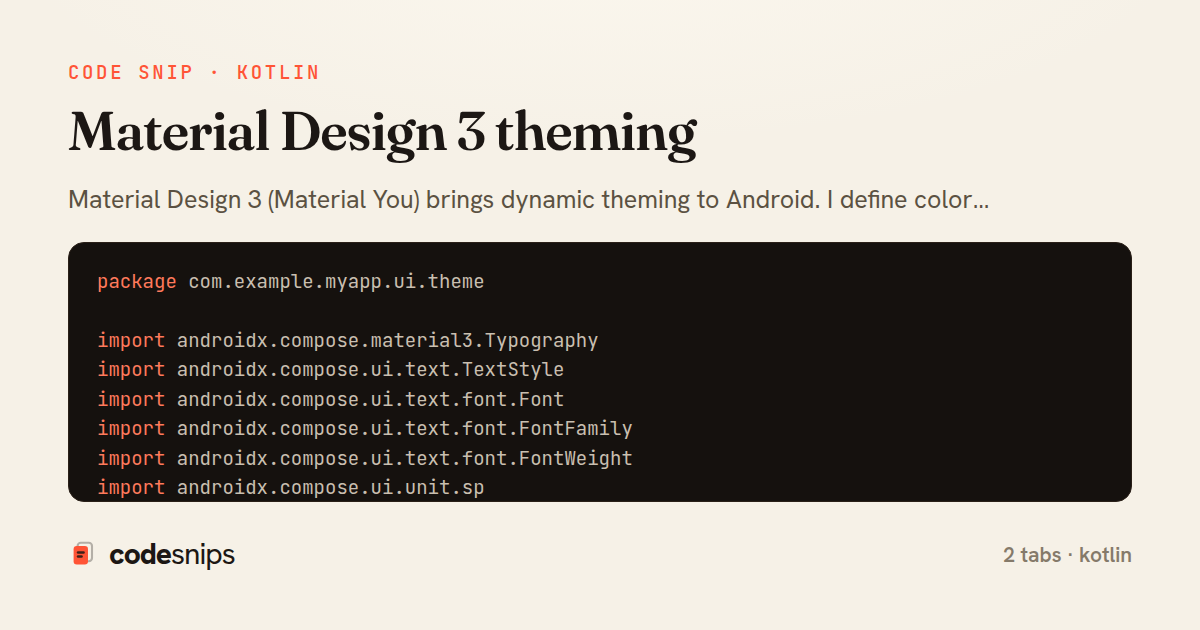
Material Design 3 (Material You) brings dynamic theming to Android. I define color schemes with primary, secondary, tertiary colors and their variants. MaterialTheme composable wraps the app with colorScheme, typography, and shapes. Dynamic colors use dynamicColorScheme() to extract from wallpaper on Android 12+. Light and dark themes use isSystemInDarkTheme(). Typography uses the Type Scale with displayLarge, headlineMedium, bodySmall, etc. Shapes define corner radius for components. Elevation uses shadows or tonal colors. Material components like Button, Card, TextField automatically inherit theme. Custom colors extend the palette. Theme previews test different configurations.
Related snips
kotlin
package com.example.myapp

import android.app.Application
import dagger.hilt.android.HiltAndroidApp

@HiltAndroidApp
Dependency injection with Hilt
kotlin
android
hilt
by Alex Chen
3 tabs
kotlin
package com.example.myapp.ui

import androidx.lifecycle.*
import kotlinx.coroutines.launch

class UserViewModel(
LiveData transformations and mediators
kotlin
android
livedata
by Alex Chen
1 tab
kotlin
package com.example.myapp.utils

import android.os.Build
import android.os.StrictMode
import android.os.Trace
import timber.log.Timber
Performance optimization and profiling
kotlin
android
performance
by Alex Chen
2 tabs
kotlin
package com.example.myapp.widget

import android.app.PendingIntent
import android.appwidget.AppWidgetManager
import android.appwidget.AppWidgetProvider
import android.content.Context
App widgets for home screen
kotlin
android
widget
by Alex Chen
2 tabs
kotlin
package com.example.myapp.data.repository

import com.example.myapp.data.local.PostDao
import com.example.myapp.data.local.PostEntity
import com.example.myapp.data.remote.ApiService
import com.example.myapp.models.Post
Unit testing with JUnit and MockK
kotlin
android
testing
by Alex Chen
2 tabs
kotlin
package com.example.myapp.utils

import android.app.NotificationChannel
import android.app.NotificationChannelGroup
import android.app.NotificationManager
import android.app.PendingIntent
Notification channels and categories
kotlin
android
notifications
by Alex Chen
1 tab
Share this code
Here's the card — post it anywhere.