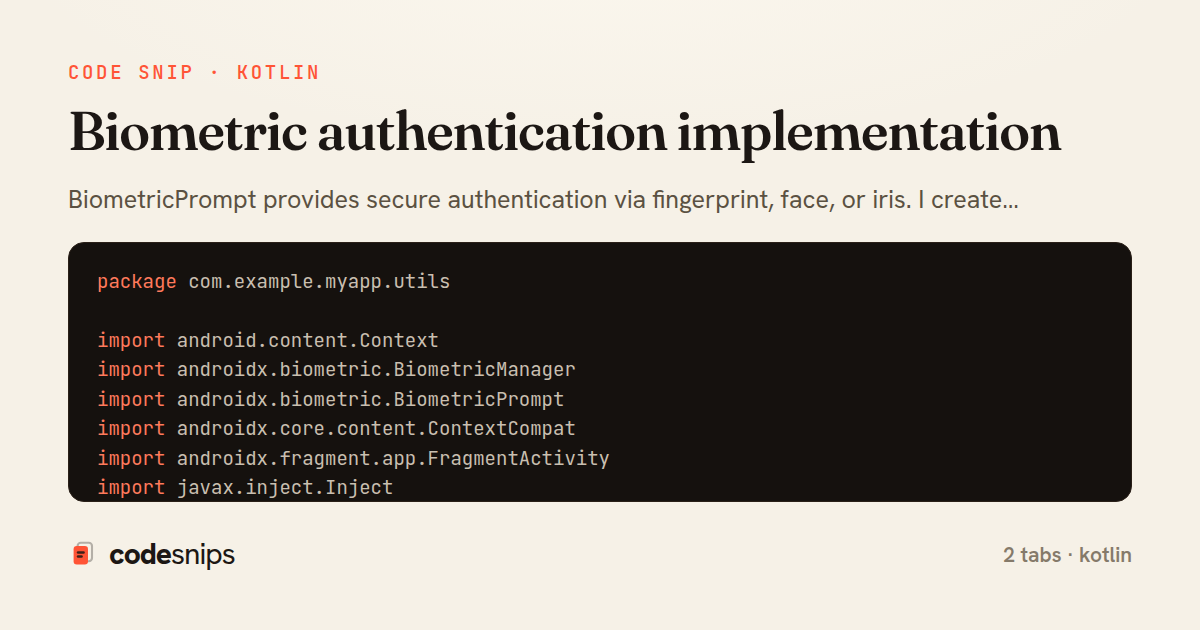
package com.example.myapp.utils

import android.content.Context
import androidx.biometric.BiometricManager
import androidx.biometric.BiometricPrompt
import androidx.core.content.ContextCompat
import androidx.fragment.app.FragmentActivity
import javax.inject.Inject
import javax.inject.Singleton

@Singleton
class BiometricAuthManager @Inject constructor(
    private val context: Context
) {

    fun canAuthenticate(): BiometricStatus {
        val biometricManager = BiometricManager.from(context)
        return when (biometricManager.canAuthenticate(
            BiometricManager.Authenticators.BIOMETRIC_STRONG or
            BiometricManager.Authenticators.DEVICE_CREDENTIAL
        )) {
            BiometricManager.BIOMETRIC_SUCCESS ->
                BiometricStatus.AVAILABLE
            BiometricManager.BIOMETRIC_ERROR_NO_HARDWARE ->
                BiometricStatus.NO_HARDWARE
            BiometricManager.BIOMETRIC_ERROR_HW_UNAVAILABLE ->
                BiometricStatus.HW_UNAVAILABLE
            BiometricManager.BIOMETRIC_ERROR_NONE_ENROLLED ->
                BiometricStatus.NONE_ENROLLED
            else -> BiometricStatus.UNKNOWN_ERROR
        }
    }

    fun showBiometricPrompt(
        activity: FragmentActivity,
        title: String,
        subtitle: String? = null,
        description: String? = null,
        onSuccess: () -> Unit,
        onError: (String) -> Unit,
        onFailure: () -> Unit = {}
    ) {
        val executor = ContextCompat.getMainExecutor(activity)

        val biometricPrompt = BiometricPrompt(
            activity,
            executor,
            object : BiometricPrompt.AuthenticationCallback() {
                override fun onAuthenticationError(
                    errorCode: Int,
                    errString: CharSequence
                ) {
                    super.onAuthenticationError(errorCode, errString)
                    when (errorCode) {
                        BiometricPrompt.ERROR_USER_CANCELED,
                        BiometricPrompt.ERROR_CANCELED ->
                            onError("Authentication cancelled")
                        BiometricPrompt.ERROR_LOCKOUT ->
                            onError("Too many attempts. Try again later.")
                        BiometricPrompt.ERROR_LOCKOUT_PERMANENT ->
                            onError("Biometric authentication disabled")
                        else ->
                            onError(errString.toString())
                    }
                }

                override fun onAuthenticationSucceeded(
                    result: BiometricPrompt.AuthenticationResult
                ) {
                    super.onAuthenticationSucceeded(result)
                    onSuccess()
                }

                override fun onAuthenticationFailed() {
                    super.onAuthenticationFailed()
                    onFailure()
                }
            }
        )

        val promptInfo = BiometricPrompt.PromptInfo.Builder()
            .setTitle(title)
            .apply {
                subtitle?.let { setSubtitle(it) }
                description?.let { setDescription(it) }
            }
            .setAllowedAuthenticators(
                BiometricManager.Authenticators.BIOMETRIC_STRONG or
                BiometricManager.Authenticators.DEVICE_CREDENTIAL
            )
            .build()

        biometricPrompt.authenticate(promptInfo)
    }
}

enum class BiometricStatus {
    AVAILABLE,
    NO_HARDWARE,
    HW_UNAVAILABLE,
    NONE_ENROLLED,
    UNKNOWN_ERROR
}
package com.example.myapp.ui.auth

import androidx.lifecycle.ViewModel
import androidx.lifecycle.viewModelScope
import com.example.myapp.utils.BiometricAuthManager
import dagger.hilt.android.lifecycle.HiltViewModel
import kotlinx.coroutines.flow.MutableStateFlow
import kotlinx.coroutines.flow.StateFlow
import kotlinx.coroutines.flow.update
import kotlinx.coroutines.launch
import javax.inject.Inject

@HiltViewModel
class AuthViewModel @Inject constructor(
    private val biometricAuthManager: BiometricAuthManager,
    private val repository: AuthRepository
) : ViewModel() {

    private val _uiState = MutableStateFlow(AuthUiState())
    val uiState: StateFlow<AuthUiState> = _uiState

    init {
        checkBiometricAvailability()
    }

    private fun checkBiometricAvailability() {
        val status = biometricAuthManager.canAuthenticate()
        _uiState.update {
            it.copy(biometricStatus = status)
        }
    }

    fun onBiometricAuthSuccess() {
        viewModelScope.launch {
            _uiState.update { it.copy(isAuthenticating = true) }

            repository.loginWithBiometric()
                .onSuccess { user ->
                    _uiState.update {
                        it.copy(
                            isAuthenticated = true,
                            isAuthenticating = false,
                            currentUser = user
                        )
                    }
                }
                .onFailure { error ->
                    _uiState.update {
                        it.copy(
                            isAuthenticating = false,
                            error = error.message
                        )
                    }
                }
        }
    }

    fun onBiometricAuthError(message: String) {
        _uiState.update { it.copy(error = message) }
    }

    fun clearError() {
        _uiState.update { it.copy(error = null) }
    }
}

data class AuthUiState(
    val isAuthenticated: Boolean = false,
    val isAuthenticating: Boolean = false,
    val biometricStatus: BiometricStatus = BiometricStatus.UNKNOWN_ERROR,
    val currentUser: User? = null,
    val error: String? = null
)
BiometricPrompt provides secure authentication via fingerprint, face, or iris. I create BiometricPrompt with callback handling success, error, and failure. PromptInfo configures title, subtitle, description, and allowed authenticators. Negative button text or setDeviceCredentialAllowed enables PIN/pattern fallback. CryptoObject secures operations with authenticated keys. Authentication types—BIOMETRICSTRONG, BIOMETRICWEAK, DEVICE_CREDENTIAL—define security levels. Error codes indicate why authentication failed. The API works across Android versions with androidx.biometric library. Biometric auth protects sensitive operations—payments, data access, logins. It provides convenient security without passwords, respecting user privacy and hardware capabilities.
Related snips
payload = {
  sub: user.id,
  iss: 'https://auth.example.com',
  aud: 'codesnips-api',
  exp: 15.minutes.from_now.to_i,
  iat: Time.now.to_i,
JWT issuance and verification without common footguns
package com.example.myapp

import android.app.Application
import dagger.hilt.android.HiltAndroidApp

@HiltAndroidApp
Dependency injection with Hilt
package com.example.myapp.ui

import androidx.lifecycle.*
import kotlinx.coroutines.launch

class UserViewModel(
LiveData transformations and mediators
#!/usr/bin/env bash
set -euo pipefail

export VAULT_ADDR="https://vault.internal:8200"
export VAULT_TOKEN="${VAULT_TOKEN:?missing VAULT_TOKEN}"
Secrets management with environment isolation and Vault
import { randomBytes, createHash } from "crypto";
import jwt from "jsonwebtoken";
import { RefreshTokenStore } from "./store";

const ACCESS_SECRET = process.env.ACCESS_SECRET!;
const ACCESS_TTL = "15m";
JWT access + refresh token rotation (conceptual)
package files

import (
  "context"
  "time"
Presigned S3 upload URLs (AWS SDK v2)
Share this code
Here's the card — post it anywhere.