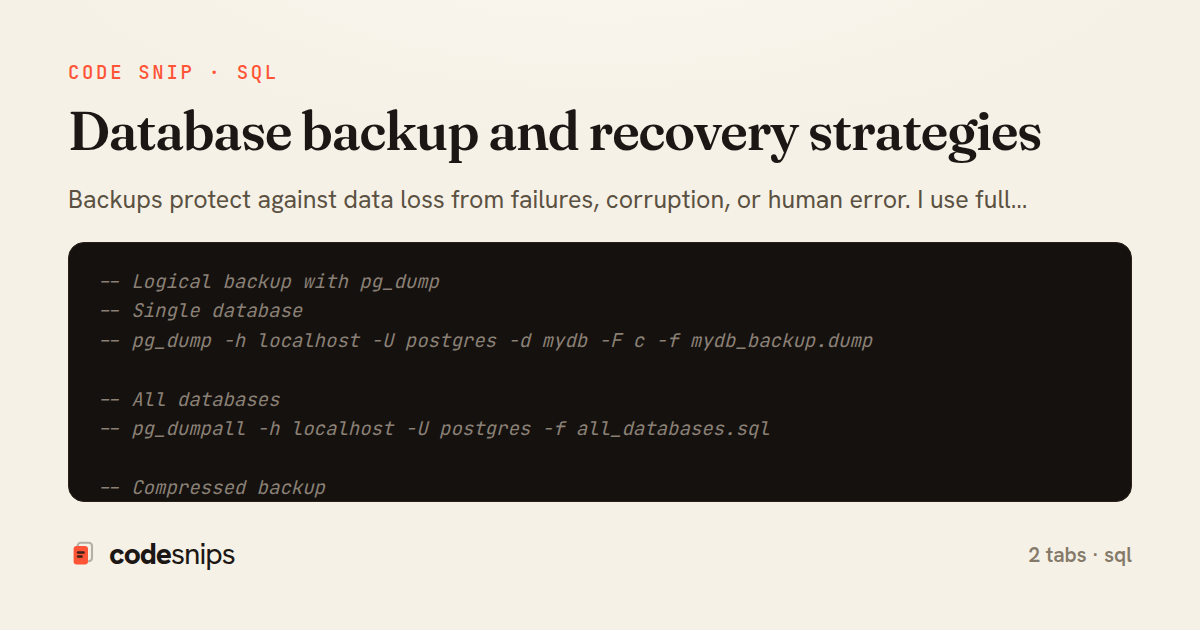
-- Logical backup with pg_dump
-- Single database
-- pg_dump -h localhost -U postgres -d mydb -F c -f mydb_backup.dump

-- All databases
-- pg_dumpall -h localhost -U postgres -f all_databases.sql

-- Compressed backup
-- pg_dump -h localhost -U postgres -d mydb | gzip > mydb.sql.gz

-- Schema only (no data)
-- pg_dump -s -d mydb -f schema.sql

-- Data only (no schema)
-- pg_dump -a -d mydb -f data.sql

-- Specific tables
-- pg_dump -t users -t orders -d mydb -f tables_backup.sql

-- Exclude specific tables
-- pg_dump -T audit_log -T temp_* -d mydb -f backup.sql

-- Parallel dump (faster for large databases)
-- pg_dump -j 4 -F d -f backup_directory/ mydb

-- Restore from dump
-- pg_restore -d mydb -c mydb_backup.dump
-- -c drops existing objects before restoring

-- Restore specific table
-- pg_restore -d mydb -t users mydb_backup.dump

-- Restore with parallel jobs
-- pg_restore -j 4 -d mydb backup_directory/

-- Continuous Archiving and Point-in-Time Recovery (PITR)
-- postgresql.conf configuration:
-- wal_level = replica
-- archive_mode = on
-- archive_command = 'cp %p /backup/wal_archive/%f'
-- archive_timeout = 300  # Force WAL switch every 5 minutes

-- Create base backup
-- SELECT pg_start_backup('daily_backup', false, false);
-- rsync -av /var/lib/postgresql/data/ /backup/base/
-- SELECT pg_stop_backup(false, true);

-- Or use pg_basebackup (simpler)
-- pg_basebackup -h localhost -D /backup/base -U replicator -P -X stream

-- recovery.conf (PostgreSQL 11 and earlier) or postgresql.conf (12+)
-- restore_command = 'cp /backup/wal_archive/%f %p'
-- recovery_target_time = '2024-01-15 14:30:00'
-- recovery_target_action = 'promote'

-- Check backup status
SELECT * FROM pg_stat_archiver;

-- View WAL information
SELECT pg_current_wal_lsn();
SELECT pg_walfile_name(pg_current_wal_lsn());

-- Estimate time to restore
SELECT
  pg_size_pretty(pg_database_size('mydb')) AS db_size,
  pg_size_pretty(SUM(size)) AS wal_size
FROM pg_ls_waldir();

-- Backup rotation script (keep last 7 days)
-- find /backup/daily/ -name "*.dump" -mtime +7 -delete

-- Verify backup integrity
-- pg_restore --list mydb_backup.dump | head -20
-- MySQL Logical Backup with mysqldump

-- Single database
-- mysqldump -u root -p mydb > mydb_backup.sql

-- All databases
-- mysqldump -u root -p --all-databases > all_db_backup.sql

-- Compressed backup
-- mysqldump -u root -p mydb | gzip > mydb_backup.sql.gz

-- With lock for consistency
-- mysqldump -u root -p --single-transaction --routines --triggers mydb > backup.sql

-- Skip specific tables
-- mysqldump -u root -p mydb --ignore-table=mydb.logs > backup.sql

-- Schema only
-- mysqldump -u root -p --no-data mydb > schema.sql

-- Data only
-- mysqldump -u root -p --no-create-info mydb > data.sql

-- Restore database
-- mysql -u root -p mydb < mydb_backup.sql

-- Restore from compressed backup
-- gunzip < mydb_backup.sql.gz | mysql -u root -p mydb

-- MySQL Physical Backup with Percona XtraBackup
-- Full backup
-- xtrabackup --backup --target-dir=/backup/full --user=root --password=pass

-- Prepare backup (apply logs)
-- xtrabackup --prepare --target-dir=/backup/full

-- Restore
-- xtrabackup --copy-back --target-dir=/backup/full
-- chown -R mysql:mysql /var/lib/mysql

-- Incremental backup
-- xtrabackup --backup --target-dir=/backup/inc1 --incremental-basedir=/backup/full

-- Prepare incremental
-- xtrabackup --prepare --apply-log-only --target-dir=/backup/full
-- xtrabackup --prepare --target-dir=/backup/full --incremental-dir=/backup/inc1

-- Binary log backup for point-in-time recovery
-- my.cnf:
-- log-bin=mysql-bin
-- expire_logs_days=7
-- binlog_format=ROW

-- View binary logs
SHOW BINARY LOGS;
SHOW MASTER STATUS;

-- Backup binary logs
-- FLUSH LOGS;
-- cp /var/lib/mysql/mysql-bin.000001 /backup/binlogs/

-- Point-in-time recovery
-- 1. Restore full backup
-- mysql -u root -p mydb < full_backup.sql

-- 2. Apply binary logs up to specific time
-- mysqlbinlog --stop-datetime="2024-01-15 14:30:00" --   mysql-bin.000001 mysql-bin.000002 | mysql -u root -p mydb

-- Skip specific transaction (if corrupted)
-- mysqlbinlog --start-position=123 --stop-position=456 --   mysql-bin.000001 | mysql -u root -p mydb

-- Automated backup script (cron)
-- 0 2 * * * /usr/bin/mysqldump -u backup_user -p$PASSWORD --   --all-databases --single-transaction | --   gzip > /backup/mysql_$(date +%Y%m%d).sql.gz

-- Verify backup
-- mysqlcheck -u root -p --all-databases

-- Export/Import specific table to CSV
SELECT * FROM users
INTO OUTFILE '/tmp/users.csv'
FIELDS TERMINATED BY ','
ENCLOSED BY '"'
LINES TERMINATED BY '\n';

LOAD DATA INFILE '/tmp/users.csv'
INTO TABLE users
FIELDS TERMINATED BY ','
ENCLOSED BY '"'
LINES TERMINATED BY '\n';

-- Backup stored procedures and functions
-- mysqldump -u root -p --routines --no-create-info --no-data mydb > routines.sql

-- Clone database
CREATE DATABASE mydb_copy;
-- mysqldump -u root -p mydb | mysql -u root -p mydb_copy
Backups protect against data loss from failures, corruption, or human error. I use full backups for complete database snapshots. Incremental backups save only changes since last backup. Point-in-time recovery restores to specific moments. Logical backups export data as SQL—portable but slower. Physical backups copy data files—faster for large databases. Hot backups run without downtime using WAL archiving. pg_dump creates consistent snapshots. Continuous archiving streams WAL for minimal data loss. Understanding Recovery Point Objective (RPO) and Recovery Time Objective (RTO) guides backup strategy. Test restores regularly—untested backups are worthless. Offsite backups protect against disasters. Automated backup verification catches corruption early. Proper backup strategy is insurance against catastrophic data loss.
Related snips
-- Simple function
CREATE OR REPLACE FUNCTION get_full_name(
  first_name VARCHAR,
  last_name VARCHAR
)
RETURNS VARCHAR AS $$
Stored procedures and functions in PostgreSQL
# Vulnerable: user input is concatenated directly into SQL.
email = params[:email]
password = params[:password]

sql = "SELECT * FROM users WHERE email = '#{email}' AND password_hash = '#{password}'"
user = ActiveRecord::Base.connection.execute(sql).first
SQL injection prevention with unsafe and safe query patterns
-- EXPLAIN ANALYZE (actual execution statistics)
EXPLAIN ANALYZE
SELECT u.username, COUNT(o.id) AS order_count
FROM users u
LEFT JOIN orders o ON u.id = o.user_id
WHERE u.created_at >= '2024-01-01'
Advanced query optimization techniques
from django.db.models import Count, Avg, Sum, Q, F
from django.views.generic import TemplateView
from products.models import Product, Order, OrderItem


class DashboardView(TemplateView):
Django aggregation with annotate for statistics
class ReportQuery
  SQL = <<~SQL.freeze
    SELECT date_trunc('day', events.created_at) AS day,
           count(*) AS total,
           count(*) FILTER (WHERE events.kind = 'purchase') AS purchases
    FROM events
Safe Raw SQL with exec_query + Binds
<?php

use Illuminate\Database\Migrations\Migration;
use Illuminate\Database\Schema\Blueprint;
use Illuminate\Support\Facades\Schema;
Laravel database migrations for schema management
Share this code
Here's the card — post it anywhere.