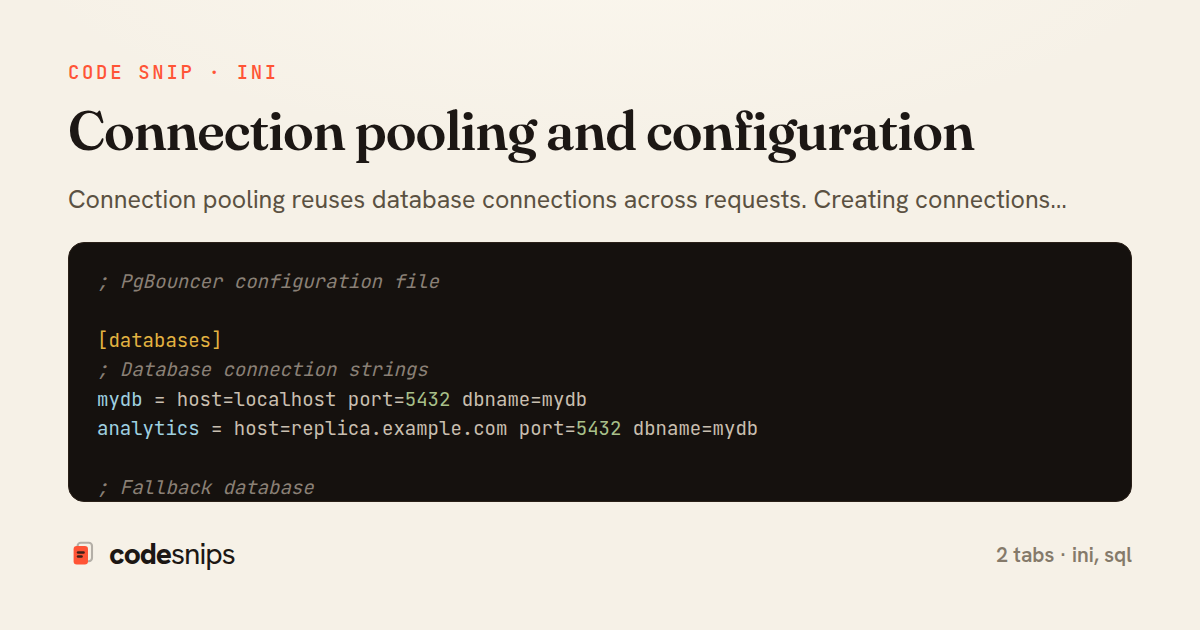
; PgBouncer configuration file

[databases]
; Database connection strings
mydb = host=localhost port=5432 dbname=mydb
analytics = host=replica.example.com port=5432 dbname=mydb

; Fallback database
* = host=localhost port=5432

[pgbouncer]
; Listen on all interfaces
listen_addr = *
listen_port = 6432

; Authentication
auth_type = md5
auth_file = /etc/pgbouncer/userlist.txt

; Pool mode
; session: Client stays connected to same server (most compatible)
; transaction: Server assigned per transaction (more efficient)
; statement: Server assigned per statement (most efficient, breaks some features)
pool_mode = transaction

; Connection limits
max_client_conn = 1000
default_pool_size = 25
min_pool_size = 10
reserve_pool_size = 5
reserve_pool_timeout = 3

; Server connection limits
server_lifetime = 3600
server_idle_timeout = 600
server_connect_timeout = 15

; Client connection limits
client_idle_timeout = 0
client_login_timeout = 60

; DNS
dns_max_ttl = 15
dns_zone_check_period = 0

; Logging
log_connections = 1
log_disconnections = 1
log_pooler_errors = 1

; Admin console
admin_users = admin
stats_users = stats

; Performance
max_packet_size = 2147483647
pkt_buf = 4096
listen_backlog = 128

; TLS/SSL
; server_tls_sslmode = prefer
; client_tls_sslmode = disable
-- PostgreSQL connection configuration

-- View max connections
SHOW max_connections;

-- Set max connections (requires restart)
-- postgresql.conf:
-- max_connections = 200

-- Reserved connections for superuser
-- superuser_reserved_connections = 3

-- View current connections
SELECT count(*) FROM pg_stat_activity;

-- Connections by database
SELECT
  datname,
  count(*) AS connections,
  max_conn,
  ROUND(100.0 * count(*) / max_conn, 2) AS pct_used
FROM pg_stat_activity
CROSS JOIN (SELECT setting::int AS max_conn FROM pg_settings WHERE name = 'max_connections') mc
GROUP BY datname, max_conn
ORDER BY connections DESC;

-- Connections by user
SELECT
  usename,
  count(*) AS connections
FROM pg_stat_activity
GROUP BY usename
ORDER BY connections DESC;

-- Connections by application
SELECT
  application_name,
  count(*) AS connections,
  state
FROM pg_stat_activity
GROUP BY application_name, state
ORDER BY connections DESC;

-- Set connection limit per database
ALTER DATABASE mydb CONNECTION LIMIT 100;

-- Set connection limit per user
ALTER ROLE app_user CONNECTION LIMIT 50;

-- Terminate idle connections
SELECT pg_terminate_backend(pid)
FROM pg_stat_activity
WHERE state = 'idle'
  AND state_change < CURRENT_TIMESTAMP - INTERVAL '1 hour'
  AND pid != pg_backend_pid();

-- Connection pooling with application
-- Example: Node.js with pg pool
/*
const { Pool } = require('pg');

const pool = new Pool({
  host: 'localhost',
  port: 5432,
  database: 'mydb',
  user: 'app_user',
  password: 'password',
  max: 20,                    // Maximum pool size
  min: 5,                     // Minimum pool size
  idleTimeoutMillis: 30000,   // Close idle clients after 30s
  connectionTimeoutMillis: 2000, // Return error after 2s if no connection available
});

// Execute query
const result = await pool.query('SELECT * FROM users WHERE id = $1', [userId]);

// Transaction
const client = await pool.connect();
try {
  await client.query('BEGIN');
  await client.query('INSERT INTO orders ...');
  await client.query('UPDATE inventory ...');
  await client.query('COMMIT');
} catch (e) {
  await client.query('ROLLBACK');
  throw e;
} finally {
  client.release();
}
*/

-- PgBouncer admin commands (connect to pgbouncer admin console)
-- psql -p 6432 -U pgbouncer pgbouncer

-- SHOW pools;
-- SHOW clients;
-- SHOW servers;
-- SHOW stats;
-- RELOAD;  -- Reload config
-- PAUSE;   -- Pause all queries
-- RESUME;  -- Resume queries
-- KILL database;  -- Kill all connections to database

-- Connection pooling sizing calculation
-- Recommended pool size = ((core_count * 2) + effective_spindle_count)
-- For SSD: pool_size ≈ core_count * 2
-- Example: 4 cores = 8-10 connections per pool

-- Monitor connection pool saturation
-- Track: wait time, queue depth, connection acquisition time
-- Alert if: wait time > 100ms, acquisition time > 50ms

-- MySQL connection pooling with ProxySQL
/*
mysql_servers:
(
  {
    address="localhost"
    port=3306
    hostgroup=0
    max_connections=200
  },
  {
    address="replica1"
    port=3306
    hostgroup=1
    max_connections=200
  }
)

mysql_users:
(
  {
    username = "app_user"
    password = "password"
    default_hostgroup = 0
    max_connections = 100
    active = 1
  }
)
*/

-- MySQL connection limits
SHOW VARIABLES LIKE 'max_connections';
SET GLOBAL max_connections = 500;

-- Current connections
SHOW PROCESSLIST;
SELECT count(*) FROM information_schema.PROCESSLIST;

-- Connection errors
SHOW GLOBAL STATUS LIKE 'Aborted_connects';
SHOW GLOBAL STATUS LIKE 'Connection_errors%';
Connection pooling reuses database connections across requests. Creating connections is expensive—pooling amortizes overhead. I use PgBouncer for PostgreSQL, ProxySQL for MySQL. Session pooling maintains session state. Transaction pooling is more efficient but stateless. Statement pooling shares single connection. Pool sizing depends on workload—too few causes queuing, too many overwhelms database. Understanding max_connections limits prevents failures. Connection timeout configuration prevents hung connections. Idle connection cleanup frees resources. Health checks remove broken connections. Proper pooling enables thousands of app connections with hundreds of database connections. Load balancing distributes across read replicas. Connection pooling is essential for web applications at scale.
Related snips
-- Simple function
CREATE OR REPLACE FUNCTION get_full_name(
  first_name VARCHAR,
  last_name VARCHAR
)
RETURNS VARCHAR AS $$
Stored procedures and functions in PostgreSQL
require "csv"

class PeopleCsvStream
  include Enumerable

  HEADERS = %w[id full_name email signed_up_at plan].freeze
Resilient CSV Export as a Streamed Response
Rails.application.configure do
  config.after_initialize do
    Bullet.enable = true
    Bullet.alert = false
    Bullet.bullet_logger = true
    Bullet.console = true
N+1 query detection with Bullet gem
# Vulnerable: user input is concatenated directly into SQL.
email = params[:email]
password = params[:password]

sql = "SELECT * FROM users WHERE email = '#{email}' AND password_hash = '#{password}'"
user = ActiveRecord::Base.connection.execute(sql).first
SQL injection prevention with unsafe and safe query patterns
json.array! @posts do |post|
  json.cache! ['v1', post], expires_in: 1.hour do
    json.id post.id
    json.title post.title
    json.excerpt post.excerpt
    json.published_at post.published_at
Fragment caching for expensive JSON serialization
-- EXPLAIN ANALYZE (actual execution statistics)
EXPLAIN ANALYZE
SELECT u.username, COUNT(o.id) AS order_count
FROM users u
LEFT JOIN orders o ON u.id = o.user_id
WHERE u.created_at >= '2024-01-01'
Advanced query optimization techniques
Share this code
Here's the card — post it anywhere.