sql
422 lines · 2 tabs
Maria Garcia
Feb 2026
2 tabs
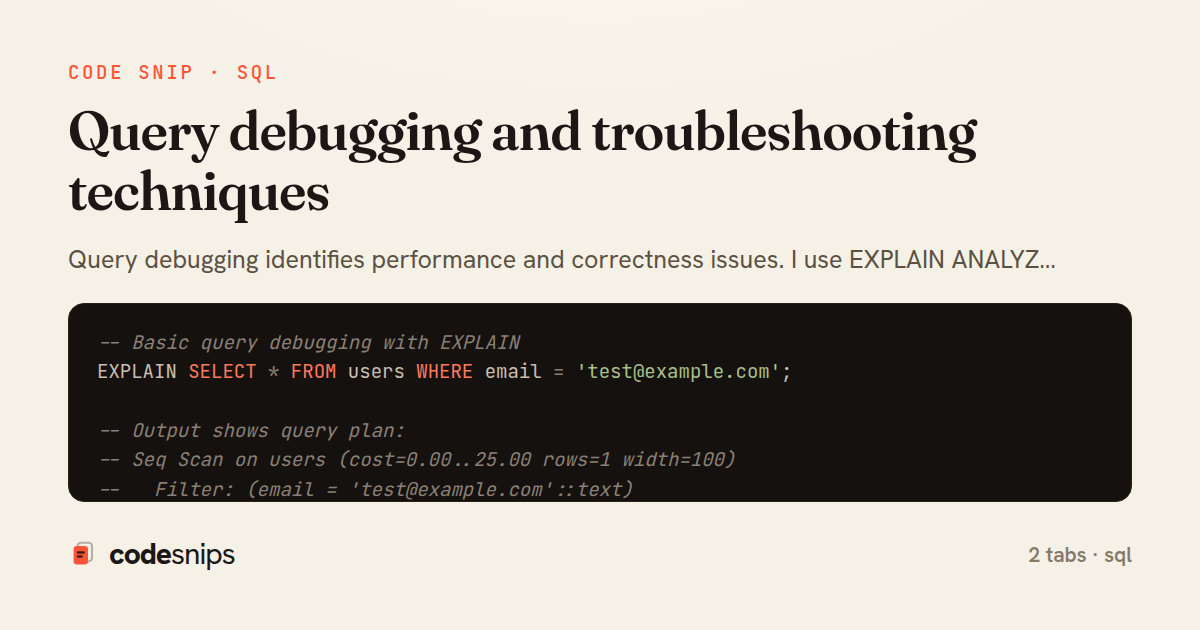
-- Basic query debugging with EXPLAIN
EXPLAIN SELECT * FROM users WHERE email = 'test@example.com';

-- Output shows query plan:
-- Seq Scan on users (cost=0.00..25.00 rows=1 width=100)
--   Filter: (email = 'test@example.com'::text)

-- EXPLAIN ANALYZE: Actually executes and shows real timing
EXPLAIN ANALYZE
SELECT * FROM users WHERE email = 'test@example.com';

-- Output includes actual times:
-- Seq Scan on users (cost=0.00..25.00 rows=1 width=100)
--   (actual time=0.015..0.234 rows=1 loops=1)
--   Filter: (email = 'test@example.com'::text)
-- Planning Time: 0.123 ms
-- Execution Time: 0.456 ms

-- EXPLAIN with all options
EXPLAIN (ANALYZE, BUFFERS, VERBOSE, COSTS, TIMING)
SELECT u.*, COUNT(o.id) AS order_count
FROM users u
LEFT JOIN orders o ON u.id = o.user_id
WHERE u.created_at > NOW() - INTERVAL '30 days'
GROUP BY u.id
HAVING COUNT(o.id) > 5;

-- BUFFERS shows cache hits/misses:
-- Shared Buffers: hit=245 read=12
-- (hit=cached, read=from disk)

-- Understanding query costs
-- cost=0.00..25.00: startup cost..total cost
-- rows=1: estimated rows
-- width=100: average row size in bytes

-- Identify missing indexes
EXPLAIN ANALYZE
SELECT * FROM orders WHERE user_id = 123;

-- If you see "Seq Scan" on large table, add index:
CREATE INDEX idx_orders_user_id ON orders(user_id);

-- Re-run to verify
EXPLAIN ANALYZE
SELECT * FROM orders WHERE user_id = 123;
-- Should now show: Index Scan using idx_orders_user_id

-- Check if index is being used
SELECT
  schemaname,
  tablename,
  indexname,
  idx_scan,
  idx_tup_read,
  idx_tup_fetch
FROM pg_stat_user_indexes
WHERE indexname = 'idx_orders_user_id';

-- idx_scan=0 means index never used

-- Find unused indexes
SELECT
  schemaname,
  tablename,
  indexname,
  idx_scan,
  pg_size_pretty(pg_relation_size(indexrelid)) AS size
FROM pg_stat_user_indexes
WHERE idx_scan = 0
  AND indexname NOT LIKE '%pkey'
ORDER BY pg_relation_size(indexrelid) DESC;

-- Debug slow queries with pg_stat_statements
CREATE EXTENSION IF NOT EXISTS pg_stat_statements;

-- Slowest queries by total time
SELECT
  calls,
  total_exec_time / 1000 AS total_seconds,
  mean_exec_time AS avg_ms,
  max_exec_time AS max_ms,
  stddev_exec_time AS stddev_ms,
  rows,
  shared_blks_hit,
  shared_blks_read,
  query
FROM pg_stat_statements
WHERE query NOT LIKE '%pg_stat%'
ORDER BY total_exec_time DESC
LIMIT 20;

-- Queries with most cache misses
SELECT
  calls,
  shared_blks_read,
  shared_blks_hit,
  shared_blks_read::FLOAT / NULLIF(shared_blks_hit + shared_blks_read, 0) AS miss_ratio,
  query
FROM pg_stat_statements
WHERE shared_blks_read > 0
ORDER BY miss_ratio DESC
LIMIT 20;

-- Debug blocking queries
SELECT
  blocked.pid AS blocked_pid,
  blocked.usename AS blocked_user,
  blocking.pid AS blocking_pid,
  blocking.usename AS blocking_user,
  blocked.query AS blocked_query,
  blocking.query AS blocking_query,
  blocked.wait_event_type,
  blocked.wait_event
FROM pg_stat_activity blocked
JOIN pg_locks blocked_locks ON blocked.pid = blocked_locks.pid
JOIN pg_locks blocking_locks ON
  blocking_locks.locktype = blocked_locks.locktype
  AND blocking_locks.database IS NOT DISTINCT FROM blocked_locks.database
  AND blocking_locks.relation IS NOT DISTINCT FROM blocked_locks.relation
  AND blocking_locks.page IS NOT DISTINCT FROM blocked_locks.page
  AND blocking_locks.tuple IS NOT DISTINCT FROM blocked_locks.tuple
  AND blocking_locks.virtualxid IS NOT DISTINCT FROM blocked_locks.virtualxid
  AND blocking_locks.transactionid IS NOT DISTINCT FROM blocked_locks.transactionid
  AND blocking_locks.classid IS NOT DISTINCT FROM blocked_locks.classid
  AND blocking_locks.objid IS NOT DISTINCT FROM blocked_locks.objid
  AND blocking_locks.objsubid IS NOT DISTINCT FROM blocked_locks.objsubid
  AND blocking_locks.pid != blocked_locks.pid
JOIN pg_stat_activity blocking ON blocking.pid = blocking_locks.pid
WHERE NOT blocked_locks.granted;

-- Kill blocking query (use with caution)
-- SELECT pg_cancel_backend(blocking_pid);
-- SELECT pg_terminate_backend(blocking_pid);

-- Debug transaction locks
SELECT
  l.locktype,
  l.mode,
  l.granted,
  a.pid,
  a.usename,
  a.application_name,
  a.state,
  NOW() - a.xact_start AS transaction_age,
  a.query
FROM pg_locks l
JOIN pg_stat_activity a ON l.pid = a.pid
WHERE l.locktype = 'transactionid'
ORDER BY transaction_age DESC;

-- Find long-running transactions
SELECT
  pid,
  usename,
  application_name,
  state,
  NOW() - xact_start AS transaction_duration,
  query
FROM pg_stat_activity
WHERE state != 'idle'
  AND xact_start IS NOT NULL
ORDER BY xact_start
LIMIT 10;

-- Enable auto_explain for automatic slow query logging
-- In postgresql.conf:
/*
shared_preload_libraries = 'auto_explain'
auto_explain.log_min_duration = '1s'
auto_explain.log_analyze = on
auto_explain.log_buffers = on
auto_explain.log_timing = on
auto_explain.log_triggers = on
auto_explain.log_verbose = on
*/

-- Then check PostgreSQL logs for EXPLAIN output

-- Debug parameter sniffing issues
-- Problem: First execution creates plan for specific parameter
SET plan_cache_mode = 'force_custom_plan';

PREPARE user_orders (INT) AS
SELECT * FROM orders WHERE user_id = $1;

-- Each execution gets optimized plan for actual parameter
EXECUTE user_orders(123);
EXECUTE user_orders(456);

-- View prepared statement plans
SELECT * FROM pg_prepared_statements;
-- Debug cardinality estimation errors
-- Check actual vs estimated rows
EXPLAIN (ANALYZE, VERBOSE)
SELECT * FROM orders o
JOIN users u ON o.user_id = u.id
WHERE o.status = 'pending';

-- If "rows=10" but "actual rows=10000", statistics are stale
ANALYZE orders;
ANALYZE users;

-- Increase statistics target for better estimates
ALTER TABLE orders ALTER COLUMN status SET STATISTICS 1000;
ANALYZE orders;

-- Debug join order issues
EXPLAIN (ANALYZE, BUFFERS)
SELECT *
FROM large_table l
JOIN small_table s ON l.small_id = s.id
WHERE s.category = 'active';

-- PostgreSQL should join small filtered table first
-- If not, check statistics or force order with subquery

EXPLAIN (ANALYZE, BUFFERS)
SELECT *
FROM large_table l
JOIN (
  SELECT id FROM small_table WHERE category = 'active'
) s ON l.small_id = s.id;

-- Debug parallel query issues
SET max_parallel_workers_per_gather = 4;
SET parallel_setup_cost = 1000;
SET parallel_tuple_cost = 0.1;

EXPLAIN (ANALYZE, VERBOSE)
SELECT COUNT(*) FROM large_table;
-- Look for "Parallel Seq Scan" or "Gather"

-- If not using parallel:
-- 1. Table too small (< parallel_threshold)
-- 2. max_parallel_workers_per_gather = 0
-- 3. Transaction or function context

-- Debug function performance
CREATE OR REPLACE FUNCTION slow_function(p_id INT)
RETURNS TABLE(id INT, name VARCHAR) AS $$
BEGIN
  -- Add timing
  RAISE NOTICE 'Function started at %', clock_timestamp();

  RETURN QUERY
  SELECT u.id, u.username
  FROM users u
  WHERE u.id = p_id;

  RAISE NOTICE 'Function ended at %', clock_timestamp();
END;
$$ LANGUAGE plpgsql;

-- Call and check NOTICE messages
SELECT * FROM slow_function(123);

-- Profile function with plprofiler
/*
CREATE EXTENSION plprofiler;
SELECT plprofiler_enable(true);

SELECT * FROM slow_function(123);

SELECT * FROM plprofiler_collect_data();
SELECT plprofiler_enable(false);
*/

-- Debug trigger performance
CREATE OR REPLACE FUNCTION debug_trigger()
RETURNS TRIGGER AS $$
BEGIN
  RAISE NOTICE 'Trigger % fired at %', TG_NAME, clock_timestamp();

  -- Original trigger logic...

  RAISE NOTICE 'Trigger % completed at %', TG_NAME, clock_timestamp();
  RETURN NEW;
END;
$$ LANGUAGE plpgsql;

-- Monitor table statistics
SELECT
  schemaname,
  tablename,
  seq_scan,
  seq_tup_read,
  idx_scan,
  idx_tup_fetch,
  n_tup_ins,
  n_tup_upd,
  n_tup_del,
  n_live_tup,
  n_dead_tup,
  last_vacuum,
  last_autovacuum,
  last_analyze,
  last_autoanalyze
FROM pg_stat_user_tables
ORDER BY seq_scan DESC;

-- High seq_scan on large table = missing index

-- Debug cache effectiveness
SELECT
  'Buffer cache hit ratio' AS metric,
  ROUND(
    sum(heap_blks_hit) / NULLIF(sum(heap_blks_hit + heap_blks_read), 0) * 100,
    2
  ) AS percentage
FROM pg_statio_user_tables
UNION ALL
SELECT
  'Index cache hit ratio',
  ROUND(
    sum(idx_blks_hit) / NULLIF(sum(idx_blks_hit + idx_blks_read), 0) * 100,
    2
  )
FROM pg_statio_user_indexes;
-- Target: > 99%

-- Debug connection pool issues
SELECT
  count(*) AS total,
  count(*) FILTER (WHERE state = 'active') AS active,
  count(*) FILTER (WHERE state = 'idle') AS idle,
  count(*) FILTER (WHERE state = 'idle in transaction') AS idle_in_tx,
  count(*) FILTER (WHERE state = 'idle in transaction (aborted)') AS idle_aborted
FROM pg_stat_activity;

-- High idle_in_tx = application not committing

-- Find idle in transaction
SELECT
  pid,
  usename,
  application_name,
  state,
  NOW() - state_change AS idle_duration,
  query
FROM pg_stat_activity
WHERE state LIKE 'idle in transaction%'
ORDER BY state_change;

-- Terminate long idle transactions
SELECT pg_terminate_backend(pid)
FROM pg_stat_activity
WHERE state = 'idle in transaction'
  AND NOW() - state_change > INTERVAL '10 minutes';

-- Debug disk I/O issues
SELECT
  tablename,
  heap_blks_read AS table_disk_reads,
  heap_blks_hit AS table_cache_hits,
  idx_blks_read AS index_disk_reads,
  idx_blks_hit AS index_cache_hits,
  ROUND(
    heap_blks_hit::NUMERIC / NULLIF(heap_blks_hit + heap_blks_read, 0),
    4
  ) AS table_hit_ratio
FROM pg_statio_user_tables
WHERE heap_blks_read > 0
ORDER BY heap_blks_read DESC
LIMIT 20;

-- Debug query plan regression
-- Save good plan
CREATE TABLE saved_plans (
  query_id BIGINT PRIMARY KEY,
  query TEXT,
  plan JSONB,
  created_at TIMESTAMP DEFAULT NOW()
);

INSERT INTO saved_plans (query_id, query, plan)
SELECT
  queryid,
  query,
  to_jsonb(
    (EXPLAIN (FORMAT JSON)
     SELECT * FROM orders WHERE user_id = 123)
  )
FROM pg_stat_statements
WHERE query LIKE '%orders%user_id%'
LIMIT 1;

-- Compare current plan to saved
/*
Compare EXPLAIN output to saved plan
Look for:
- Different join methods (Hash Join vs Nested Loop)
- Different scan methods (Index vs Seq Scan)
- Different row estimates
*/

-- Enable query logging for debugging
-- postgresql.conf:
/*
log_statement = 'all'  # or 'ddl', 'mod'
log_duration = on
log_min_duration_statement = 1000  # Log queries > 1s
log_line_prefix = '%t [%p]: user=%u,db=%d,app=%a,client=%h '
*/

-- Debug data type conversion issues
EXPLAIN ANALYZE
SELECT * FROM users WHERE id = '123'; -- String instead of INT
-- May not use index if type mismatch

-- Fix: Use correct type
EXPLAIN ANALYZE
SELECT * FROM users WHERE id = 123;

-- Verbose logging for troubleshooting
SET client_min_messages = DEBUG1;
-- Or DEBUG2, DEBUG3, DEBUG4, DEBUG5 for more detail

SELECT * FROM users LIMIT 1;
-- Shows detailed planner output

SET client_min_messages = NOTICE; -- Reset
2 files · sql
Explain with highlit
Query debugging identifies performance and correctness issues. I use EXPLAIN ANALYZE to understand execution plans. Slow query logs reveal problematic queries. pgstatstatements tracks query statistics. Understanding sequential scans vs index scans helps optimize. Checking locks identifies blocking queries. Query cost estimates guide optimization. Analyzing buffer hits shows cache effectiveness. Verbose output reveals detailed execution. Auto_explain extension logs slow queries automatically. Proper debugging prevents production issues. Essential for maintaining database health, resolving performance problems.
Related snips
sql
-- Simple function
CREATE OR REPLACE FUNCTION get_full_name(
  first_name VARCHAR,
  last_name VARCHAR
)
RETURNS VARCHAR AS $$
Stored procedures and functions in PostgreSQL
postgresql
stored-procedures
functions
by Maria Garcia
2 tabs
ruby
require "csv"

class PeopleCsvStream
  include Enumerable

  HEADERS = %w[id full_name email signed_up_at plan].freeze
Resilient CSV Export as a Streamed Response
rails
performance
streaming
by codesnips
3 tabs
ruby
Rails.application.configure do
  config.after_initialize do
    Bullet.enable = true
    Bullet.alert = false
    Bullet.bullet_logger = true
    Bullet.console = true
N+1 query detection with Bullet gem
rails
performance
activerecord
by Alex Kumar
2 tabs
ruby
json.array! @posts do |post|
  json.cache! ['v1', post], expires_in: 1.hour do
    json.id post.id
    json.title post.title
    json.excerpt post.excerpt
    json.published_at post.published_at
Fragment caching for expensive JSON serialization
rails
caching
performance
by Alex Kumar
1 tab
ruby
class AddSettingsToAccounts < ActiveRecord::Migration[7.1]
  disable_ddl_transaction!

  def change
    add_column :accounts, :settings, :jsonb, null: false, default: {}
Postgres JSONB Partial Index for Feature Flags
rails
postgres
jsonb
by codesnips
3 tabs
sql
-- EXPLAIN ANALYZE (actual execution statistics)
EXPLAIN ANALYZE
SELECT u.username, COUNT(o.id) AS order_count
FROM users u
LEFT JOIN orders o ON u.id = o.user_id
WHERE u.created_at >= '2024-01-01'
Advanced query optimization techniques
database
optimization
query-performance
by Maria Garcia
2 tabs
Share this code
Here's the card — post it anywhere.