javascript
277 lines · 2 tabs
Alex Chang
Feb 2026
2 tabs
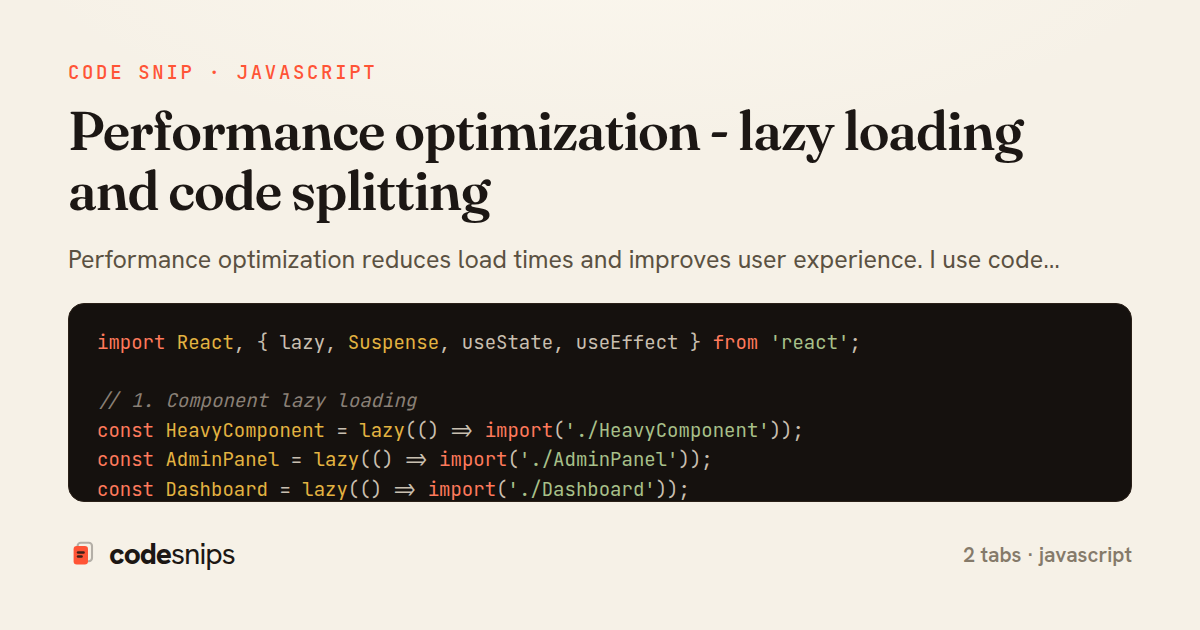
import React, { lazy, Suspense, useState, useEffect } from 'react';

// 1. Component lazy loading
const HeavyComponent = lazy(() => import('./HeavyComponent'));
const AdminPanel = lazy(() => import('./AdminPanel'));
const Dashboard = lazy(() => import('./Dashboard'));

function App() {
  return (
    <Suspense fallback={<div>Loading...</div>}>
      <HeavyComponent />
    </Suspense>
  );
}

// 2. Route-based code splitting
import { BrowserRouter, Routes, Route } from 'react-router-dom';

const Home = lazy(() => import('./pages/Home'));
const About = lazy(() => import('./pages/About'));
const Contact = lazy(() => import('./pages/Contact'));

function AppRouter() {
  return (
    <BrowserRouter>
      <Suspense fallback={<LoadingSpinner />}>
        <Routes>
          <Route path="/" element={<Home />} />
          <Route path="/about" element={<About />} />
          <Route path="/contact" element={<Contact />} />
        </Routes>
      </Suspense>
    </BrowserRouter>
  );
}

// 3. Conditional component loading
function ConditionalLoad() {
  const [showChart, setShowChart] = useState(false);
  const [ChartComponent, setChartComponent] = useState(null);

  const loadChart = async () => {
    const module = await import('./Chart');
    setChartComponent(() => module.default);
    setShowChart(true);
  };

  return (
    <div>
      {!showChart && (
        <button onClick={loadChart}>Load Chart</button>
      )}
      {showChart && ChartComponent && (
        <Suspense fallback={<div>Loading chart...</div>}>
          <ChartComponent />
        </Suspense>
      )}
    </div>
  );
}

// 4. Image lazy loading
function ImageGallery({ images }) {
  return (
    <div>
      {images.map((img, index) => (
        <img
          key={index}
          src={img.src}
          alt={img.alt}
          loading="lazy"
          width={img.width}
          height={img.height}
        />
      ))}
    </div>
  );
}

// 5. Custom lazy loading with Intersection Observer
function LazyImage({ src, alt, placeholder }) {
  const [imageSrc, setImageSrc] = useState(placeholder);
  const [imageRef, setImageRef] = useState();

  useEffect(() => {
    if (!imageRef) return;

    const observer = new IntersectionObserver(
      (entries) => {
        entries.forEach((entry) => {
          if (entry.isIntersecting) {
            setImageSrc(src);
            observer.unobserve(entry.target);
          }
        });
      },
      {
        rootMargin: '50px', // Load 50px before entering viewport
      }
    );

    observer.observe(imageRef);

    return () => {
      if (imageRef) {
        observer.unobserve(imageRef);
      }
    };
  }, [imageRef, src]);

  return (
    <img
      ref={setImageRef}
      src={imageSrc}
      alt={alt}
      style={{ transition: 'opacity 0.3s' }}
    />
  );
}

// 6. Prefetching for better UX
function PrefetchExample() {
  const prefetchComponent = () => {
    const component = import('./HeavyComponent');
    // Component is now cached
  };

  return (
    <button
      onMouseEnter={prefetchComponent}
      onClick={() => setShowComponent(true)}
    >
      Hover to prefetch, click to show
    </button>
  );
}

// 7. Dynamic imports with error handling
async function loadModuleWithRetry(importFn, retries = 3) {
  try {
    return await importFn();
  } catch (error) {
    if (retries === 0) throw error;
    console.log(`Retrying import... (${retries} attempts left)`);
    await new Promise(resolve => setTimeout(resolve, 1000));
    return loadModuleWithRetry(importFn, retries - 1);
  }
}

// Usage
const LazyComponentWithRetry = lazy(() =>
  loadModuleWithRetry(() => import('./UnreliableComponent'))
);

// 8. Component-level memoization
const ExpensiveComponent = React.memo(({ data }) => {
  console.log('ExpensiveComponent rendered');
  // Heavy computation
  const result = expensiveCalculation(data);
  return <div>{result}</div>;
}, (prevProps, nextProps) => {
  // Custom comparison
  return prevProps.data.id === nextProps.data.id;
});

// 9. Virtual scrolling for long lists
import { FixedSizeList } from 'react-window';

function VirtualList({ items }) {
  const Row = ({ index, style }) => (
    <div style={style}>
      {items[index].name}
    </div>
  );

  return (
    <FixedSizeList
      height={600}
      itemCount={items.length}
      itemSize={50}
      width="100%"
    >
      {Row}
    </FixedSizeList>
  );
}
// webpack.config.js optimization settings

module.exports = {
  mode: 'production',

  // Code splitting
  optimization: {
    splitChunks: {
      chunks: 'all',
      cacheGroups: {
        // Separate vendor bundle
        vendors: {
          test: /[\\/]node_modules[\\/]/,
          name: 'vendors',
          priority: 10,
        },
        // Separate common code
        common: {
          minChunks: 2,
          priority: 5,
          reuseExistingChunk: true,
        },
        // Separate React/React-DOM
        react: {
          test: /[\\/]node_modules[\\/](react|react-dom)[\\/]/,
          name: 'react',
          priority: 20,
        },
      },
    },
    // Runtime chunk for better caching
    runtimeChunk: 'single',
    // Minimize code
    minimize: true,
  },

  // Performance budgets
  performance: {
    hints: 'warning',
    maxEntrypointSize: 250000,
    maxAssetSize: 250000,
  },

  // Bundle analysis
  plugins: [
    new BundleAnalyzerPlugin({
      analyzerMode: 'static',
      openAnalyzer: false,
    }),
  ],
};

// Vite config for optimization
// vite.config.js
import { defineConfig } from 'vite';
import react from '@vitejs/plugin-react';

export default defineConfig({
  plugins: [react()],
  build: {
    // Code splitting
    rollupOptions: {
      output: {
        manualChunks: {
          'react-vendor': ['react', 'react-dom'],
          'router': ['react-router-dom'],
          'ui': ['@mui/material'],
        },
      },
    },
    // Chunk size warnings
    chunkSizeWarningLimit: 500,
  },
});

// Resource hints in HTML
/*
<head>
  <!-- Preload critical resources -->
  <link rel="preload" href="/main.js" as="script">
  <link rel="preload" href="/main.css" as="style">
  <link rel="preload" href="/font.woff2" as="font" type="font/woff2" crossorigin>

  <!-- Prefetch next page resources -->
  <link rel="prefetch" href="/about.js">

  <!-- Preconnect to external domains -->
  <link rel="preconnect" href="https://api.example.com">
  <link rel="dns-prefetch" href="https://cdn.example.com">
</head>
*/
2 files · javascript
Explain with highlit
Performance optimization reduces load times and improves user experience. I use code splitting to break bundles into smaller chunks loaded on demand. React's lazy() and Suspense enable component-level code splitting. Dynamic import() loads modules asynchronously. Image lazy loading defers off-screen images with loading="lazy" attribute. Intersection Observer API detects when elements enter viewport for custom lazy loading. Bundle analysis tools like webpack-bundle-analyzer identify large dependencies. Tree shaking eliminates unused code. Route-based splitting loads pages only when navigated to. Proper optimization dramatically improves Core Web Vitals and user experience.
Related snips
ruby
class PostsController < ApplicationController
  def index
    @posts = Post.includes(:author)
                 .order(created_at: :desc)
                 .page(params[:page])
                 .per(10)
Turbo Frames: infinite scroll with lazy-loading frame
rails
turbo
hotwire
by codesnips
4 tabs
ruby
require "csv"

class PeopleCsvStream
  include Enumerable

  HEADERS = %w[id full_name email signed_up_at plan].freeze
Resilient CSV Export as a Streamed Response
rails
performance
streaming
by codesnips
3 tabs
ruby
Rails.application.configure do
  config.after_initialize do
    Bullet.enable = true
    Bullet.alert = false
    Bullet.bullet_logger = true
    Bullet.console = true
N+1 query detection with Bullet gem
rails
performance
activerecord
by Alex Kumar
2 tabs
ruby
# BAD: N+1 query problem
@users = User.all
@users.each do |user|
  puts user.posts.count  # Fires query for each user!
end
ActiveRecord query optimization and N+1 prevention
ruby
rails
activerecord
by Sarah Mitchell
3 tabs
ruby
json.array! @posts do |post|
  json.cache! ['v1', post], expires_in: 1.hour do
    json.id post.id
    json.title post.title
    json.excerpt post.excerpt
    json.published_at post.published_at
Fragment caching for expensive JSON serialization
rails
caching
performance
by Alex Kumar
1 tab
typescript
import axios, { AxiosError } from 'axios'
import { v4 as uuidv4 } from 'uuid'

const api = axios.create({
  baseURL: import.meta.env.VITE_API_URL || 'http://localhost:3000/api/v1',
  timeout: 15000,
Axios API client with interceptors
react
axios
api
by Maya Patel
1 tab
Share this code
Here's the card — post it anywhere.