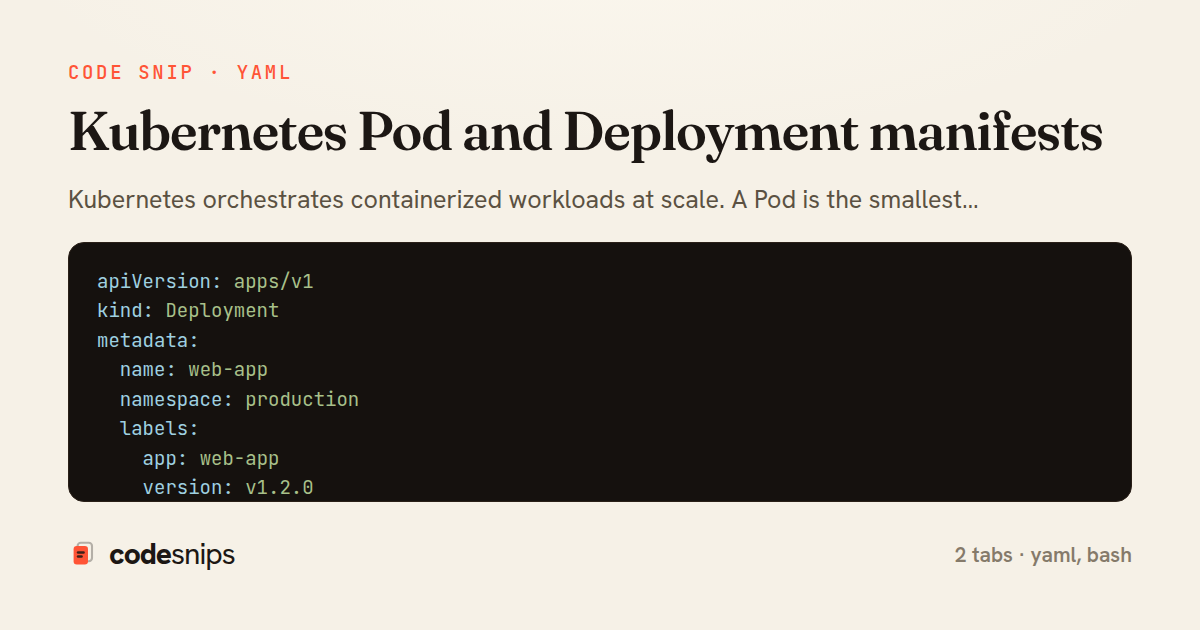
apiVersion: apps/v1
kind: Deployment
metadata:
  name: web-app
  namespace: production
  labels:
    app: web-app
    version: v1.2.0
    team: platform
  annotations:
    kubernetes.io/change-cause: "Deploy v1.2.0 - added caching"
spec:
  replicas: 3
  revisionHistoryLimit: 5
  selector:
    matchLabels:
      app: web-app
  strategy:
    type: RollingUpdate
    rollingUpdate:
      maxSurge: 1
      maxUnavailable: 0
  template:
    metadata:
      labels:
        app: web-app
        version: v1.2.0
    spec:
      serviceAccountName: web-app-sa
      terminationGracePeriodSeconds: 30
      securityContext:
        runAsNonRoot: true
        runAsUser: 1000
        fsGroup: 1000
      containers:
        - name: web-app
          image: registry.example.com/web-app:1.2.0
          ports:
            - name: http
              containerPort: 3000
              protocol: TCP
          env:
            - name: NODE_ENV
              value: "production"
            - name: DATABASE_URL
              valueFrom:
                secretKeyRef:
                  name: web-app-secrets
                  key: database-url
            - name: REDIS_URL
              valueFrom:
                configMapKeyRef:
                  name: web-app-config
                  key: redis-url
          resources:
            requests:
              cpu: 250m
              memory: 256Mi
            limits:
              cpu: 500m
              memory: 512Mi
          readinessProbe:
            httpGet:
              path: /health/ready
              port: http
            initialDelaySeconds: 5
            periodSeconds: 10
            timeoutSeconds: 3
            failureThreshold: 3
          livenessProbe:
            httpGet:
              path: /health/live
              port: http
            initialDelaySeconds: 15
            periodSeconds: 20
            timeoutSeconds: 3
            failureThreshold: 3
          lifecycle:
            preStop:
              exec:
                command: ["/bin/sh", "-c", "sleep 5"]
          volumeMounts:
            - name: config-volume
              mountPath: /app/config
              readOnly: true
            - name: tmp-volume
              mountPath: /tmp
      volumes:
        - name: config-volume
          configMap:
            name: web-app-config
        - name: tmp-volume
          emptyDir: {}
      topologySpreadConstraints:
        - maxSkew: 1
          topologyKey: kubernetes.io/hostname
          whenUnsatisfiable: DoNotSchedule
          labelSelector:
            matchLabels:
              app: web-app
#!/bin/bash
# Essential kubectl commands

# Apply manifests
kubectl apply -f deployment.yaml
kubectl apply -f k8s/ --recursive

# Get resources
kubectl get pods -n production
kubectl get deployments -n production
kubectl get pods -o wide                   # Show node info
kubectl get pods -l app=web-app            # Filter by label

# Describe (detailed info + events)
kubectl describe pod web-app-abc123 -n production
kubectl describe deployment web-app -n production

# Logs
kubectl logs web-app-abc123 -n production
kubectl logs -f web-app-abc123             # Follow
kubectl logs -l app=web-app --all-containers
kubectl logs web-app-abc123 --previous     # Crashed container

# Execute into pod
kubectl exec -it web-app-abc123 -- /bin/sh

# Rollout management
kubectl rollout status deployment/web-app -n production
kubectl rollout history deployment/web-app
kubectl rollout undo deployment/web-app
kubectl rollout undo deployment/web-app --to-revision=3
kubectl rollout restart deployment/web-app

# Scaling
kubectl scale deployment web-app --replicas=5

# Port forwarding (debugging)
kubectl port-forward pod/web-app-abc123 8080:3000
kubectl port-forward svc/web-app 8080:80

# Resource usage
kubectl top pods -n production
kubectl top nodes

# Delete
kubectl delete -f deployment.yaml
kubectl delete pod web-app-abc123 --grace-period=0
Kubernetes orchestrates containerized workloads at scale. A Pod is the smallest deployable unit, wrapping one or more containers. Deployments manage Pod replicas with declarative updates and rollbacks. The spec.replicas field sets desired Pod count. spec.selector.matchLabels links Deployments to Pods. Container specs define image, ports, resources (requests and limits), and env variables. readinessProbe and livenessProbe ensure healthy routing and automatic restarts. The strategy field controls rolling updates—maxSurge and maxUnavailable tune rollout speed. Resource requests guarantee scheduling, while limits cap usage. Labels and annotations organize and describe resources. Use kubectl apply -f for declarative management.
Related snips
require "timeout"

module HealthCheck
  class Probe
    Result = Struct.new(:name, :status, :latency_ms, :critical, :error, keyword_init: true) do
      def healthy?
Health Check Endpoint with Dependency Probes
// Express app with health checks and graceful shutdown
const express = require('express');
const { createServer } = require('http');

const app = express();
const server = createServer(app);
Container health checks and graceful shutdown patterns
apiVersion: v1
kind: ServiceAccount
metadata:
  name: metrics-reader
  namespace: production
---
Kubernetes RBAC roles with least privilege service accounts
# Headless Service for stable DNS
apiVersion: v1
kind: Service
metadata:
  name: postgres
  namespace: production
Kubernetes StatefulSets for stateful workloads
- name: Build image
  run: docker build -t app:${{ github.sha }} .

- name: Scan image
  uses: aquasecurity/trivy-action@0.24.0
  with:
Trivy image scanning in pull request pipelines
# === One-off Job: Database migration ===
apiVersion: batch/v1
kind: Job
metadata:
  name: db-migrate
  namespace: production
Kubernetes Jobs and CronJobs for batch workloads
Share this code
Here's the card — post it anywhere.