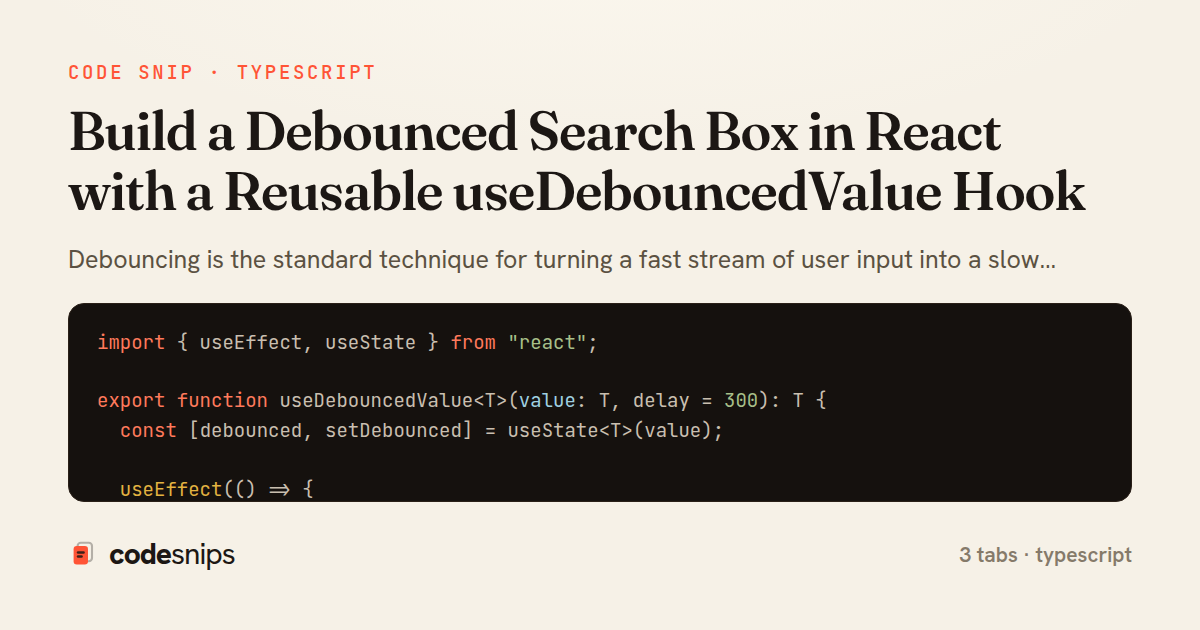
import { useEffect, useState } from "react";

export function useDebouncedValue<T>(value: T, delay = 300): T {
  const [debounced, setDebounced] = useState<T>(value);

  useEffect(() => {
    const id = setTimeout(() => setDebounced(value), delay);
    return () => clearTimeout(id);
  }, [value, delay]);

  return debounced;
}
import { useEffect, useState } from "react";
import { useDebouncedValue } from "./useDebouncedValue";

export interface Repo {
  id: number;
  full_name: string;
  stargazers_count: number;
}

interface SearchState {
  results: Repo[];
  loading: boolean;
  error: string | null;
}

export function useSearch(query: string, delay = 300): SearchState {
  const debounced = useDebouncedValue(query.trim(), delay);
  const [state, setState] = useState<SearchState>({
    results: [],
    loading: false,
    error: null,
  });

  useEffect(() => {
    if (debounced.length < 2) {
      setState({ results: [], loading: false, error: null });
      return;
    }

    const controller = new AbortController();
    setState((s) => ({ ...s, loading: true, error: null }));

    const url =
      "https://api.github.com/search/repositories?q=" +
      encodeURIComponent(debounced);

    fetch(url, { signal: controller.signal })
      .then((res) => {
        if (!res.ok) throw new Error(`Request failed: ${res.status}`);
        return res.json();
      })
      .then((data: { items: Repo[] }) => {
        setState({ results: data.items ?? [], loading: false, error: null });
      })
      .catch((err: unknown) => {
        if (err instanceof DOMException && err.name === "AbortError") return;
        const message = err instanceof Error ? err.message : "Unknown error";
        setState({ results: [], loading: false, error: message });
      });

    return () => controller.abort();
  }, [debounced]);

  return state;
}
import { useState } from "react";
import { useSearch } from "./useSearch";

export function SearchBox() {
  const [query, setQuery] = useState("");
  const { results, loading, error } = useSearch(query);

  return (
    <div className="search-box">
      <input
        type="search"
        value={query}
        placeholder="Search repositories…"
        onChange={(e) => setQuery(e.target.value)}
        aria-label="Search repositories"
      />

      {loading && <p role="status">Searching…</p>}
      {error && <p className="error">{error}</p>}

      <ul>
        {results.map((repo) => (
          <li key={repo.id}>
            <span>{repo.full_name}</span>
            <span aria-label="stars">★ {repo.stargazers_count}</span>
          </li>
        ))}
      </ul>

      {!loading && !error && query.length >= 2 && results.length === 0 && (
        <p>No matches for “{query}”.</p>
      )}
    </div>
  );
}
Debouncing is the standard technique for turning a fast stream of user input into a slow trickle of expensive work. As a user types into a search box, every keystroke would otherwise fire a network request; debouncing waits until typing pauses for a fixed interval before acting, collapsing a burst of events into one. This snippet splits the concern into two collaborating files: a generic timing hook and the component that consumes it.
In useDebouncedValue hook, the hook takes a value and a delay and returns a copy that only updates after the input has been stable for delay milliseconds. It works by storing the delayed value in state and scheduling a setTimeout inside useEffect. The crucial detail is the cleanup function returned from the effect: whenever value changes before the timer fires, React runs cleanup first, which calls clearTimeout and cancels the pending update. That reset-on-change behaviour is what produces the debounce; without it every keystroke would still eventually apply. The hook is fully generic over T, so it debounces strings, objects, or filter tuples equally well.
The second hook, useSearch hook, layers async data-fetching on top of the debounced value. It watches debounced and only issues a request when that settled value changes, so no request is made mid-typing. Each effect run creates an AbortController and passes its signal to fetch; the cleanup aborts the in-flight request when a newer query supersedes it. This prevents a slow earlier response from overwriting a faster later one — a classic race condition in search UIs. AbortError is deliberately swallowed because an aborted request is expected, not a failure.
SearchBox component wires everything together. The raw input lives in query, updated synchronously on every keystroke so the field stays responsive, while useSearch receives that raw value and internally debounces it. This separation keeps the visible input instant while the network stays calm.
The main trade-off is latency versus load: a larger delay means fewer requests but a longer wait before results appear; 300ms is a common compromise. A subtle pitfall is placing the timer logic directly in the component, which couples timing to rendering and is hard to reuse — extracting useDebouncedValue keeps it testable and shareable across features like autosave or resize handlers.
Related snips
export interface RetryOptions {
  retries: number;
  baseMs: number;
  maxMs: number;
  signal?: AbortSignal;
  onRetry?: (attempt: number, delay: number, err: unknown) => void;
Exponential backoff with jitter for retries
require "csv"

class PeopleCsvStream
  include Enumerable

  HEADERS = %w[id full_name email signed_up_at plan].freeze
Resilient CSV Export as a Streamed Response
<form data-controller="query-sync" data-action="change->query-sync#apply">
  <select name="status" class="rounded border p-2">
    <option value="">Any</option>
    <option value="open">Open</option>
    <option value="closed">Closed</option>
  </select>
Filter UI that syncs query params via Stimulus (no front-end router)
Rails.application.configure do
  config.after_initialize do
    Bullet.enable = true
    Bullet.alert = false
    Bullet.bullet_logger = true
    Bullet.console = true
N+1 query detection with Bullet gem
import { Controller } from "@hotwired/stimulus"
import Mousetrap from "mousetrap"

export default class extends Controller {
  connect() {
    // Global shortcuts
Keyboard shortcuts with Stimulus and Mousetrap
import { Controller } from "@hotwired/stimulus"

export default class extends Controller {
  static targets = ["form"]
  static values = { delay: { type: Number, default: 250 } }
Debounced live search with Stimulus + Turbo Streams
Share this code
Here's the card — post it anywhere.