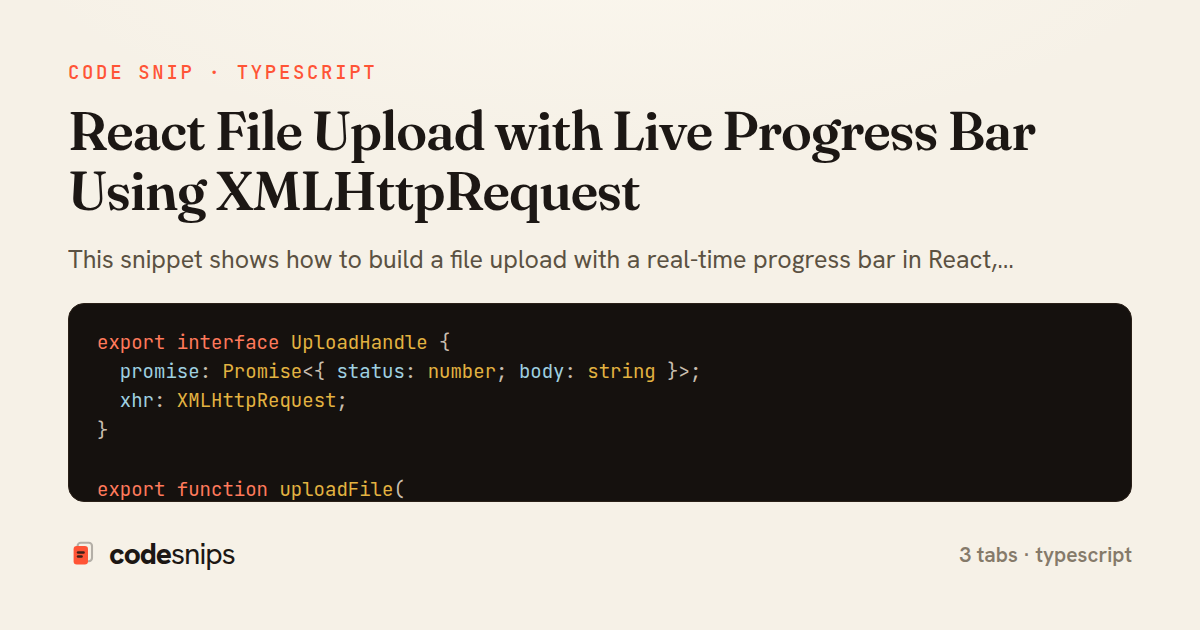
export interface UploadHandle {
  promise: Promise<{ status: number; body: string }>;
  xhr: XMLHttpRequest;
}

export function uploadFile(
  url: string,
  file: File,
  onProgress: (fraction: number) => void
): UploadHandle {
  const xhr = new XMLHttpRequest();
  const form = new FormData();
  form.append('file', file, file.name);

  const promise = new Promise<{ status: number; body: string }>((resolve, reject) => {
    xhr.upload.addEventListener('progress', (event) => {
      if (event.lengthComputable) {
        onProgress(event.loaded / event.total);
      }
    });

    xhr.addEventListener('load', () => {
      if (xhr.status >= 200 && xhr.status < 300) {
        resolve({ status: xhr.status, body: xhr.responseText });
      } else {
        reject(new Error('Upload failed with status ' + xhr.status));
      }
    });

    xhr.addEventListener('error', () => reject(new Error('Network error during upload')));
    xhr.addEventListener('abort', () => {
      const err = new Error('Upload aborted');
      err.name = 'AbortError';
      reject(err);
    });

    xhr.open('POST', url);
    xhr.send(form);
  });

  return { promise, xhr };
}
import { useCallback, useEffect, useRef, useState } from 'react';
import { uploadFile } from './uploadFile';

type Status = 'idle' | 'uploading' | 'success' | 'error';

export function useFileUpload(url: string) {
  const [status, setStatus] = useState<Status>('idle');
  const [progress, setProgress] = useState(0);
  const [error, setError] = useState<string | null>(null);

  const xhrRef = useRef<XMLHttpRequest | null>(null);
  const mountedRef = useRef(true);

  useEffect(() => {
    return () => {
      mountedRef.current = false;
      xhrRef.current?.abort();
    };
  }, []);

  const start = useCallback(
    async (file: File) => {
      setStatus('uploading');
      setProgress(0);
      setError(null);

      const handle = uploadFile(url, file, (fraction) => {
        if (mountedRef.current) setProgress(fraction);
      });
      xhrRef.current = handle.xhr;

      try {
        await handle.promise;
        if (mountedRef.current) setStatus('success');
      } catch (err) {
        if (!mountedRef.current) return;
        if (err instanceof Error && err.name === 'AbortError') {
          setStatus('idle');
        } else {
          setError(err instanceof Error ? err.message : 'Unknown error');
          setStatus('error');
        }
      } finally {
        xhrRef.current = null;
      }
    },
    [url]
  );

  const cancel = useCallback(() => {
    xhrRef.current?.abort();
  }, []);

  return { status, progress, error, start, cancel };
}
import React, { useRef } from 'react';
import { useFileUpload } from './useFileUpload';

export function UploadWidget() {
  const { status, progress, error, start, cancel } = useFileUpload('/api/uploads');
  const inputRef = useRef<HTMLInputElement>(null);

  const onSelect = (event: React.ChangeEvent<HTMLInputElement>) => {
    const file = event.target.files?.[0];
    if (file) start(file);
  };

  const percent = Math.round(progress * 100);

  return (
    <div className="upload-widget">
      <input
        ref={inputRef}
        type="file"
        onChange={onSelect}
        disabled={status === 'uploading'}
      />

      {status === 'uploading' && (
        <div className="upload-progress">
          <progress max={100} value={percent} />
          <span>{percent}%</span>
          <button type="button" onClick={cancel}>Cancel</button>
        </div>
      )}

      {status === 'success' && <p className="ok">Upload complete.</p>}
      {status === 'error' && <p className="err">{error}</p>}
    </div>
  );
}
This snippet shows how to build a file upload with a real-time progress bar in React, backed by the raw XMLHttpRequest API rather than fetch. The reason for reaching for XMLHttpRequest here is concrete: fetch still does not expose upload progress events in a portable way, while xhr.upload.onprogress reports byte-level progress natively. The three tabs separate the transport, the state management, and the view so each concern can be reasoned about independently.
The uploadFile helper tab wraps a single XMLHttpRequest in a Promise. It builds a FormData body so the request is sent as multipart/form-data, which the browser encodes with the correct boundary automatically. The xhr.upload.addEventListener('progress', ...) handler fires repeatedly as bytes leave the browser; each event carries lengthComputable, loaded, and total, and the helper forwards a 0..1 fraction to the onProgress callback. It resolves on a 2xx status, rejects on other statuses, and also rejects on error and abort. Crucially it returns the xhr alongside the promise so the caller can call xhr.abort() to cancel an in-flight upload.
The useFileUpload hook tab owns the UI state machine: a status of idle, uploading, success, or error, plus a numeric progress. It keeps the live XMLHttpRequest in a useRef so cancel can abort it without triggering re-renders. Because progress events arrive rapidly, updating state directly is fine, but the hook guards against setting state after unmount by checking a mountedRef. The error case distinguishes a user-initiated abort from a real failure so the UI does not show a scary message when someone simply cancels.
The UploadWidget component tab wires an <input type="file"> to the hook and renders a <progress> element driven by the fraction. It disables the control while status === 'uploading' and exposes a Cancel button that calls cancel. Rounding progress * 100 gives a clean percentage label. This structure is worth reaching for whenever a large file, a slow network, or user trust in the app makes silent uploads unacceptable, and its main trade-off is committing to the older XMLHttpRequest surface to gain progress and cancellation.
Related snips
export interface RetryOptions {
  retries: number;
  baseMs: number;
  maxMs: number;
  signal?: AbortSignal;
  onRetry?: (attempt: number, delay: number, err: unknown) => void;
Exponential backoff with jitter for retries
// Creating a Promise
const myPromise = new Promise((resolve, reject) => {
  const success = true;

  setTimeout(() => {
    if (success) {
Promises and async/await patterns for asynchronous JavaScript
export type Settled<R> =
  | { status: 'fulfilled'; value: R }
  | { status: 'rejected'; reason: unknown };

export interface ConcurrencyOptions {
  limit: number;
Simple concurrency limiter for batch operations
import { Controller } from "@hotwired/stimulus"

export default class extends Controller {
  static targets = ["form"]
  static values = { delay: { type: Number, default: 250 } }
Debounced live search with Stimulus + Turbo Streams
import axios, { AxiosError } from 'axios'
import { v4 as uuidv4 } from 'uuid'

const api = axios.create({
  baseURL: import.meta.env.VITE_API_URL || 'http://localhost:3000/api/v1',
  timeout: 15000,
Axios API client with interceptors
import { create } from 'zustand'
import { persist } from 'zustand/middleware'

interface FilterState {
  search: string
  category: string | null
Zustand for lightweight state management
Share this code
Here's the card — post it anywhere.