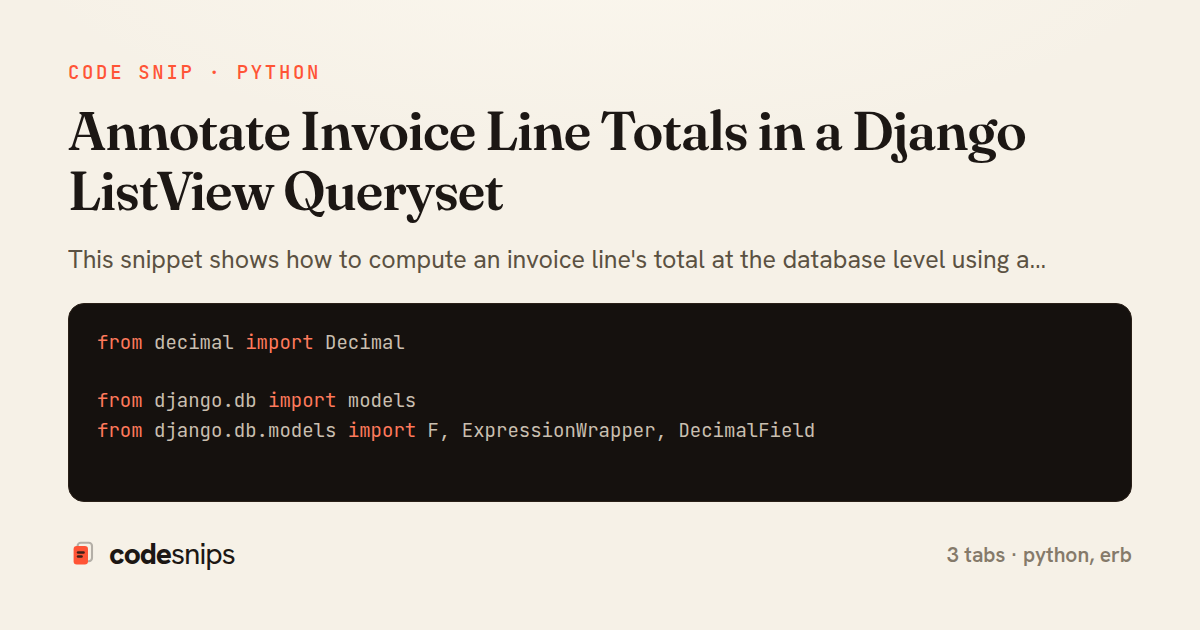
from decimal import Decimal

from django.db import models
from django.db.models import F, ExpressionWrapper, DecimalField


class InvoiceLineQuerySet(models.QuerySet):
    def with_totals(self):
        total_expr = ExpressionWrapper(
            F('quantity') * F('unit_price'),
            output_field=DecimalField(max_digits=12, decimal_places=2),
        )
        return self.annotate(total=total_expr)

    def for_invoice(self, invoice):
        return self.filter(invoice=invoice)


class InvoiceLine(models.Model):
    invoice = models.ForeignKey(
        'Invoice', related_name='lines', on_delete=models.CASCADE
    )
    description = models.CharField(max_length=255)
    quantity = models.DecimalField(max_digits=10, decimal_places=2)
    unit_price = models.DecimalField(max_digits=12, decimal_places=2)

    objects = InvoiceLineQuerySet.as_manager()

    class Meta:
        ordering = ['id']

    @property
    def total(self):
        # Object-level fallback when the queryset annotation is absent.
        return (self.quantity or Decimal('0')) * (self.unit_price or Decimal('0'))

    def __str__(self):
        return '{} x {}'.format(self.quantity, self.description)
from django.views.generic import ListView

from .models import InvoiceLine


class InvoiceLineListView(ListView):
    model = InvoiceLine
    template_name = 'invoicing/line_list.html'
    context_object_name = 'lines'
    paginate_by = 50

    def get_queryset(self):
        qs = (
            InvoiceLine.objects
            .with_totals()
            .select_related('invoice')
        )
        invoice_id = self.request.GET.get('invoice')
        if invoice_id:
            qs = qs.filter(invoice_id=invoice_id)
        return qs.order_by('-total')

    def get_context_data(self, **kwargs):
        context = super().get_context_data(**kwargs)
        context['grand_total'] = sum(
            (line.total for line in context['lines']),
            0,
        )
        return context
<table class="invoice-lines">
  <thead>
    <tr>
      <th>Invoice</th>
      <th>Description</th>
      <th class="num">Qty</th>
      <th class="num">Unit price</th>
      <th class="num">Total</th>
    </tr>
  </thead>
  <tbody>
    {% for line in lines %}
      <tr>
        <td>#{{ line.invoice.number }}</td>
        <td>{{ line.description }}</td>
        <td class="num">{{ line.quantity }}</td>
        <td class="num">{{ line.unit_price }}</td>
        <td class="num">{{ line.total }}</td>
      </tr>
    {% empty %}
      <tr><td colspan="5">No invoice lines found.</td></tr>
    {% endfor %}
  </tbody>
  <tfoot>
    <tr>
      <th colspan="4">Grand total (page)</th>
      <th class="num">{{ grand_total }}</th>
    </tr>
  </tfoot>
</table>
This snippet shows how to compute an invoice line's total at the database level using a queryset annotation, rather than looping in Python or storing a redundant column that can drift out of sync. The core idea is that quantity * unit_price is a derived value, so it should be computed on read by the database, keeping the stored data minimal and always consistent.
In models.py, InvoiceLine deliberately does NOT persist a total field. Instead it exposes a Python property total for object-level access (for example, in the admin or a single-object view), computed from quantity and unit_price using Decimal arithmetic. This keeps the model honest: there is one source of truth for the numbers, and nothing to migrate or backfill when a line changes.
The real work happens in the custom manager. InvoiceLineQuerySet.with_totals adds a database-side total annotation using ExpressionWrapper(F('quantity') * F('unit_price'), output_field=DecimalField(...)). Using F() expressions means the multiplication runs in SQL, so the value comes back per row without pulling every object into Python. The explicit output_field is required because Django cannot always infer the resulting type of a mixed arithmetic expression, and an omitted output_field raises FieldError. InvoiceLine.objects is wired up with InvoiceLineQuerySet.as_manager() so the method is chainable alongside ordinary filters.
A subtle but important detail: an annotation named total shadows the Python property total on each returned instance. The annotated database value wins for querysets produced by with_totals, which is exactly what the view wants, while the property remains available for objects fetched without the annotation.
In views.py, InvoiceLineListView overrides get_queryset to call with_totals() and select_related('invoice'), avoiding N+1 queries when the template renders each line's parent invoice. Because total is now a real column on every row, order_by('-total') sorts in the database, and the template can read line.total directly. The trade-off is that annotated fields cannot be reused inside .filter() on the same expression without care, and heavy annotations on large tables benefit from appropriate indexing. This pattern is the idiomatic Django choice whenever a value is a pure function of other columns.
Related snips
class Product(models.Model):
    name = models.CharField(max_length=200)
    slug = models.SlugField(blank=True)
    price = models.DecimalField(max_digits=10, decimal_places=2)
    cost = models.DecimalField(max_digits=10, decimal_places=2)
    margin = models.DecimalField(max_digits=5, decimal_places=2, blank=True)
Django model signals vs overriding save
require "csv"

class PeopleCsvStream
  include Enumerable

  HEADERS = %w[id full_name email signed_up_at plan].freeze
Resilient CSV Export as a Streamed Response
Rails.application.configure do
  config.after_initialize do
    Bullet.enable = true
    Bullet.alert = false
    Bullet.bullet_logger = true
    Bullet.console = true
N+1 query detection with Bullet gem
from django.urls import path
from . import views

app_name = 'blog'

urlpatterns = [
Django URL namespacing and reverse lookups
# Vulnerable: user input is concatenated directly into SQL.
email = params[:email]
password = params[:password]

sql = "SELECT * FROM users WHERE email = '#{email}' AND password_hash = '#{password}'"
user = ActiveRecord::Base.connection.execute(sql).first
SQL injection prevention with unsafe and safe query patterns
json.array! @posts do |post|
  json.cache! ['v1', post], expires_in: 1.hour do
    json.id post.id
    json.title post.title
    json.excerpt post.excerpt
    json.published_at post.published_at
Fragment caching for expensive JSON serialization
Share this code
Here's the card — post it anywhere.