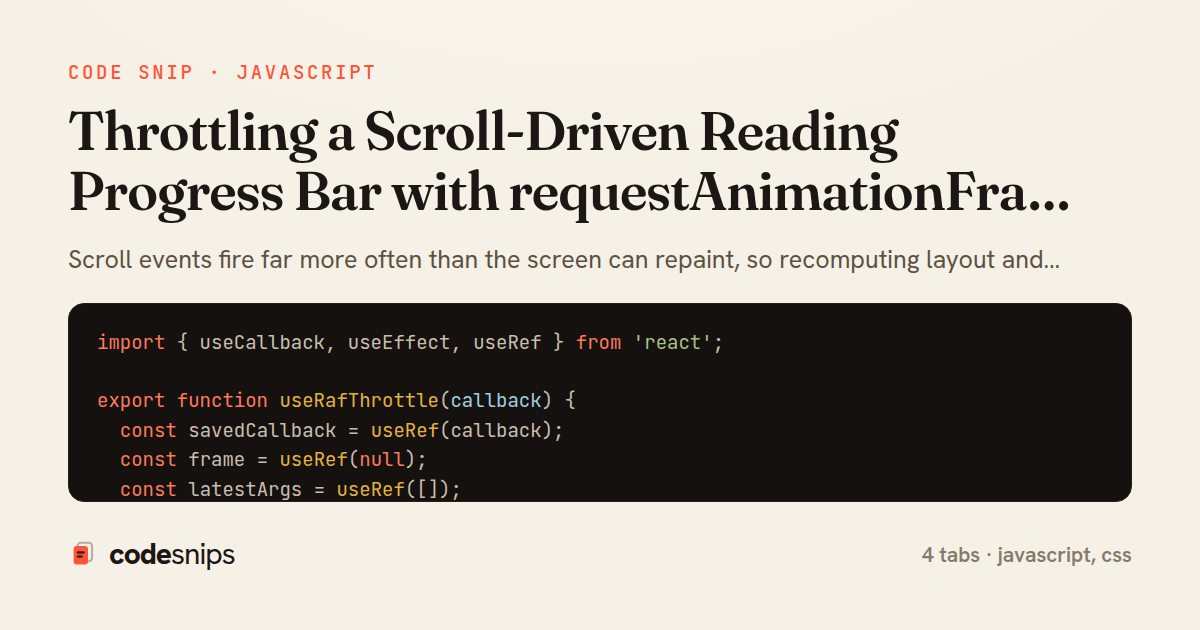
import { useCallback, useEffect, useRef } from 'react';

export function useRafThrottle(callback) {
  const savedCallback = useRef(callback);
  const frame = useRef(null);
  const latestArgs = useRef([]);

  useEffect(() => {
    savedCallback.current = callback;
  }, [callback]);

  useEffect(() => {
    return () => {
      if (frame.current !== null) {
        cancelAnimationFrame(frame.current);
      }
    };
  }, []);

  return useCallback((...args) => {
    latestArgs.current = args;
    if (frame.current !== null) return; // a frame is already scheduled

    frame.current = requestAnimationFrame(() => {
      frame.current = null;
      savedCallback.current(...latestArgs.current);
    });
  }, []);
}
import { useCallback, useEffect, useState } from 'react';
import { useRafThrottle } from './useRafThrottle';

export function useScrollProgress() {
  const [progress, setProgress] = useState(0);

  const compute = useCallback(() => {
    const el = document.documentElement;
    const scrollable = el.scrollHeight - el.clientHeight;
    if (scrollable <= 0) return 0;
    return Math.min(1, Math.max(0, el.scrollTop / scrollable));
  }, []);

  const update = useRafThrottle(() => {
    setProgress(compute());
  });

  useEffect(() => {
    update(); // set an accurate value before the first scroll
    window.addEventListener('scroll', update, { passive: true });
    window.addEventListener('resize', update, { passive: true });
    return () => {
      window.removeEventListener('scroll', update);
      window.removeEventListener('resize', update);
    };
  }, [update]);

  return progress;
}
import React from 'react';
import { useScrollProgress } from './useScrollProgress';
import './ReadingProgressBar.css';

export default function ReadingProgressBar() {
  const progress = useScrollProgress();

  return (
    <div
      className="reading-progress"
      role="progressbar"
      aria-label="Page reading progress"
      aria-valuemin={0}
      aria-valuemax={100}
      aria-valuenow={Math.round(progress * 100)}
    >
      <div
        className="reading-progress__fill"
        style={{ transform: `scaleX(${progress})` }}
      />
    </div>
  );
}
.reading-progress {
  position: fixed;
  top: 0;
  left: 0;
  right: 0;
  height: 4px;
  z-index: 1000;
  background: transparent;
  pointer-events: none;
}

.reading-progress__fill {
  height: 100%;
  width: 100%;
  transform-origin: left center;
  transform: scaleX(0);
  background: linear-gradient(90deg, #6366f1, #ec4899);
  will-change: transform;
}
Scroll events fire far more often than the screen can repaint, so recomputing layout and writing to the DOM on every event wastes work and causes jank. The pattern shown here coalesces every burst of scroll events into at most one update per animation frame, which is exactly the cadence at which the browser will actually paint. This is the canonical requestAnimationFrame throttle, applied to a reading-progress indicator.
The useRafThrottle hook wraps any callback so that repeated calls within a single frame collapse into one. It keeps two refs: frame holds the pending requestAnimationFrame id, and latestArgs holds the most recent arguments. When the throttled function is invoked and a frame is already scheduled, it simply updates latestArgs and returns, so intermediate calls are dropped rather than queued. Only when the frame fires does it invoke the wrapped callback with the freshest arguments and clear frame. Storing the callback in savedCallback lets the hook read the latest closure without re-subscribing, and the cleanup in useEffect cancels any in-flight frame on unmount to avoid a stray callback firing against a torn-down component.
The useScrollProgress hook builds on that primitive. It computes progress from scrollTop, scrollHeight, and clientHeight on documentElement, guarding against a zero-height document so the ratio never becomes NaN. The update function is wrapped by useRafThrottle, and both scroll and resize are subscribed with { passive: true } — passive listeners tell the browser it need not wait to see if the handler calls preventDefault, which keeps scrolling smooth. An initial update() sets the correct value before the first scroll.
The ReadingProgressBar component consumes the hook and writes the ratio to a CSS custom property via transform: scaleX(...), driving the bar entirely on the compositor. Because the width is expressed as a transform rather than a layout property, updates avoid reflow.
The main trade-off is that requestAnimationFrame throttling ties update frequency to paint frequency, dropping intermediate values — perfect for visual state, but unsuitable when every event must be observed. It also pauses in background tabs, which is usually desirable. This approach is the right reach for any high-frequency, visual-only signal such as scroll, pointermove, or resize.
Related snips
require "csv"

class PeopleCsvStream
  include Enumerable

  HEADERS = %w[id full_name email signed_up_at plan].freeze
Resilient CSV Export as a Streamed Response
Rails.application.configure do
  config.after_initialize do
    Bullet.enable = true
    Bullet.alert = false
    Bullet.bullet_logger = true
    Bullet.console = true
N+1 query detection with Bullet gem
export type Settled<R> =
  | { status: 'fulfilled'; value: R }
  | { status: 'rejected'; reason: unknown };

export interface ConcurrencyOptions {
  limit: number;
Simple concurrency limiter for batch operations
import { Controller } from "@hotwired/stimulus"

export default class extends Controller {
  static targets = ["form"]
  static values = { delay: { type: Number, default: 250 } }
Debounced live search with Stimulus + Turbo Streams
json.array! @posts do |post|
  json.cache! ['v1', post], expires_in: 1.hour do
    json.id post.id
    json.title post.title
    json.excerpt post.excerpt
    json.published_at post.published_at
Fragment caching for expensive JSON serialization
import axios, { AxiosError } from 'axios'
import { v4 as uuidv4 } from 'uuid'

const api = axios.create({
  baseURL: import.meta.env.VITE_API_URL || 'http://localhost:3000/api/v1',
  timeout: 15000,
Axios API client with interceptors
Share this code
Here's the card — post it anywhere.