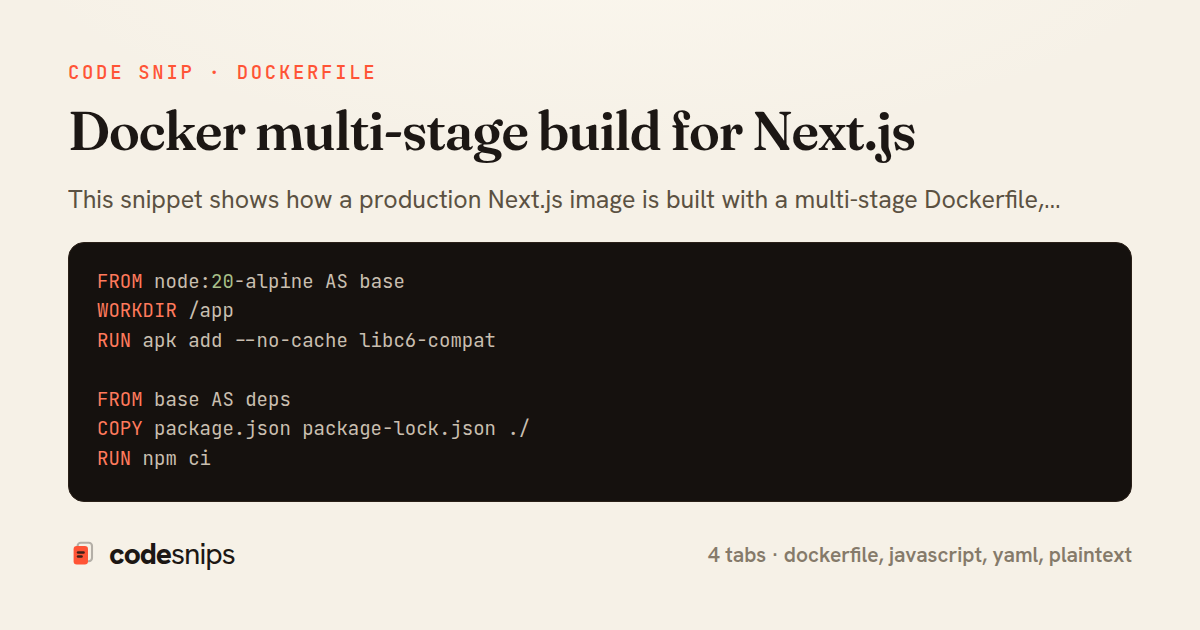
FROM node:20-alpine AS base
WORKDIR /app
RUN apk add --no-cache libc6-compat

FROM base AS deps
COPY package.json package-lock.json ./
RUN npm ci

FROM base AS builder
COPY --from=deps /app/node_modules ./node_modules
COPY . .
ENV NEXT_TELEMETRY_DISABLED=1
RUN npm run build

FROM base AS runner
ENV NODE_ENV=production
ENV NEXT_TELEMETRY_DISABLED=1
ENV HOSTNAME=0.0.0.0
ENV PORT=3000

RUN addgroup --system --gid 1001 nodejs \
  && adduser --system --uid 1001 nextjs

COPY --from=builder /app/public ./public
COPY --from=builder --chown=nextjs:nodejs /app/.next/standalone ./
COPY --from=builder --chown=nextjs:nodejs /app/.next/static ./.next/static

USER nextjs
EXPOSE 3000
CMD ["node", "server.js"]
/** @type {import('next').NextConfig} */
const nextConfig = {
  output: 'standalone',
  reactStrictMode: true,
  poweredByHeader: false,
  compress: true,
  images: {
    remotePatterns: [
      { protocol: 'https', hostname: 'cdn.example.com' },
    ],
  },
  experimental: {
    outputFileTracingRoot: __dirname,
  },
};

module.exports = nextConfig;
services:
  web:
    build:
      context: .
      dockerfile: Dockerfile
    image: myapp/web:latest
    ports:
      - "3000:3000"
    environment:
      NODE_ENV: production
      NEXT_TELEMETRY_DISABLED: "1"
    restart: unless-stopped
    healthcheck:
      test: ["CMD", "wget", "--spider", "-q", "http://localhost:3000"]
      interval: 30s
      timeout: 5s
      retries: 3
node_modules
.next
npm-debug.log
.git
.gitignore
Dockerfile
docker-compose.yml
.env.local
.env.*.local
README.md
coverage
.vscode
This snippet shows how a production Next.js image is built with a multi-stage Dockerfile, keeping the final runtime image small and secure while still caching dependency installs across builds. The core idea of a multi-stage build is that each FROM starts a fresh stage, and only the files explicitly COPY --from-ed into the final stage end up in the shipped image. Everything else — dev dependencies, the full source tree, build caches — is discarded.
The Dockerfile defines four stages. The base stage pins the Node version once so every downstream stage inherits the same runtime. The deps stage copies only package.json and the lockfile before running npm ci; because those files change less often than source code, Docker's layer cache lets dependency installation be skipped entirely when only application code changes. The builder stage copies the installed node_modules from deps, adds the source, and runs npm run build.
The payoff comes from output: 'standalone' configured in next.config.js. With that flag, next build traces exactly which files the server needs and emits a self-contained .next/standalone directory including a minimal server.js and a pruned node_modules. This means the runner stage never installs production dependencies itself — it copies the traced output instead, which is dramatically smaller than a full node_modules.
In runner, a non-root nextjs user is created with adduser/addgroup, and ownership of the copied artifacts is set with --chown so the process does not run as root. The static assets under .next/static and the public folder are copied separately because standalone tracing deliberately excludes them. HOSTNAME=0.0.0.0 is set so the server binds to all interfaces inside the container rather than just loopback.
The docker-compose.yml wires this together for local runs, mapping port 3000 and passing NODE_ENV. The trade-off of this approach is a slightly more complex build file, but the reward is a lean, cache-friendly, root-less image — the standard shape for deploying Next.js to Kubernetes or any container platform.
Related snips
module Api
  module V1
    class UsersController < BaseController
      def show
        user = User.includes(:profile).find(params[:id])
ETags for conditional requests and caching
export type Settled<R> =
  | { status: 'fulfilled'; value: R }
  | { status: 'rejected'; reason: unknown };

export interface ConcurrencyOptions {
  limit: number;
Simple concurrency limiter for batch operations
json.array! @posts do |post|
  json.cache! ['v1', post], expires_in: 1.hour do
    json.id post.id
    json.title post.title
    json.excerpt post.excerpt
    json.published_at post.published_at
Fragment caching for expensive JSON serialization
# BAD: N+1 query problem
@users = User.all
@users.each do |user|
  puts user.posts.count  # Fires query for each user!
end
ActiveRecord query optimization and N+1 prevention
import { randomBytes, createHash } from "crypto";
import jwt from "jsonwebtoken";
import { RefreshTokenStore } from "./store";

const ACCESS_SECRET = process.env.ACCESS_SECRET!;
const ACCESS_TTL = "15m";
JWT access + refresh token rotation (conceptual)
-- EXPLAIN ANALYZE (actual execution statistics)
EXPLAIN ANALYZE
SELECT u.username, COUNT(o.id) AS order_count
FROM users u
LEFT JOIN orders o ON u.id = o.user_id
WHERE u.created_at >= '2024-01-01'
Advanced query optimization techniques
Share this code
Here's the card — post it anywhere.