import { useCallback, useMemo, useState } from 'react';

function compare(a, b) {
  if (typeof a === 'number' && typeof b === 'number') return a - b;
  return String(a ?? '').localeCompare(String(b ?? ''));
}

export function useTable(rows, { pageSize = 10 } = {}) {
  const [sortState, setSortState] = useState({ key: null, direction: 'asc' });
  const [page, setPage] = useState(0);

  const sortedRows = useMemo(() => {
    if (!sortState.key) return rows;
    const factor = sortState.direction === 'asc' ? 1 : -1;
    return [...rows].sort(
      (x, y) => compare(x[sortState.key], y[sortState.key]) * factor
    );
  }, [rows, sortState]);

  const pageCount = Math.max(1, Math.ceil(sortedRows.length / pageSize));

  const pagedRows = useMemo(() => {
    const start = page * pageSize;
    return sortedRows.slice(start, start + pageSize);
  }, [sortedRows, page, pageSize]);

  const toggleSort = useCallback((key) => {
    setSortState((prev) => {
      if (prev.key !== key) return { key, direction: 'asc' };
      return { key, direction: prev.direction === 'asc' ? 'desc' : 'asc' };
    });
    setPage(0);
  }, []);

  const nextPage = useCallback(
    () => setPage((p) => Math.min(p + 1, pageCount - 1)),
    [pageCount]
  );
  const prevPage = useCallback(() => setPage((p) => Math.max(p - 1, 0)), []);

  return { pagedRows, sortState, toggleSort, page, pageCount, nextPage, prevPage };
}
import React from 'react';
import { useTable } from './useTable';

function SortIndicator({ active, direction }) {
  if (!active) return null;
  return <span aria-hidden> {direction === 'asc' ? '\u2191' : '\u2193'}</span>;
}

export function DataTable({ rows, columns, pageSize = 10 }) {
  const { pagedRows, sortState, toggleSort, page, pageCount, nextPage, prevPage } =
    useTable(rows, { pageSize });

  return (
    <div className="data-table">
      <table>
        <thead>
          <tr>
            {columns.map((col) => (
              <th
                key={col.key}
                onClick={col.sortable ? () => toggleSort(col.key) : undefined}
                style={{ cursor: col.sortable ? 'pointer' : 'default' }}
              >
                {col.label}
                <SortIndicator
                  active={sortState.key === col.key}
                  direction={sortState.direction}
                />
              </th>
            ))}
          </tr>
        </thead>
        <tbody>
          {pagedRows.map((row) => (
            <tr key={row.id}>
              {columns.map((col) => (
                <td key={col.key}>
                  {col.render ? col.render(row[col.key], row) : row[col.key]}
                </td>
              ))}
            </tr>
          ))}
        </tbody>
      </table>

      <div className="pager">
        <button onClick={prevPage} disabled={page === 0}>Prev</button>
        <span>Page {page + 1} of {pageCount}</span>
        <button onClick={nextPage} disabled={page >= pageCount - 1}>Next</button>
      </div>
    </div>
  );
}
import React from 'react';
import { DataTable } from './DataTable';

const USERS = [
  { id: 1, name: 'Ada Lovelace', signups: 42, plan: 'pro', createdAt: '2023-01-04' },
  { id: 2, name: 'Grace Hopper', signups: 128, plan: 'team', createdAt: '2022-11-19' },
  { id: 3, name: 'Alan Turing', signups: 7, plan: 'free', createdAt: '2024-03-30' },
];

const columns = [
  { key: 'name', label: 'Name', sortable: true },
  { key: 'signups', label: 'Signups', sortable: true },
  {
    key: 'plan',
    label: 'Plan',
    sortable: true,
    render: (value) => <span className={`badge badge--${value}`}>{value}</span>,
  },
  {
    key: 'createdAt',
    label: 'Joined',
    sortable: true,
    render: (value) => new Date(value).toLocaleDateString(),
  },
];

export default function TableDemo() {
  return <DataTable rows={USERS} columns={columns} pageSize={2} />;
}
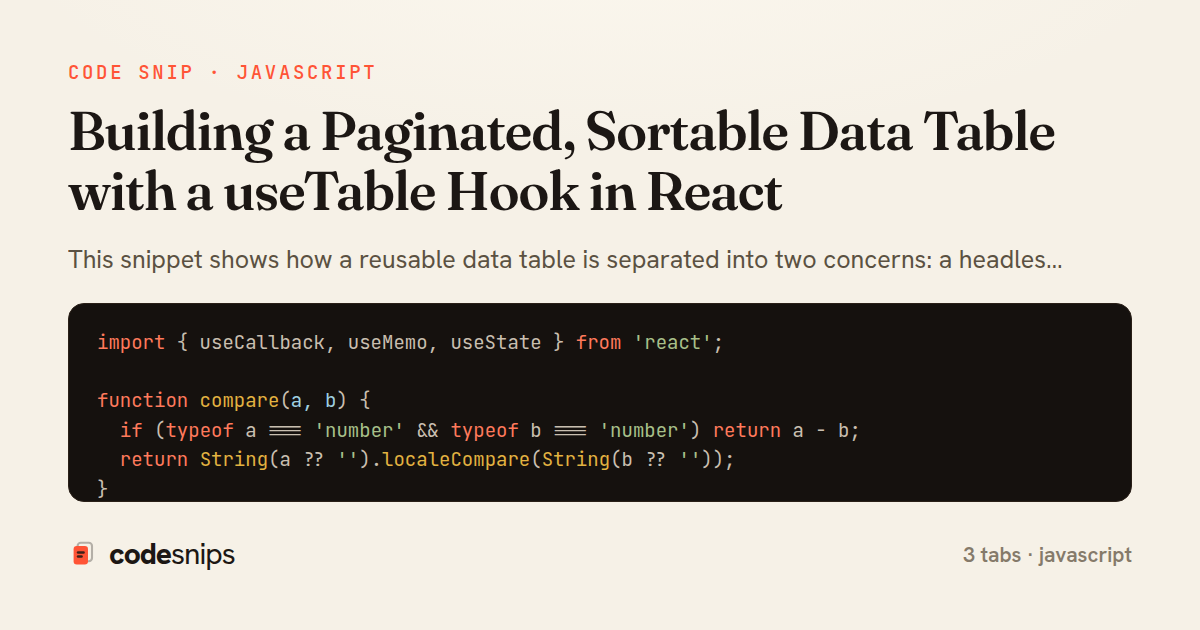
This snippet shows how a reusable data table is separated into two concerns: a headless useTable hook that owns pagination and sort state, and a presentational DataTable component that renders the result. Keeping the logic in a hook means the same paging and sorting behavior can drive any table shape, while the component stays focused on markup and click handlers.
In useTable hook, state is split into sortState (a key/direction pair) and a page index, with pageSize fixed at construction. The core work happens inside a useMemo that first clones the rows, applies a comparator when a sort key is present, and only then slices out the current page. Deriving sortedRows and pagedRows from source data instead of storing them avoids the classic bug where cached sorted arrays drift out of sync with props. The comparator normalizes numbers and strings, falling back to localeCompare, which handles mixed column types without special-casing every field.
The hook exposes a small, deliberate API: toggleSort flips direction when the same column is clicked again but resets to ascending on a new column, and it also snaps back to page zero so the user is not stranded on an empty page after re-sorting. nextPage and prevPage are clamped with Math.min/Math.max against pageCount so the caller never has to guard bounds. Returning pagedRows, sortState, and pageCount lets the view stay entirely declarative.
In DataTable component, columns is a config array describing each key, label, and whether it is sortable. Header cells call toggleSort and render a direction indicator only for the active column, giving cheap visual feedback. The body maps pagedRows, using a render callback when a column supplies one so formatting stays in the column definition rather than leaking into the table.
TableDemo wires real data in, showing how little the consumer needs to know. The trade-off of this headless approach is a bit more indirection for simple cases, but it pays off once multiple tables share behavior, and it keeps sorting and paging testable in isolation from the DOM. For very large datasets, the client-side slice should be swapped for server-driven paging, but the hook's surface can stay the same.
Related snips
class PostsController < ApplicationController
  def index
    @posts = Post.includes(:author)
                 .order(created_at: :desc)
                 .page(params[:page])
                 .per(10)
Turbo Frames: infinite scroll with lazy-loading frame
import { Controller } from "@hotwired/stimulus"

export default class extends Controller {
  static targets = ["form"]
  static values = { delay: { type: Number, default: 250 } }
Debounced live search with Stimulus + Turbo Streams
import axios, { AxiosError } from 'axios'
import { v4 as uuidv4 } from 'uuid'

const api = axios.create({
  baseURL: import.meta.env.VITE_API_URL || 'http://localhost:3000/api/v1',
  timeout: 15000,
Axios API client with interceptors
import { create } from 'zustand'
import { persist } from 'zustand/middleware'

interface FilterState {
  search: string
  category: string | null
Zustand for lightweight state management
import SwiftUI

struct ContentView: View {
    @State private var username = ""
    @State private var isLoggedIn = false
    @StateObject private var viewModel = LoginViewModel()
SwiftUI declarative UI with state management
import { Application } from "@hotwired/stimulus"
import FormSubmitController from "./controllers/form_submit_controller"

const application = Application.start()
application.debug = false
Disable submit button while Turbo form is submitting
Share this code
Here's the card — post it anywhere.