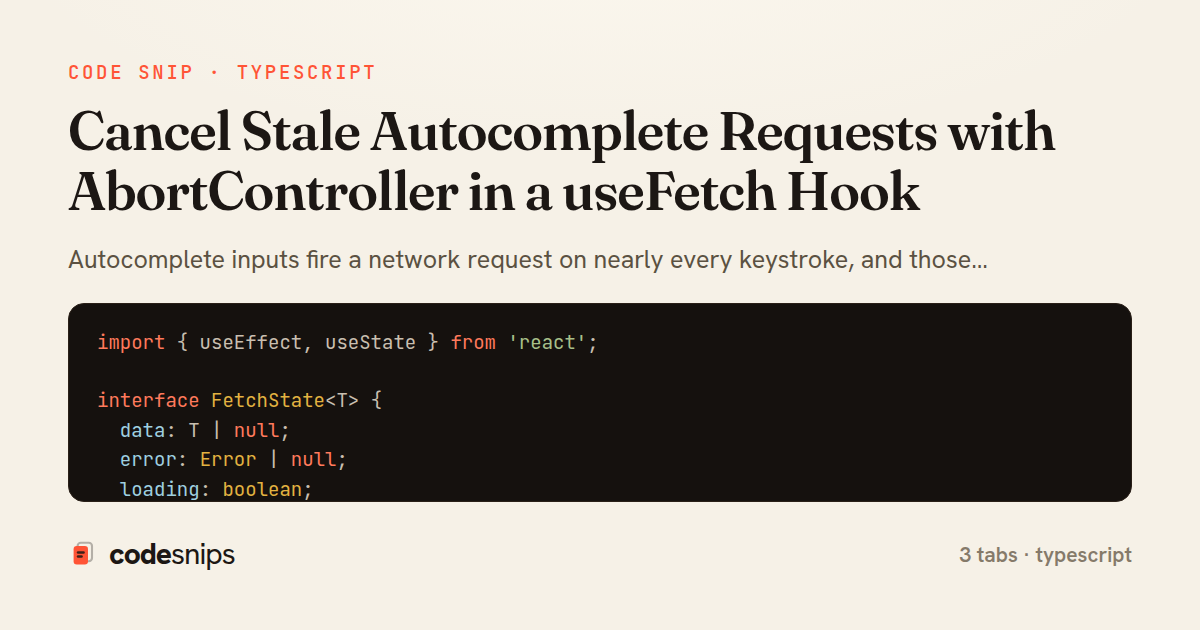
import { useEffect, useState } from 'react';

interface FetchState<T> {
  data: T | null;
  error: Error | null;
  loading: boolean;
}

export function useFetch<T>(url: string | null): FetchState<T> {
  const [state, setState] = useState<FetchState<T>>({
    data: null,
    error: null,
    loading: false,
  });

  useEffect(() => {
    if (!url) {
      setState({ data: null, error: null, loading: false });
      return;
    }

    const controller = new AbortController();
    setState((prev) => ({ ...prev, loading: true, error: null }));

    fetch(url, { signal: controller.signal })
      .then((res) => {
        if (!res.ok) throw new Error(`Request failed: ${res.status}`);
        return res.json() as Promise<T>;
      })
      .then((data) => {
        setState({ data, error: null, loading: false });
      })
      .catch((err: Error) => {
        if (err.name === 'AbortError') return; // superseded by a newer request
        setState({ data: null, error: err, loading: false });
      });

    return () => controller.abort();
  }, [url]);

  return state;
}
import { useEffect, useState } from 'react';

export function useDebouncedValue<T>(value: T, delay = 250): T {
  const [debounced, setDebounced] = useState<T>(value);

  useEffect(() => {
    const timer = setTimeout(() => setDebounced(value), delay);
    return () => clearTimeout(timer);
  }, [value, delay]);

  return debounced;
}
import { useState } from 'react';
import { useFetch } from './useAbortableFetch';
import { useDebouncedValue } from './useDebouncedValue';

interface City {
  id: number;
  name: string;
  country: string;
}

export function SearchAutocomplete() {
  const [term, setTerm] = useState('');
  const debouncedTerm = useDebouncedValue(term, 300);

  const url = debouncedTerm.trim()
    ? `/api/cities?q=${encodeURIComponent(debouncedTerm.trim())}`
    : null;

  const { data, error, loading } = useFetch<City[]>(url);

  return (
    <div className="autocomplete">
      <input
        type="text"
        value={term}
        placeholder="Search cities…"
        onChange={(e) => setTerm(e.target.value)}
        aria-label="City search"
      />

      {loading && <span className="hint">Searching…</span>}
      {error && <span className="error">{error.message}</span>}

      <ul className="results">
        {data?.map((city) => (
          <li key={city.id}>
            {city.name}, {city.country}
          </li>
        ))}
      </ul>
    </div>
  );
}
Autocomplete inputs fire a network request on nearly every keystroke, and those requests do not resolve in order. A response for "re" can arrive after the response for "react", overwriting fresh results with stale ones — the classic autocomplete race condition. The fix shown here is to abort the previous in-flight request before starting a new one, using the browser's AbortController, wrapped in a reusable useFetch hook.
In useAbortableFetch hook, the hook accepts a url and re-runs its useEffect whenever that URL changes. Each effect run constructs a fresh AbortController and passes its signal into fetch. The effect's cleanup function calls controller.abort(), so React tears down the previous request the moment the URL changes or the component unmounts. This ties request lifetime directly to the effect lifecycle, which is exactly what prevents out-of-order writes: an aborted fetch rejects with an AbortError, and the code checks err.name === 'AbortError' to swallow that expected rejection rather than surfacing it as a real error.
The hook tracks data, error, and loading in a single reducer-free set of useState calls, resetting loading to true at the start of every run. Because the aborted branch returns early without calling any setter, the stale request can never touch state after a newer one has started.
In SearchAutocomplete component, the raw input value is passed through useDebouncedValue so the URL only changes after typing pauses, cutting request volume dramatically. The debounced term is encoded into the query string and handed to useFetch; an empty term short-circuits to a null URL so no request fires. The component reads loading and error straight from the hook to render feedback.
useDebouncedValue hook is a small, self-contained timer: it schedules a state update after delay milliseconds and clears the pending timer on every change, so only the final keystroke in a burst wins. Combining debouncing (fewer requests) with abortion (correct ordering of the requests that do fire) covers both efficiency and correctness. A subtle pitfall worth noting: reusing one AbortController across renders would abort future requests permanently, which is why a new one is created inside each effect run rather than stored in a ref.
Related snips
export interface RetryOptions {
  retries: number;
  baseMs: number;
  maxMs: number;
  signal?: AbortSignal;
  onRetry?: (attempt: number, delay: number, err: unknown) => void;
Exponential backoff with jitter for retries
import { Controller } from "@hotwired/stimulus"

export default class extends Controller {
  static targets = ["form"]
  static values = { delay: { type: Number, default: 250 } }
Debounced live search with Stimulus + Turbo Streams
import axios, { AxiosError } from 'axios'
import { v4 as uuidv4 } from 'uuid'

const api = axios.create({
  baseURL: import.meta.env.VITE_API_URL || 'http://localhost:3000/api/v1',
  timeout: 15000,
Axios API client with interceptors
import { create } from 'zustand'
import { persist } from 'zustand/middleware'

interface FilterState {
  search: string
  category: string | null
Zustand for lightweight state management
import { Application } from "@hotwired/stimulus"
import FormSubmitController from "./controllers/form_submit_controller"

const application = Application.start()
application.debug = false
Disable submit button while Turbo form is submitting
import { Controller } from "@hotwired/stimulus"

export default class extends Controller {
  static values = {
    url: String,
    delay: { type: Number, default: 800 },
Stimulus: autosave draft with Turbo-friendly requests
Share this code
Here's the card — post it anywhere.