export interface DocState {
  text: string;
  selection: number;
}

export interface Command<S> {
  apply(state: S): S;
  invert(state: S): Command<S>;
}

export function insertText(offset: number, chars: string): Command<DocState> {
  return {
    apply(state) {
      const text = state.text.slice(0, offset) + chars + state.text.slice(offset);
      return { text, selection: offset + chars.length };
    },
    invert() {
      return deleteRange(offset, chars);
    },
  };
}

export function deleteRange(offset: number, removed: string): Command<DocState> {
  return {
    apply(state) {
      const end = offset + removed.length;
      const text = state.text.slice(0, offset) + state.text.slice(end);
      return { text, selection: offset };
    },
    invert() {
      // The removed slice was captured at creation time, so re-insertion is exact.
      return insertText(offset, removed);
    },
  };
}
import { useCallback, useState } from "react";
import type { Command } from "./commands";

export function useHistory<S>(initial: S) {
  const [present, setPresent] = useState<S>(initial);
  const [undoStack, setUndoStack] = useState<Command<S>[]>([]);
  const [redoStack, setRedoStack] = useState<Command<S>[]>([]);

  const execute = useCallback((command: Command<S>) => {
    setPresent((state) => command.apply(state));
    setUndoStack((stack) => [...stack, command]);
    setRedoStack([]);
  }, []);

  const undo = useCallback(() => {
    setUndoStack((stack) => {
      if (stack.length === 0) return stack;
      const command = stack[stack.length - 1];
      setPresent((state) => {
        setRedoStack((redo) => [...redo, command]);
        return command.invert(state).apply(state);
      });
      return stack.slice(0, -1);
    });
  }, []);

  const redo = useCallback(() => {
    setRedoStack((stack) => {
      if (stack.length === 0) return stack;
      const command = stack[stack.length - 1];
      setPresent((state) => command.apply(state));
      setUndoStack((undo) => [...undo, command]);
      return stack.slice(0, -1);
    });
  }, []);

  return {
    present,
    execute,
    undo,
    redo,
    canUndo: undoStack.length > 0,
    canRedo: redoStack.length > 0,
  };
}
import React, { useCallback } from "react";
import { useHistory } from "./useHistory";
import { insertText, deleteRange, DocState } from "./commands";

const START: DocState = { text: "", selection: 0 };

export function Editor() {
  const { present, execute, undo, redo, canUndo, canRedo } = useHistory(START);

  const handleChange = useCallback(
    (event: React.ChangeEvent<HTMLTextAreaElement>) => {
      const next = event.target.value;
      const prev = present.text;
      let start = 0;
      while (start < prev.length && start < next.length && prev[start] === next[start]) start++;
      let endPrev = prev.length;
      let endNext = next.length;
      while (endPrev > start && endNext > start && prev[endPrev - 1] === next[endNext - 1]) {
        endPrev--;
        endNext--;
      }
      const removed = prev.slice(start, endPrev);
      const inserted = next.slice(start, endNext);
      if (removed) execute(deleteRange(start, removed));
      if (inserted) execute(insertText(start, inserted));
    },
    [present.text, execute]
  );

  const handleKeyDown = useCallback(
    (event: React.KeyboardEvent) => {
      const mod = event.metaKey || event.ctrlKey;
      if (mod && event.key.toLowerCase() === "z") {
        event.preventDefault();
        event.shiftKey ? redo() : undo();
      }
    },
    [undo, redo]
  );

  return (
    <div className="editor">
      <div className="toolbar">
        <button onClick={undo} disabled={!canUndo}>Undo</button>
        <button onClick={redo} disabled={!canRedo}>Redo</button>
      </div>
      <textarea
        value={present.text}
        onChange={handleChange}
        onKeyDown={handleKeyDown}
        rows={12}
      />
    </div>
  );
}
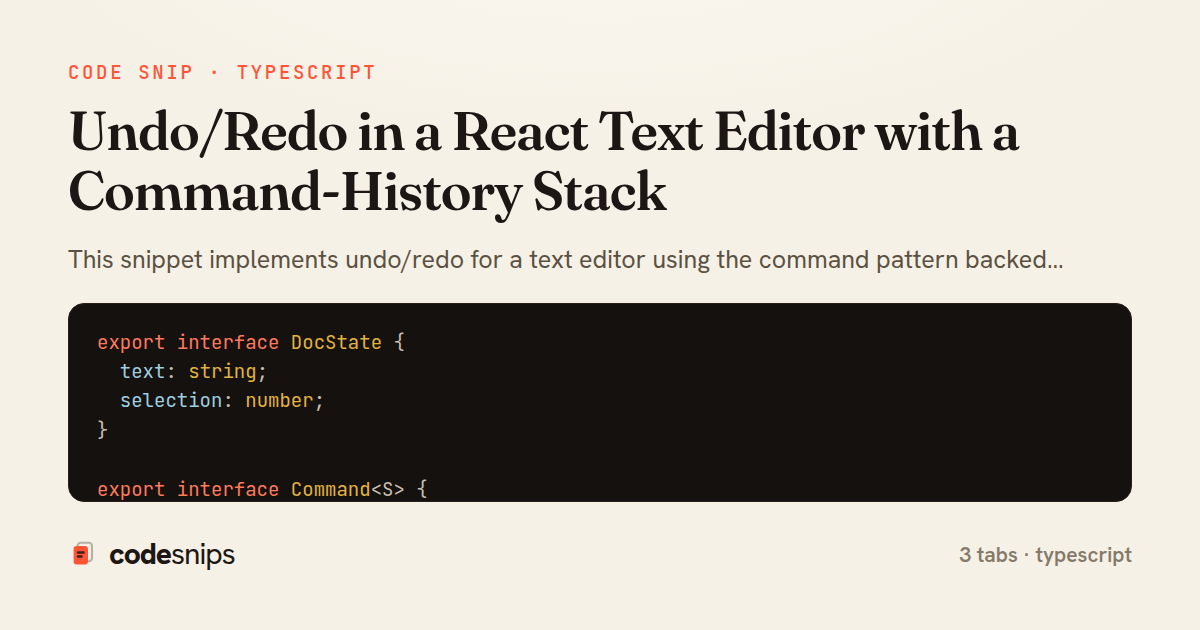
This snippet implements undo/redo for a text editor using the command pattern backed by two stacks. The core idea is that every mutation is represented as a reversible Command object rather than being applied directly to state, so history can be replayed forward or backward deterministically.
In commands.ts, a Command<S> interface defines apply and invert — apply produces the next state, and invert produces a command that undoes the effect. insertText and deleteRange are factory functions returning such commands. deleteRange captures the removed substring inside its closure at creation time, which is what lets its inverse re-insert exactly the right text at the right offset. Capturing the removed slice up front avoids the classic bug where an inverse tries to recompute deleted content after the fact and gets it wrong.
useHistory.ts holds three pieces of state: the current document present, an undoStack, and a redoStack. execute applies a command, pushes it onto the undo stack, and clears the redo stack — clearing redo is deliberate, since branching off a mid-history point invalidates the previously abandoned future. undo pops the last command, applies its invert against the current state, and moves it to the redo stack; redo reverses that flow. Because commands are the unit of history, memory stays bounded by the number of edits rather than by snapshotting the entire document on every keystroke.
The hook exposes canUndo/canredo flags derived from stack lengths so the UI can disable buttons cleanly. useCallback keeps the returned handlers stable across renders, which matters when they are wired to keyboard shortcuts.
Editor.tsx ties it together: it renders a textarea, translates raw onChange diffs into insertText or deleteRange commands, and binds Ctrl/Cmd+Z and Shift+Ctrl/Cmd+Z to undo and redo. Converting a coarse textarea change into a precise command is the trickiest part — the handler compares old and new values to find the common prefix and suffix. The main trade-off of this pattern is that authors must write correct inverses for every command; the payoff is O(1) undo, coalescing opportunities, and a history that is trivial to serialize or inspect. It is the right reach whenever edits are discrete and reversible.
Related snips
class Money
  include Comparable

  attr_reader :amount, :currency

  def initialize(amount, currency = 'USD')
Value objects for domain modeling
export interface RetryOptions {
  retries: number;
  baseMs: number;
  maxMs: number;
  signal?: AbortSignal;
  onRetry?: (attempt: number, delay: number, err: unknown) => void;
Exponential backoff with jitter for retries
import axios, { AxiosError } from 'axios'
import { v4 as uuidv4 } from 'uuid'

const api = axios.create({
  baseURL: import.meta.env.VITE_API_URL || 'http://localhost:3000/api/v1',
  timeout: 15000,
Axios API client with interceptors
import { create } from 'zustand'
import { persist } from 'zustand/middleware'

interface FilterState {
  search: string
  category: string | null
Zustand for lightweight state management
import SwiftUI

struct ContentView: View {
    @State private var username = ""
    @State private var isLoggedIn = false
    @StateObject private var viewModel = LoginViewModel()
SwiftUI declarative UI with state management
import React from "react";

type FallbackProps = {
  error: Error;
  reset: () => void;
};
React Error Boundary + error reporting hook
Share this code
Here's the card — post it anywhere.