typescript
389 lines · 2 tabs
Alex Chang
Feb 2026
2 tabs
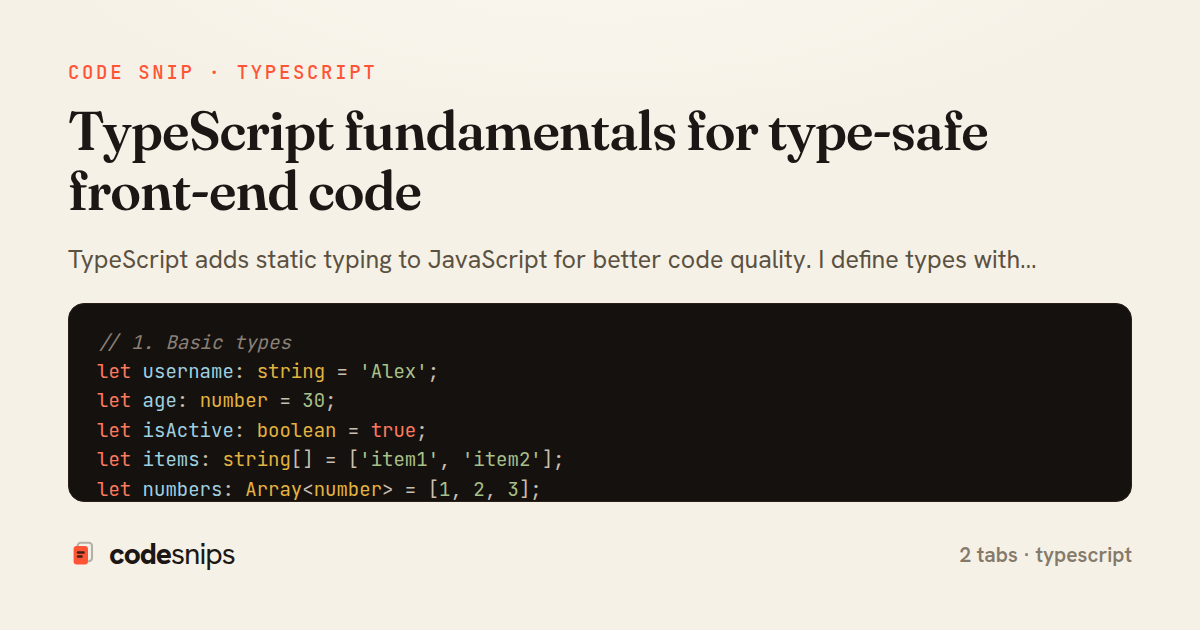
// 1. Basic types
let username: string = 'Alex';
let age: number = 30;
let isActive: boolean = true;
let items: string[] = ['item1', 'item2'];
let numbers: Array<number> = [1, 2, 3];
let tuple: [string, number] = ['Alex', 30];

// 2. Interfaces
interface User {
  id: number;
  username: string;
  email: string;
  age?: number; // Optional property
  readonly createdAt: Date; // Read-only property
}

const user: User = {
  id: 1,
  username: 'alex',
  email: 'alex@example.com',
  createdAt: new Date(),
};

// user.id = 2; // OK
// user.createdAt = new Date(); // Error: readonly

// 3. Type aliases
type ID = string | number;
type Status = 'pending' | 'active' | 'inactive';

interface Product {
  id: ID;
  name: string;
  status: Status;
  price: number;
}

// 4. Functions
function greet(name: string): string {
  return `Hello, ${name}!`;
}

const add = (a: number, b: number): number => a + b;

// Optional parameters
function buildName(firstName: string, lastName?: string): string {
  return lastName ? `${firstName} ${lastName}` : firstName;
}

// Default parameters
function multiply(a: number, b: number = 1): number {
  return a * b;
}

// Rest parameters
function sum(...numbers: number[]): number {
  return numbers.reduce((total, n) => total + n, 0);
}

// Function type
type MathOperation = (a: number, b: number) => number;

const subtract: MathOperation = (a, b) => a - b;

// 5. Generics
function identity<T>(arg: T): T {
  return arg;
}

const numIdentity = identity<number>(42);
const strIdentity = identity<string>('hello');

// Generic interface
interface Response<T> {
  data: T;
  status: number;
  message: string;
}

interface UserData {
  id: number;
  name: string;
}

const response: Response<UserData> = {
  data: { id: 1, name: 'Alex' },
  status: 200,
  message: 'Success',
};

// Generic constraints
interface HasLength {
  length: number;
}

function logLength<T extends HasLength>(arg: T): void {
  console.log(arg.length);
}

logLength('hello'); // OK
logLength([1, 2, 3]); // OK
// logLength(42); // Error: number doesn't have length

// 6. Union and intersection types
type StringOrNumber = string | number;

function formatValue(value: StringOrNumber): string {
  if (typeof value === 'string') {
    return value.toUpperCase();
  }
  return value.toFixed(2);
}

// Intersection type
interface Nameable {
  name: string;
}

interface Ageable {
  age: number;
}

type Person = Nameable & Ageable;

const person: Person = {
  name: 'Alex',
  age: 30,
};

// 7. Enums
enum UserRole {
  Admin = 'ADMIN',
  User = 'USER',
  Guest = 'GUEST',
}

interface AuthUser {
  username: string;
  role: UserRole;
}

const admin: AuthUser = {
  username: 'admin',
  role: UserRole.Admin,
};

// Numeric enum
enum Direction {
  Up,
  Down,
  Left,
  Right,
}

// 8. Type guards
function isString(value: any): value is string {
  return typeof value === 'string';
}

function process(value: string | number) {
  if (isString(value)) {
    console.log(value.toUpperCase());
  } else {
    console.log(value.toFixed(2));
  }
}

// instanceof guard
class Dog {
  bark() {
    console.log('Woof!');
  }
}

class Cat {
  meow() {
    console.log('Meow!');
  }
}

function makeSound(animal: Dog | Cat) {
  if (animal instanceof Dog) {
    animal.bark();
  } else {
    animal.meow();
  }
}

// 9. Utility types
// Partial - makes all properties optional
interface TodoItem {
  title: string;
  description: string;
  completed: boolean;
}

function updateTodo(todo: TodoItem, updates: Partial<TodoItem>): TodoItem {
  return { ...todo, ...updates };
}

// Required - makes all properties required
type RequiredTodo = Required<Partial<TodoItem>>;

// Readonly - makes all properties readonly
const readonlyTodo: Readonly<TodoItem> = {
  title: 'Learn TypeScript',
  description: 'Study TS fundamentals',
  completed: false,
};

// readonlyTodo.completed = true; // Error: readonly

// Pick - select specific properties
type TodoPreview = Pick<TodoItem, 'title' | 'completed'>;

// Omit - exclude specific properties
type TodoInfo = Omit<TodoItem, 'completed'>;

// Record - create object type with specific keys
type PageInfo = Record<'home' | 'about' | 'contact', { title: string }>;

const pages: PageInfo = {
  home: { title: 'Home' },
  about: { title: 'About' },
  contact: { title: 'Contact' },
};

// 10. Advanced types
// Mapped types
type Nullable<T> = {
  [P in keyof T]: T[P] | null;
};

type NullableUser = Nullable<User>;

// Conditional types
type NonNullable<T> = T extends null | undefined ? never : T;

type NotNull = NonNullable<string | null>; // string

// Template literal types
type EventName = 'click' | 'focus' | 'blur';
type EventHandler = `on${Capitalize<EventName>}`;
// Result: 'onClick' | 'onFocus' | 'onBlur'
import React, { useState, useEffect } from 'react';

// 1. Functional component with props
interface ButtonProps {
  label: string;
  onClick: () => void;
  variant?: 'primary' | 'secondary';
  disabled?: boolean;
}

const Button: React.FC<ButtonProps> = ({
  label,
  onClick,
  variant = 'primary',
  disabled = false,
}) => {
  return (
    <button
      onClick={onClick}
      disabled={disabled}
      className={`btn btn-${variant}`}
    >
      {label}
    </button>
  );
};

// 2. Component with children
interface CardProps {
  title: string;
  children: React.ReactNode;
}

const Card: React.FC<CardProps> = ({ title, children }) => {
  return (
    <div className="card">
      <h3>{title}</h3>
      <div className="card-body">{children}</div>
    </div>
  );
};

// 3. useState with types
const Counter: React.FC = () => {
  const [count, setCount] = useState<number>(0);
  const [name, setName] = useState<string>('');

  return (
    <div>
      <p>Count: {count}</p>
      <button onClick={() => setCount(count + 1)}>+</button>
    </div>
  );
};

// 4. Complex state types
interface Todo {
  id: number;
  text: string;
  completed: boolean;
}

const TodoList: React.FC = () => {
  const [todos, setTodos] = useState<Todo[]>([]);

  const addTodo = (text: string) => {
    const newTodo: Todo = {
      id: Date.now(),
      text,
      completed: false,
    };
    setTodos([...todos, newTodo]);
  };

  const toggleTodo = (id: number) => {
    setTodos(todos.map(todo =>
      todo.id === id ? { ...todo, completed: !todo.completed } : todo
    ));
  };

  return (
    <ul>
      {todos.map(todo => (
        <li key={todo.id} onClick={() => toggleTodo(todo.id)}>
          {todo.text}
        </li>
      ))}
    </ul>
  );
};

// 5. Event handlers
const Form: React.FC = () => {
  const handleSubmit = (e: React.FormEvent<HTMLFormElement>) => {
    e.preventDefault();
    // Handle form
  };

  const handleChange = (e: React.ChangeEvent<HTMLInputElement>) => {
    console.log(e.target.value);
  };

  const handleClick = (e: React.MouseEvent<HTMLButtonElement>) => {
    console.log('Clicked!');
  };

  return (
    <form onSubmit={handleSubmit}>
      <input onChange={handleChange} />
      <button onClick={handleClick}>Submit</button>
    </form>
  );
};

// 6. Custom hooks
function useLocalStorage<T>(key: string, initialValue: T): [T, (value: T) => void] {
  const [storedValue, setStoredValue] = useState<T>(() => {
    try {
      const item = window.localStorage.getItem(key);
      return item ? JSON.parse(item) : initialValue;
    } catch (error) {
      return initialValue;
    }
  });

  const setValue = (value: T) => {
    setStoredValue(value);
    window.localStorage.setItem(key, JSON.stringify(value));
  };

  return [storedValue, setValue];
}

// Usage
const App: React.FC = () => {
  const [name, setName] = useLocalStorage<string>('name', '');

  return (
    <input
      value={name}
      onChange={(e) => setName(e.target.value)}
    />
  );
};
2 files · typescript
Explain with highlit
TypeScript adds static typing to JavaScript for better code quality. I define types with interfaces and type aliases for clear contracts. Type annotations like : string, : number catch errors at compile time. Generics enable reusable, type-safe components with <T> syntax. Union types combine multiple types with |, while intersection types merge types with &. The enum keyword defines named constants. Type guards with typeof and instanceof narrow types. Optional chaining ?. and nullish coalescing ?? handle undefined safely. TypeScript improves IDE autocomplete, refactoring, and prevents runtime errors.
Related snips
typescript
export interface RetryOptions {
  retries: number;
  baseMs: number;
  maxMs: number;
  signal?: AbortSignal;
  onRetry?: (attempt: number, delay: number, err: unknown) => void;
Exponential backoff with jitter for retries
typescript
reliability
retry
by codesnips
2 tabs
javascript
// Creating a Promise
const myPromise = new Promise((resolve, reject) => {
  const success = true;

  setTimeout(() => {
    if (success) {
Promises and async/await patterns for asynchronous JavaScript
javascript
promises
async-await
by Alex Chang
1 tab
javascript
import { Controller } from "@hotwired/stimulus"
import Mousetrap from "mousetrap"

export default class extends Controller {
  connect() {
    // Global shortcuts
Keyboard shortcuts with Stimulus and Mousetrap
stimulus
javascript
ux
by Jordan Lee
2 tabs
javascript
import { Controller } from "@hotwired/stimulus"

export default class extends Controller {
  static targets = ["form"]
  static values = { delay: { type: Number, default: 250 } }
Debounced live search with Stimulus + Turbo Streams
rails
hotwire
stimulus
by codesnips
4 tabs
typescript
import axios, { AxiosError } from 'axios'
import { v4 as uuidv4 } from 'uuid'

const api = axios.create({
  baseURL: import.meta.env.VITE_API_URL || 'http://localhost:3000/api/v1',
  timeout: 15000,
Axios API client with interceptors
react
axios
api
by Maya Patel
1 tab
typescript
import { create } from 'zustand'
import { persist } from 'zustand/middleware'

interface FilterState {
  search: string
  category: string | null
Zustand for lightweight state management
react
zustand
state-management
by Maya Patel
2 tabs
Share this code
Here's the card — post it anywhere.