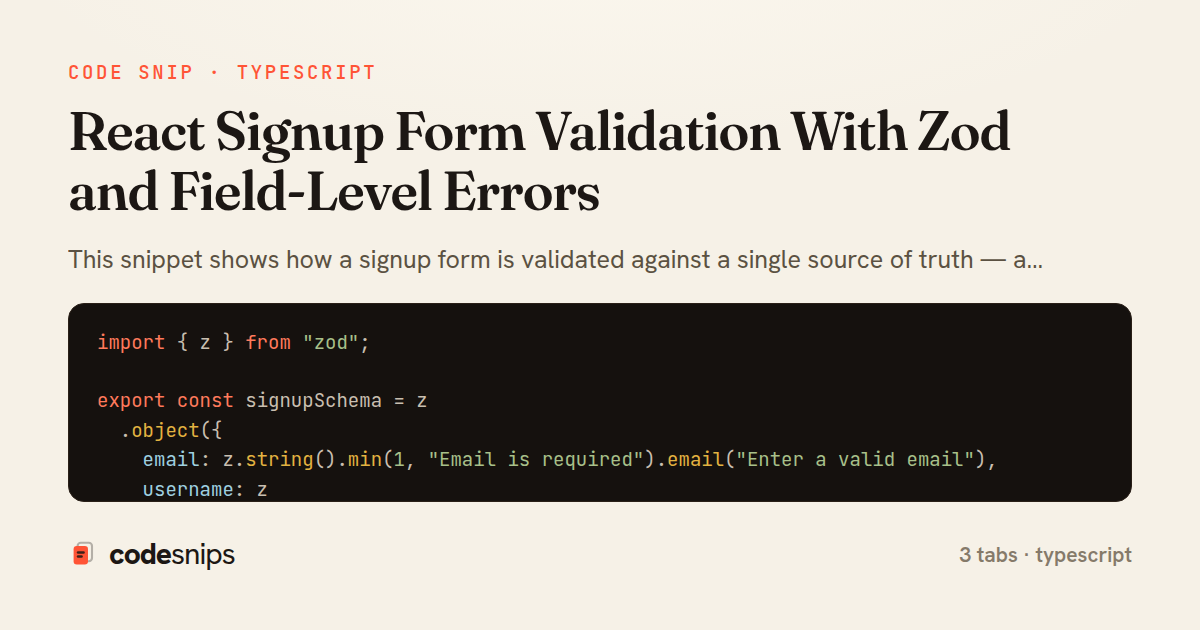
import { z } from "zod";

export const signupSchema = z
  .object({
    email: z.string().min(1, "Email is required").email("Enter a valid email"),
    username: z
      .string()
      .min(3, "Username must be at least 3 characters")
      .regex(/^[a-z0-9_]+$/i, "Only letters, numbers and underscores"),
    password: z
      .string()
      .min(8, "Password must be at least 8 characters")
      .regex(/[0-9]/, "Include at least one number"),
    confirmPassword: z.string().min(1, "Please confirm your password"),
  })
  .refine((data) => data.password === data.confirmPassword, {
    message: "Passwords do not match",
    path: ["confirmPassword"],
  });

export type SignupValues = z.infer<typeof signupSchema>;
import { useCallback, useMemo, useState } from "react";
import type { ZodSchema } from "zod";

type Errors<T> = Partial<Record<keyof T, string>>;
type Touched<T> = Partial<Record<keyof T, boolean>>;

export function useZodForm<T extends Record<string, unknown>>(
  schema: ZodSchema<T>,
  initial: T
) {
  const [values, setValues] = useState<T>(initial);
  const [touched, setTouched] = useState<Touched<T>>({});
  const [submitted, setSubmitted] = useState(false);

  const allErrors = useMemo<Errors<T>>(() => {
    const result = schema.safeParse(values);
    if (result.success) return {};
    const fieldErrors = result.error.flatten().fieldErrors;
    return Object.keys(fieldErrors).reduce((acc, key) => {
      const messages = fieldErrors[key as keyof T];
      if (messages && messages.length) acc[key as keyof T] = messages[0];
      return acc;
    }, {} as Errors<T>);
  }, [schema, values]);

  const visibleErrors = useMemo<Errors<T>>(() => {
    if (submitted) return allErrors;
    return Object.keys(allErrors).reduce((acc, key) => {
      if (touched[key as keyof T]) acc[key as keyof T] = allErrors[key as keyof T];
      return acc;
    }, {} as Errors<T>);
  }, [allErrors, touched, submitted]);

  const setField = useCallback((name: keyof T, value: string) => {
    setValues((prev) => ({ ...prev, [name]: value }));
  }, []);

  const blurField = useCallback((name: keyof T) => {
    setTouched((prev) => ({ ...prev, [name]: true }));
  }, []);

  const handleSubmit = useCallback(
    (onValid: (values: T) => void) => (e: React.FormEvent) => {
      e.preventDefault();
      setSubmitted(true);
      const result = schema.safeParse(values);
      if (result.success) onValid(result.data);
    },
    [schema, values]
  );

  return { values, errors: visibleErrors, setField, blurField, handleSubmit };
}
import React from "react";
import { signupSchema, type SignupValues } from "./signupSchema";
import { useZodForm } from "./useZodForm";

const initial: SignupValues = {
  email: "",
  username: "",
  password: "",
  confirmPassword: "",
};

export function SignupForm() {
  const { values, errors, setField, blurField, handleSubmit } = useZodForm(
    signupSchema,
    initial
  );

  const onValid = (data: SignupValues) => {
    console.log("submitting", data);
  };

  const Field = (props: { name: keyof SignupValues; label: string; type?: string }) => {
    const { name, label, type = "text" } = props;
    const error = errors[name];
    const errorId = `${String(name)}-error`;
    return (
      <div className="field">
        <label htmlFor={String(name)}>{label}</label>
        <input
          id={String(name)}
          type={type}
          value={values[name]}
          onChange={(e) => setField(name, e.target.value)}
          onBlur={() => blurField(name)}
          aria-invalid={error ? true : undefined}
          aria-describedby={error ? errorId : undefined}
        />
        {error && (
          <p id={errorId} className="field-error" role="alert">
            {error}
          </p>
        )}
      </div>
    );
  };

  return (
    <form noValidate onSubmit={handleSubmit(onValid)}>
      <Field name="email" label="Email" type="email" />
      <Field name="username" label="Username" />
      <Field name="password" label="Password" type="password" />
      <Field name="confirmPassword" label="Confirm password" type="password" />
      <button type="submit">Create account</button>
    </form>
  );
}
This snippet shows how a signup form is validated against a single source of truth — a Zod schema — with errors surfaced next to the individual fields that produced them. The pattern keeps validation rules declarative and reusable, so the same schema can drive both client-side feedback and, eventually, server-side parsing.
In signupSchema.ts, the shape is defined with z.object, and cross-field logic (password confirmation) is expressed with .refine, attaching the error to a specific path so it lands on confirmPassword rather than the form as a whole. The SignupValues type is inferred from the schema with z.infer, which means the form values and the validation rules can never drift apart — changing a field in the schema updates the type everywhere it is consumed.
The useZodForm hook wraps the mechanics of holding values, tracking which fields have been touched, and mapping validation output into a flat errors object keyed by field name. Validation runs through schema.safeParse, which returns a discriminated result instead of throwing; on failure, error.flatten().fieldErrors is reduced into first-message-per-field so each input has at most one string to display. The hook only reveals an error once a field is touched or after a submit attempt, which avoids the jarring experience of showing 'required' messages on a pristine form. handleSubmit marks every field touched and re-validates so nothing slips through if the user clicks submit without blurring inputs.
SignupForm.tsx is a thin presentational layer over the hook. Each Field reads its message from errors, wires aria-invalid and aria-describedby for screen readers, and links the message element by id so assistive tech announces the problem. This separation matters: the component knows nothing about validation rules, and the schema knows nothing about the DOM.
The trade-off is that safeParse runs on every relevant change, which is cheap for a small form but would warrant debouncing for large or expensive schemas. A subtle pitfall handled here is submit-without-blur — without forcing touched on submit, invalid fields could stay silent. Reach for this approach whenever a form needs trustworthy, field-anchored validation without pulling in a heavier form framework.
Related snips
export interface RetryOptions {
  retries: number;
  baseMs: number;
  maxMs: number;
  signal?: AbortSignal;
  onRetry?: (attempt: number, delay: number, err: unknown) => void;
Exponential backoff with jitter for retries
<!DOCTYPE html>
<html lang="en">
<head>
  <meta charset="UTF-8">
  <meta name="viewport" content="width=device-width, initial-scale=1.0">
  <title>Semantic HTML Example</title>
Semantic HTML5 elements and accessibility best practices
class SignupForm
  include ActiveModel::Model
  include ActiveModel::Attributes

  attribute :account_name, :string
  attribute :email, :string
Shallow Controller, Deep Params: Form Object Pattern
// Creating a Promise
const myPromise = new Promise((resolve, reject) => {
  const success = true;

  setTimeout(() => {
    if (success) {
Promises and async/await patterns for asynchronous JavaScript
import { Controller } from "@hotwired/stimulus"
import Mousetrap from "mousetrap"

export default class extends Controller {
  connect() {
    // Global shortcuts
Keyboard shortcuts with Stimulus and Mousetrap
import axios, { AxiosError } from 'axios'
import { v4 as uuidv4 } from 'uuid'

const api = axios.create({
  baseURL: import.meta.env.VITE_API_URL || 'http://localhost:3000/api/v1',
  timeout: 15000,
Axios API client with interceptors
Share this code
Here's the card — post it anywhere.